
Temu App Coupons — Codes, New-User Offers & Website Use
Temu app coupons can reduce an order total, but there is no single coupon value or code that applies to every user. Temu’s current official promotions vary by country, account, campaign, and eligibility, and some offers are explicitly marked “New App Users Only.” Official regional pages currently show different coupon-bundle values and currencies, which is a useful reminder that a code seen in someone else’s screenshot may not match the offer available to your account.
The terms matter just as much as the headline discount. Temu’s support documentation says coupons may exclude certain products, conflict with other promotions, require a minimum spend, or still leave the order subject to a separate minimum-order requirement.
There is also an important difference between a Temu app coupon code and a coupon that works through the website. Some official campaigns specifically instruct new users to search for or apply a code inside the mobile app, so an app-only offer should not automatically be presented as a website coupon.
This guide explains how to find and redeem legitimate Temu coupons, why codes sometimes fail, how new-user offers work, and how to tell whether a promotion actually requires the app.
Temu App Coupons — What You Need to Know First
Temu app coupons are not one universal code that gives every shopper the same discount. The offer available to you can depend on your country, account status, campaign, referral path, and whether Temu classifies you as eligible for a particular promotion.
Fact-check 3: Referral-code timing can matter. Temu’s current affiliate FAQ states that, for one referral flow, an eligible new user must redeem the code within one hour of first downloading the app and then has 30 days to place a qualifying order; Temu also notes that terms can vary by market and campaign.
Some official Temu campaigns are explicitly marked “New App Users Only.” Current promotion pages also show that the same type of campaign can have different headline values in different markets. For example, Temu has recently shown a $100 coupon bundle on one campaign page, a R$300 coupon bundle on a Brazilian version, and a €100 coupon bundle on a European version.
That does not mean each shopper receives one coupon worth the full headline amount. A coupon bundle can contain multiple separate coupons, each with its own rules, thresholds, or expiry conditions.
App-only promotions and website coupons should also be kept separate. Some official Temu pages specifically instruct users to search for a code inside the Temu app or apply it during app checkout, which means the same offer should not automatically be described as a coupon for the website.
The best place to confirm what applies to you is the coupon or promotion shown inside your own Temu account, together with the official terms attached to that campaign.
| Coupon type | Typical eligibility | App required? | Minimum spend possible? | Expiration possible? | Best place to check terms |
|---|---|---|---|---|---|
| New-app-user coupon | Eligible new app users | Often yes | Yes | Yes | Official campaign page or app |
| Coupon bundle | Campaign-specific users | Often | Yes, per coupon | Yes | Coupon list and campaign rules |
| Account coupon | Selected or eligible accounts | Not always | Possible | Yes | Temu account coupon area |
| Checkout promotion | Qualifying carts/orders | Depends on offer | Possible | Yes | Checkout and event rules |
| Referral-linked offer | Qualifying referred users/accounts | Depends on campaign | Possible | Yes | Referral campaign terms |
A high advertised coupon value is therefore best treated as the headline value of an offer, not the amount you should assume will come off one order.
Where to Find Temu Coupons in the App
The safest place to look for a Temu app coupon is inside Temu itself rather than relying on an old code list from another website.
Depending on your account and current campaigns, offers may appear in several places:
- Your account or coupon area: This is where available account-specific coupons and their conditions may be shown.
- Promotional banners: Temu may display active campaigns on the home screen or other parts of the app.
- Campaign pages: Some offers open a dedicated page explaining the reward, code, or eligibility conditions.
- Checkout: A qualifying discount may appear or become selectable when the cart meets the required conditions.
- Referral or affiliate promotions: Some codes are tied to a particular referral or acquisition campaign rather than being universal public coupons.
Account-specific availability matters. Two people can use Temu on the same day and see different coupon values, different minimum-spend requirements, or no matching offer at all.
This is also why a code shared on social media may work for one user and fail for another. The problem may not be the code itself; the second account may simply fall outside that campaign’s eligibility rules.
How to Check a Coupon Before Using It
Before changing your cart just to qualify for a coupon, open the offer details and check the conditions that affect the final discount.
Verify:
- Discount amount: Is it a fixed amount, percentage, or bundle of several coupons?
- Minimum spend: How much must the qualifying order or item total reach?
- Eligible products: Are certain categories, items, or warehouse products excluded?
- Expiration date: When does the coupon stop working?
- User eligibility: Is it restricted to new app users, selected accounts, or another user group?
- Region: Is the campaign available in your country and currency?
- Promotion compatibility: Can the coupon be combined with the sale or event already applied to the order?
Temu’s current support information says some coupons exclude particular product categories or local-warehouse items, and some promotional events do not allow an additional coupon to be used at the same time.
There is also an important difference between a coupon threshold and the separate minimum order value. Temu gives the example of a “Spend $10 to save $1” coupon: qualifying for that discount does not necessarily mean the remaining cart total is high enough to place the order. If the account’s minimum order is $30, the shopper would need at least $31 of qualifying items before the $1 discount so that the post-discount total still reaches $30.
The final checkout screen is therefore more important than the headline coupon value. Confirm that the discount has actually been applied and that the amount you are about to pay matches what you expected.
How to Use a Temu App Coupon Code
The exact redemption process depends on the promotion. Some Temu app coupon codes are entered at checkout, while other campaigns tell users to search for a code inside the app first to open or claim an offer.
A practical redemption flow is:
- Sign in to the eligible Temu account. Coupon eligibility can be linked to the account, so use the account that received or qualified for the offer.
- Open the coupon or promotion. Check the offer details rather than relying only on the headline discount.
- Enter or redeem the code where instructed. Follow the campaign’s stated method instead of assuming every code belongs in the checkout coupon field.
- Add qualifying products. Product, category, or promotional restrictions may apply.
- Confirm the discount appears before payment. Do not assume a successfully entered code means every item qualifies.
- Check the final payable total. Verify the actual amount due before placing the order.
Temu’s current support information says coupons can have product restrictions, promotion limitations, and separate spending requirements, so the discount displayed at checkout is the most useful confirmation that the offer has actually been accepted.
Search Code vs Checkout Code
Temu currently uses more than one code-redemption flow.
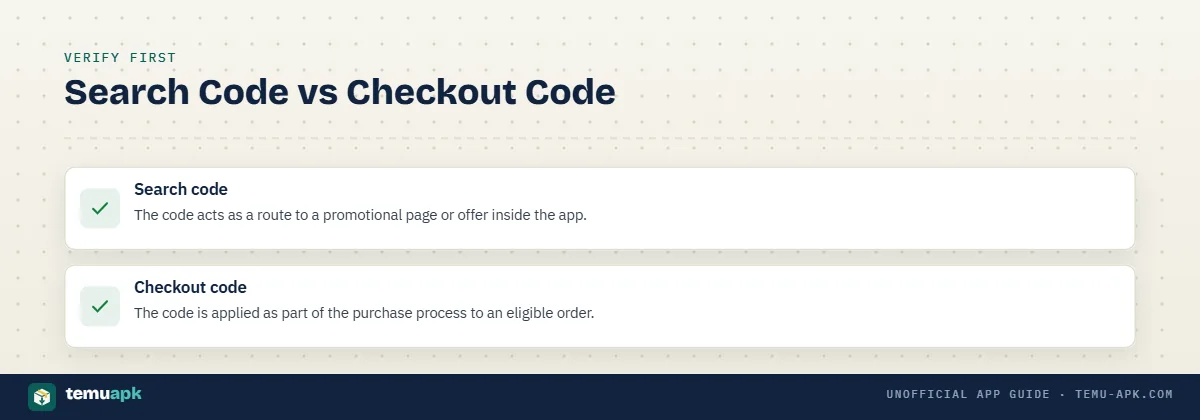
Some official new-user campaign pages tell shoppers to search for a code inside the Temu app to reach a coupon-bundle offer. The same pages may separately tell users to apply a code at checkout in the app for another discount.
These are different actions:
- Search code: The code acts as a route to a promotional page or offer inside the app.
- Checkout code: The code is applied as part of the purchase process to an eligible order.
For example, a current official campaign page advertises a coupon bundle for new app users and instructs them to search the campaign code inside Temu. It separately advertises a 30% discount and tells eligible users to apply the code at app checkout.
Do not assume that a code designed for one flow will work in the other. Use the instructions attached to that specific promotion.
How to Confirm the Coupon Actually Applied
Before tapping the final order button, check the checkout summary rather than relying on the fact that the code was accepted earlier.
Confirm:
- The discount is visible: The order summary should show the coupon or promotional reduction.
- The intended products qualify: A coupon may not apply to every item in the cart.
- The spending requirements are still met: The coupon threshold and Temu’s separate minimum-order requirement can both matter.
- The final payable amount is correct: Compare the total after discounts with what you expected to pay.
- The discount has not been distributed somewhere unexpected: One payment can sometimes cover several associated orders.
Temu explains that when one coupon is used across multiple associated orders, the discount can be divided proportionally according to each order’s value. The discount can also be allocated proportionally among individual items within an order.
For example, if a $10 discount applies to two associated orders worth $70 and $30, Temu’s support example allocates $7 to the first order and $3 to the second. This can make one order appear to have received a smaller discount even though the full coupon was applied across the combined purchase.
Temu New App User Coupons — Who Qualifies?
Some official Temu new app user coupons are specifically restricted to people who meet the conditions of a new-user campaign.
Current Temu promotional pages explicitly label offers such as coupon bundles and percentage discounts as “New App Users Only.”
The phrase should not be interpreted as meaning that anyone using a particular phone for the first time automatically qualifies. Eligibility can depend on the specific campaign, account history, country or region, referral path, timing, and other conditions stated in the promotion.
The safest approach is to check the terms attached to the offer shown on your own account. A coupon promoted to another user should not be assumed to have the same eligibility rules for you.
New App User vs Existing Temu User
These user types can overlap less than they appear to:
- New app user: A person who satisfies the new-user definition for a particular app promotion.
- Existing account holder: Someone who already has or has previously used a Temu account and may not qualify for acquisition-focused offers.
- Returning shopper: A user who has previously purchased or used Temu and may instead receive different account promotions.
- Referral or affiliate user: Someone who arrives through a tracked referral link or code and must meet that campaign’s qualifying conditions.
There is no useful reason to invent one universal definition of “new user” for every Temu promotion. Temu’s affiliate documentation, for example, describes qualifying new-user actions in campaign-specific terms and ties rewards to eligibility and required actions within particular time windows.
This also explains why reinstalling the app should not be assumed to turn an existing user into a new one. Campaign eligibility can be linked to more than the presence or absence of the app on a device.
Coupon Bundle vs Single Coupon
A coupon bundle is not necessarily one coupon that removes the entire advertised amount from a single order.
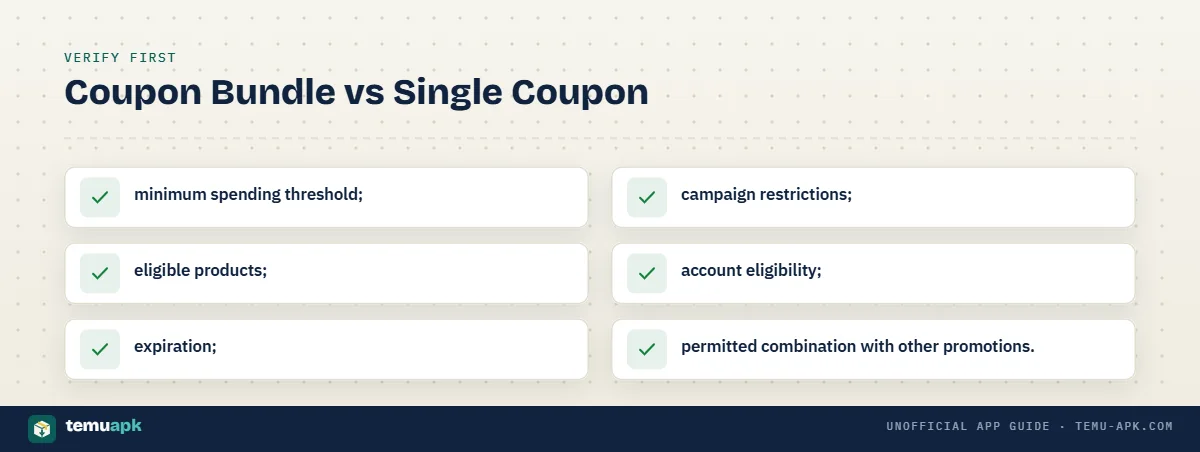
Official Temu rules for coupon-bundle promotions state that individual coupons in a bundle are subject to their own terms and conditions, and those terms can vary between members.
That means a headline such as “$100 coupon bundle” may represent several separate coupons rather than one immediate $100 discount.
Individual coupons may differ by:
- minimum spending threshold;
- eligible products;
- expiration;
- campaign restrictions;
- account eligibility;
- permitted combination with other promotions.
The bundle’s headline value is therefore best understood as the combined face value of the included coupons under their respective conditions, not as cash or a guaranteed reduction on one purchase.
Temu Coupon Code Without App — Can You Use One on the Website?
Yes, Temu itself can be used through a web browser without installing the app. But that does not mean every Temu coupon code without app will work on the website.
Some offers are clearly designed for the mobile app. Temu’s current campaign pages explicitly advertise new-app-user rewards and instruct eligible users to search for a code inside the Temu app or apply it at app checkout.
So a Temu coupon code for website not app needs to be checked against its own terms. If the promotion says it is app-only, installing or using the app is part of that particular offer’s eligibility or redemption process.
App-Only vs Website Coupons
| Check | App-only coupon | Website-eligible coupon |
|---|---|---|
| Redemption location | Inside the Temu mobile app | Through Temu’s website or eligible web checkout |
| App installation required | Usually yes | Not necessarily |
| New-user restriction | Common on acquisition campaigns | Depends on the individual offer |
| Checkout process | Discount applied through app checkout or app campaign flow | Discount must be accepted through the web flow |
| Account dependency | Often tied to the eligible signed-in account | Can also depend on account eligibility |
| Where to verify terms | App campaign page, coupon details, or official promotion page | Website promotion terms or checkout |
Temu’s own app page specifically promotes app-only events, exclusive offers, and coupon/offer alerts, confirming that some promotional experiences are intentionally tied to the mobile application.
For that reason, a code that fails on the website may not be fake. It may simply belong to an app-specific campaign.
How to Tell If a Coupon Requires the App
Read the instructions attached to the offer before trying to redeem it on the website.
Strong indicators of an app-specific promotion include wording such as:
- “New App Users Only”
- “Search the code in the Temu app”
- “Apply code at checkout in the Temu app”
- instructions to scan a QR code and download/open Temu
- an official campaign page centered on getting the Temu app
Current Temu campaign pages use exactly these types of app-specific instructions for selected new-user offers.
If the promotion does not clearly say where it works, check the terms while signed in to your Temu account before changing your cart or installing the app solely for the discount.
Why Is My Temu Coupon Code Not Working?
A Temu coupon code can fail even when the code itself is real. The most common reasons are product restrictions, spending thresholds, promotion conflicts, expiration, or account eligibility.
Fact-check 2: Temu Credit is not cash. Temu says credit can be used for purchases on its platform and does not expire, but it cannot normally be withdrawn as cash.
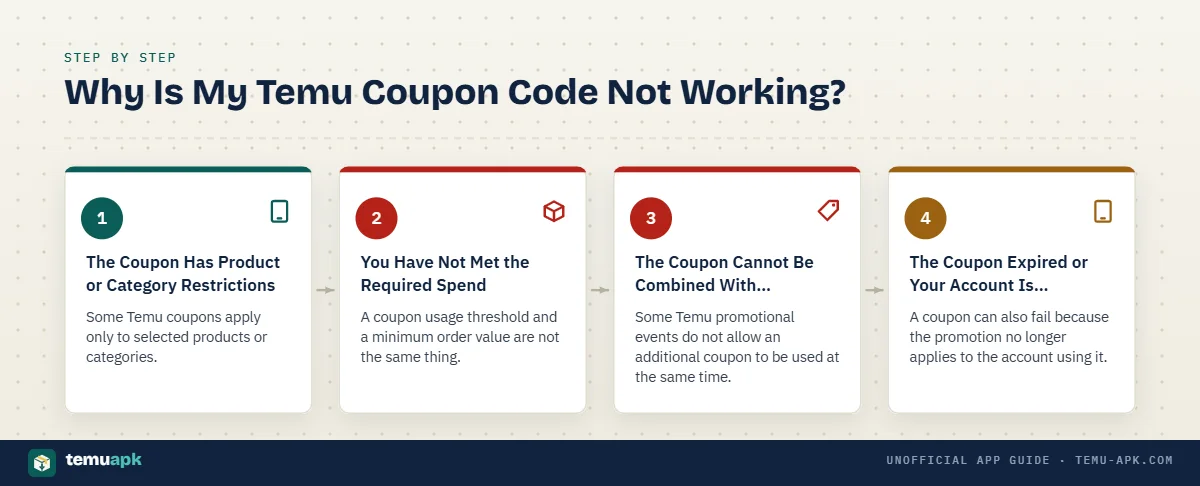
Temu’s own support documentation specifically identifies coupon restrictions, promotion limitations, and order minimums as reasons a coupon may not work as expected.
The Coupon Has Product or Category Restrictions
Some Temu coupons apply only to selected products or categories.
A coupon may exclude:
- certain product categories;
- specific items;
- products shipped from local warehouses in some cases;
- items already covered by separate promotional rules.
Temu states that some coupons cannot be used on local-warehouse products or certain categories, and users can review the specific restrictions in their coupon details.
This is why a coupon can appear valid in your account but still fail when you add a particular product to the cart. The important check is not only whether the coupon exists, but whether the items you selected are eligible for it.
You Have Not Met the Required Spend
A coupon usage threshold and a minimum order value are not the same thing.
Temu gives a clear example: a coupon may say “Spend $10 to save $1,” which means the coupon itself requires $10 of qualifying spend. But if the account also has a $30 minimum order requirement, the total after the $1 discount must still meet that separate $30 threshold.
In that example, the shopper would need at least $31 of qualifying items so that the order remains at $30 after the coupon is applied.
So when a coupon appears to qualify but checkout still does not proceed, check both:
- the minimum required to activate the coupon; and
- the minimum total required to place the order.
They are separate conditions.
The Coupon Cannot Be Combined With Another Promotion
Some Temu promotional events do not allow an additional coupon to be used at the same time.
Temu’s support documentation says certain promotion rules can prevent another coupon from being applied during the event.
This can happen even when:
- the coupon has not expired;
- the cart reaches the required spend;
- the products would normally qualify.
If another promotion is already attached to the order, check its terms before assuming the coupon is broken.
The final checkout screen is the most reliable place to see which discount Temu has actually accepted.
The Coupon Expired or Your Account Is Not Eligible
A coupon can also fail because the promotion no longer applies to the account using it.
Possible reasons include:
- Expiration: The campaign or coupon validity period has ended.
- New-user restriction: The offer is limited to eligible new users.
- Account-specific eligibility: The promotion was issued only to selected accounts.
- Regional availability: The offer is not active in your country or market.
- Previous redemption: The coupon or associated promotion has already been used where reuse is not permitted.
Temu’s affiliate documentation confirms that available campaigns, qualifying actions, and reward conditions can vary by market. It also notes that referral-based offers depend on eligible users completing required actions within the relevant campaign rules.
A coupon working for another person therefore does not prove that the same account conditions apply to you.
Can You Stack Multiple Temu Coupons?
Do not assume that several Temu app coupons can be combined on the same order.
Fact-check 1: Temu Credit and a coupon can be used together. Temu’s current support page explicitly says users may use Temu Credit after applying a coupon code. That is different from combining multiple coupons.
Temu’s support information says some promotional activities do not permit an additional coupon to be used at the same time. That means stacking depends on the specific promotion and coupon terms rather than a universal rule.
The practical check is simple: add the intended discounts and review the checkout summary. If Temu accepts only one coupon, that is the discount currently valid for that order.
Coupon + Temu Credit
A coupon, Temu Credit, and a promotional reward are different forms of value.
- Coupon: Reduces the price of an eligible purchase when its conditions are met.
- Temu Credit: Account-based value recognized by Temu and subject to its own usage rules.
- Promotional reward: A broader category that can include coupons, credits, gifts, discounts, or other campaign benefits.
They should not be described as interchangeable.
A coupon may reduce the qualifying order total, while Temu Credit may be applied as account value during checkout where permitted. A promotional reward may instead unlock a separate benefit that has its own conditions.
The fact that two benefits appear on the same account does not guarantee they can both be used on one purchase. Check what the checkout actually accepts.
Coupon + Sale Price or Other Promotion
A coupon may work with a sale price in one campaign and be blocked in another.
Temu specifically says some promotional activities prevent the use of additional coupons, which means compatibility depends on the rules of the event and the coupon itself.
Before assuming you will receive both discounts:
- Add the promotional item to the cart.
- Apply or select the coupon.
- Review the order summary.
- Confirm that both reductions are still visible.
- Check the final payable amount.
A coupon advertised separately from a sale does not automatically mean the two offers can be stacked.
Why Temu Coupon Values Differ Between Users
Temu coupon values can differ because offers are not always global or universal.
Several factors can affect what a shopper sees:
- Country or region
- Currency
- New-user versus existing-user status
- Account eligibility
- Referral or affiliate source
- Campaign dates
- Available products or categories
- Market-specific promotional rules
Temu’s affiliate documentation says supported campaigns, referral rewards, thresholds, and local rules differ by market. It also states that new-user incentives can include coupon bundles, discounts, gifts, and other promotional offers depending on the current campaign.
This helps explain why one user may see a large coupon bundle while another sees a smaller percentage discount, a different currency amount, or no matching offer.
A screenshot shared online is therefore evidence only of the offer shown to that account at that time. It should not be treated as a universal Temu coupon.
Why a Friend’s Coupon May Not Work for You
A friend’s coupon can fail on your account for several reasons:
- Different account eligibility: Your account may not qualify for the same campaign.
- Different market: Coupon and referral rules can vary by country or region.
- Expired campaign: The offer may have ended since your friend received it.
- Referral attribution: The coupon may be linked to a specific affiliate or referral path.
- New-user requirement: One account may qualify while an existing user does not.
- Offer already redeemed: A one-time promotion may no longer be available on your account.
Temu’s affiliate FAQ states that referral eligibility, available campaigns, and local rules can differ by market. It also says qualifying actions depend on the particular referral offer, and rewards can be denied when the referred user does not meet the required eligibility or action conditions.
So a code failing for you does not necessarily mean it was fake. It may simply belong to a different campaign, account type, or market than the one currently attached to your Temu account.
Are Temu Coupon Codes From Other Websites Legit?
Some third-party Temu coupon codes can be real, but the surrounding website may still describe the offer inaccurately.
A coupon site may publish:
- an expired Temu code;
- a code restricted to another country;
- an affiliate or referral code;
- a new-user-only promotion;
- an account-specific offer;
- a genuine code with an exaggerated headline discount.
That distinction matters. A working code proves only that Temu recognizes the code under certain conditions. It does not prove that every claim on the page promoting it is correct.
For example, an external site might describe a referral offer as a universal coupon even though Temu’s affiliate documentation says referral tools can include both links and codes, with eligibility, rewards, and qualifying actions varying by market and campaign.
Never provide your Temu password, full card details, or other sensitive account information merely to “unlock” a coupon on an unrelated website. Temu’s own safety guidance advises users not to provide passwords or full payment information through suspicious messages or off-platform channels.
How to Check a Temu Coupon Code Safely
Before trusting a code from another website, check:
- Does the code redeem inside Temu? A legitimate offer should ultimately be recognized within Temu’s app or website.
- Are the eligibility terms visible? Look for new-user rules, spending thresholds, product restrictions, and regional conditions.
- Is an expiration date shown? Old coupon pages may remain indexed long after the promotion has ended.
- Is it a referral or affiliate offer? Temu confirms that affiliates can distribute referral links and codes tied to qualifying actions.
- Does the page require unrelated downloads or surveys? Those steps are not proof that the coupon is legitimate.
- Does checkout show the discount before payment? The final Temu order summary is more reliable than a third-party claim about how much you will save.
Also check the offer against Temu’s own restrictions. Temu says coupons may exclude certain categories or local-warehouse products, may conflict with another promotion, or require separate order minimums.
A third-party coupon page can help you discover an offer, but the actual terms shown by Temu should determine whether you use it.
Coupon Codes vs Referral Codes
A coupon code and a referral code can look similar because both may be short strings entered or searched inside Temu. Their purpose can be different.
A code may be used for:
- Shopper discount: Reducing the price of an eligible purchase.
- New-user acquisition: Encouraging someone to register, install the app, or place a first qualifying order.
- Affiliate attribution: Connecting a user’s activity to a particular affiliate or publisher.
- Referral reward: Giving the referring person a reward when the invited user completes the required action.
Temu’s current affiliate documentation confirms that participants receive referral tools including links, codes, and shareable content. It also states that commissions or rewards depend on eligible users completing qualifying actions and that rules vary by market.
This means a code shared as a “coupon” may also track a referral or affiliate relationship. That is not automatically a problem, but the page should explain what the code does instead of presenting every referral code as a universal discount.
Temu Coupon Scams and Misleading Deal Claims
Official Temu coupons are not the same thing as deceptive coupon pages that use Temu’s name.
Be cautious when a third-party page promises unusually large savings but gives little or no information about eligibility, expiration, or where the offer comes from.
Common warning signs include:
- Guaranteed huge discounts with no terms: Real coupons can have spending, product, region, or account conditions.
- Fake countdowns on unrelated sites: A timer alone does not prove that a Temu promotion is genuinely about to expire.
- Requests for your Temu password: You should not need to give an unrelated coupon website your shopping-account password.
- Requests for card details before coupon redemption: Coupon verification should not require entering payment information into an unrelated site.
- Forced downloads: Be cautious if a supposed Temu coupon requires an unrelated app, browser extension, or executable file.
- “Unlimited coupon” claims: A permanently reusable code with unlimited value should be treated skeptically unless Temu itself documents those terms.
- Old screenshots presented as current offers: Coupon values, currencies, campaign rules, and eligibility can change over time.
Temu’s own buying-safety guidance recommends keeping transactions on Temu and warns users not to provide full card numbers or passwords through suspicious communications.
A misleading coupon page does not mean Temu’s official promotions are fraudulent. The safer distinction is between an offer Temu itself recognizes and a third-party claim that cannot be verified inside Temu.
Temu App Coupon Checklist Before You Buy
Before placing an order with a Temu app coupon, confirm each of these points:
- The coupon belongs to your account or campaign. A code from another user or region may not apply to you.
- You meet the eligibility rules. Check whether the offer is limited to new app users, referrals, selected accounts, or another group.
- Your products qualify. Some coupons exclude particular categories, items, or local-warehouse products.
- The minimum-spend requirement is met. Remember that the coupon threshold and Temu’s separate minimum order value can both apply.
- The coupon has not expired. Do not rely on an old screenshot or third-party page without checking the current offer.
- Another promotion is not blocking it. Temu says some promotional events do not allow an additional coupon.
- The discount appears in checkout. A code is only useful if Temu actually applies the expected reduction.
- The final payable amount is correct. Check the post-discount total before confirming payment.
- You are not spending extra just to chase a headline coupon value. Compare the additional spend required with the actual saving you receive.
The number shown in a coupon banner or bundle is less important than the final amount you must pay. Use the checkout total, current eligibility conditions, and product restrictions to judge the real value of the offer.
Conclusion
Temu app coupons can provide real discounts, but the headline value is only useful when the offer actually matches your account, products, region, and order conditions. New-user offers, coupon bundles, referral codes, website coupons, and app-only promotions can all follow different rules.
Before changing your cart to qualify for a deal, check the minimum spend, eligible products, expiration, account requirements, and whether another promotion blocks the coupon. For codes found outside Temu, confirm the offer inside the Temu app or website rather than relying on the third-party description.
Most importantly, judge the deal by the final amount shown at checkout, not by the largest number in the promotional banner. If the expected discount is not visible before payment, review the coupon conditions before placing the order.
FAQ
Can I use Temu Credit together with a coupon code?
Yes. Temu’s current support information says Temu Credit can be used together with a coupon. This is different from stacking multiple coupon codes, which may be restricted by the specific promotion.
Does Temu Credit expire?
Temu’s current support documentation says Temu Credit does not expire. It can be used for purchases on Temu but cannot normally be withdrawn as cash.
Can I turn a Temu coupon bundle into cash?
Normally, no. Temu’s published coupon-bundle rules state that rewards are generally not transferable or redeemable for cash unless the promotion specifically says otherwise. Individual campaign rules should still be checked because conditions can differ.
Does reinstalling the Temu app automatically make me a new user?
No. Reinstalling the app does not automatically guarantee new-user eligibility. Temu’s affiliate documentation says eligibility depends on the campaign and market; in some markets, even returning users must satisfy a required inactive period before qualifying.
Can a Temu referral code also give the shopper a coupon?
It can. Temu’s affiliate program uses referral links and codes that may lead eligible users to coupon bundles, discounts, gifts, or other campaign offers. The exact benefit depends on the market, campaign, and qualifying actions.
2 Comments