
Unofficial guide · Android APK
Temu APK Download for Android
Check the version, confirm your phone is compatible, then install with confidence. Details below were last checked on September 19, 2026.
Independent guide · not affiliated with Temu · always verify the package name before installing.
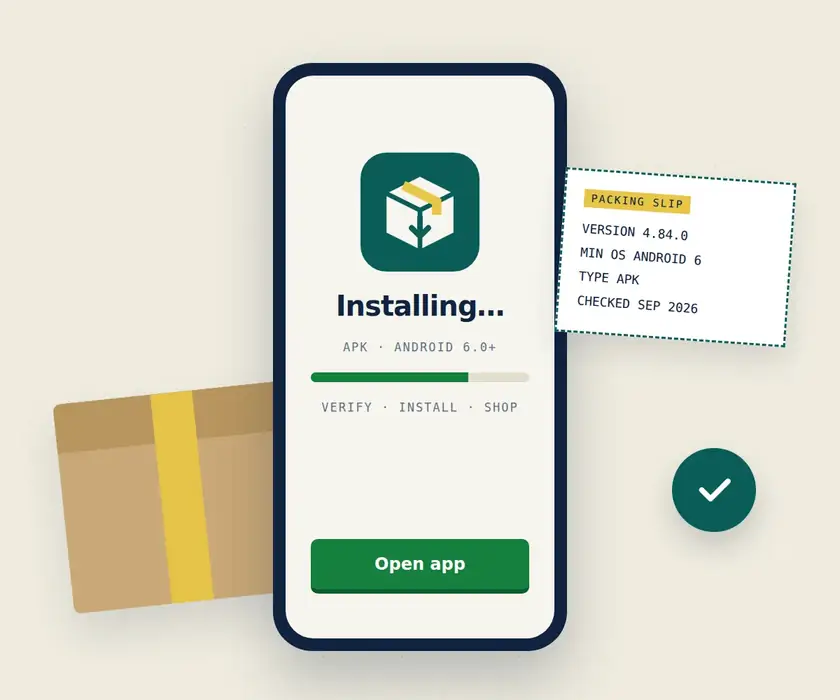
4.84.0
Android 6.0+
com.einnovation.temu
Sep 19, 2026
Temu APK is the Android package for Temu’s shopping app, Temu: Shop Like a Billionaire. Before downloading it, check that the file matches the genuine Android app, the version is suitable for your phone, and the source is clearly identified. In the supplied official Google Play research, Temu was listed as requiring Android 6.0 or later, although version information should always be rechecked because the app is updated frequently.
That verification matters because a file named “Temu APK” isn’t automatically the correct Temu shopping app. Different download sites can show different versions, and unrelated apps have also used the Temu name. This page therefore focuses on more than a download button: you’ll be able to identify the correct app, check compatibility and version details, understand the difference between official distribution and a third-party APK, and install it on Android with fewer surprises.
Temu itself is an online shopping app with product browsing, checkout, order tracking, price alerts, coupons, and other shopping features. If you’re also comparing a Temu MOD APK, trying to fix an installation problem, or deciding whether you need the app instead of the website, those questions are covered without mixing them up with the core Android download.
Temu APK Download — Verify the App Before Installing
The Temu APK is the Android installation package for Temu: Shop Like a Billionaire, the consumer shopping app published under the Temu name. APK files are designed for Android devices, so an APK download is not the correct installation format for an iPhone or iPad.
Before installing any Temu app download APK, check more than the filename. The genuine shopping app uses the Android package name com.einnovation.temu. A file can display “Temu” in its name or copy the app’s branding without necessarily being the same application.
As of September 19, 2026, the most recent Temu APK release we could independently verify in a current APK repository is version 4.84.0, with Android 6.0 or later listed as the minimum requirement. APKMirror shows version 4.84.0 among uploads dated September 18, 2026, while the Google Play listing itself was also updated in September. Versions may not appear identically to every user because releases and variants can differ by device or rollout.
The official Temu app page directs Android users to Google Play. Any APK supplied by an independent APK website should therefore be described according to its actual source rather than presented as an “official APK” simply because it matches Temu’s app name. For this website, the exact provenance of the hosted/downloadable APK has not been provided in the project information, so that source must be confirmed before publication. Claims such as “100% safe,” “virus-free,” or “official” should not be used without evidence.
Temu APK App Details
| App detail | Verified information |
|---|---|
| App name | Temu: Shop Like a Billionaire |
| Developer / publisher | Temu |
| Android package name | com.einnovation.temu |
| Current checked APK version | 4.84.0 |
| Version checked | September 19, 2026 |
| Recent APK upload date | September 18, 2026 |
| Minimum Android version | Android 6.0 (Marshmallow / API 23) or later |
| File/package type | Android APK; bundle variants may also exist |
| Category | Shopping |
| Price | Free |
| Official Android distribution | Google Play, linked from Temu’s own app page |
| This website’s APK source | Site-owner confirmation required before publication |
The current 4.84.0 APK listing identifies Temu as the publisher, uses package com.einnovation.temu, requires Android 6.0+, and lists the app in the Shopping category. One APK variant is about 41.85 MB, while bundle variants can be larger, so file size should always be matched to the exact variant being offered rather than copied from another release.
How to Confirm You Have the Correct Temu App
Start with the package identity. For the Android shopping app discussed on this page, the package should be:
com.einnovation.temu
Then check the following details together:
- Name: Temu: Shop Like a Billionaire
- Publisher: Temu
- Package:
com.einnovation.temu - Category: Shopping
- Android requirement: currently Android 6.0+
- Branding: icon and interface should correspond with Temu’s current official listings
The icon alone isn’t enough. Images, names, and logos can be copied, so package identity and source are stronger checks than appearance.
This matters because unrelated Android apps have also used the name Temu. The supplied research, for example, surfaced a former crypto-finance app called “Temu” with the completely different package com.temus.mobileapp. That app was unrelated to the Temu shopping marketplace.
A matching name therefore does not prove that an APK Temu download is the shopping app you intended to install.
What Is the Temu App?
Temu is an online shopping marketplace available through its mobile app and website. The Android app lets users browse products across categories such as fashion, home goods, beauty, clothing, shoes, and other consumer items, then manage much of the shopping process from a phone. Google Play classifies it as a Shopping app.
The app combines product discovery with standard e-commerce functions such as a shopping cart, checkout, account access, order management, and notifications. Temu’s own app information also highlights order tracking, low-stock alerts, price-drop notifications, coupons, promotional alerts, and checkout-related features.
What Is the Temu App Used For?
The Temu app is mainly used to browse and buy products from a mobile device. Users can search through listings, compare prices and offers, save or add products to a cart, complete eligible purchases, and return to the app to follow their orders.
It can also be useful after checkout. Depending on the feature and account, users may receive order updates, promotional messages, price-drop alerts, low-stock notices, or information about current coupons and offers.
In practical terms, people commonly use the app to:
- discover products and browse categories;
- search for specific items;
- compare listings and deals;
- add products to a cart and check out;
- track existing orders;
- manage their Temu account;
- receive shopping, stock, price, and promotional notifications.
The app is not required simply to understand what Temu is, and Temu also operates through the web. The app is primarily the mobile-app version of the shopping experience.
Temu App Features
The most relevant Temu app features for someone deciding whether to install it include:
Product discovery and browsing: Temu provides access to a large marketplace covering many consumer-product categories. Search and browsing tools help users move from broad product discovery to individual listings.
Shopping cart and checkout: Products can be added to a cart and purchased through the app using the options available for the user’s account and region. Google Play describes the app as providing checkout functionality alongside its shopping catalog.
Order tracking: After an order is placed, Temu promotes order tracking as one of the app’s core services.
Price and stock alerts: Temu’s app page lists price-drop alerts and notifications for low-stock items. These can help users follow items without repeatedly checking the same listing.
Coupons and promotions: The app can send information about coupons, offers, and app-related promotions. The availability and conditions of individual promotions can vary, so an offer shown to one account should not be assumed to apply to every user.
Account and support access: The mobile experience also connects shopping activity with account information, orders, and customer-support functions.
These are more useful reasons to evaluate the app than simply choosing it because it advertises low prices. Before installing, it still makes sense to confirm that the APK is the correct app and is compatible with the device.
Temu APK Version, Android Compatibility, and Requirements
Temu receives frequent Android updates, which makes version information especially important on APK download pages. An old page can still appear in search results long after its version number has stopped being current.
Fact-check 3: The iPhone version has its own platform requirements. Apple’s current U.S. listing requires iOS 13.0 or later for iPhone and iPadOS 13.0 or later for iPad, reinforcing that an Android APK is not the iOS installation format.
For that reason, the version shown here is tied to a visible check date instead of being presented as permanently “latest.”
Current Temu APK Version
Current version checked: 4.84.0
Last checked: September 19, 2026
At the time of this check, APKMirror listed Temu: Shop Like a Billionaire 4.84.0 as its newest Temu upload, dated September 18, 2026. The preceding releases included 4.83.0, 4.82.0, 4.82.8, and 4.81.0 within a relatively short period, showing how quickly the available version can change.
That does not mean every Android phone must show 4.84.0 in Google Play at the same moment. Store distribution can differ by rollout, device, region, and available variant. The Google Play listing itself had been updated in September 2026, but the public page we checked did not expose a universally applicable version number in the retrieved listing.
A page still advertising an older build such as 4.76.0 as the newest Temu APK would therefore be outdated relative to the current APK releases we checked.
Android Version Requirements
The currently checked Temu 4.84.0 APK requires Android 6.0 (Marshmallow, API 23) or later. The current repository listing also identifies variants for ARM device architectures and shows that different package variants can have different file sizes.
A Temu APK may fail to install when:
- the phone runs an Android version below the APK’s minimum requirement;
- the APK variant is not suitable for the device architecture;
- the downloaded file is incomplete or damaged;
- there is not enough free storage for download and installation;
- an existing installation uses an incompatible signature or package;
- Android blocks installation from the selected source.
Android compatibility and APK variant compatibility are not the same thing. A phone may run Android 13, for example, and easily meet the Android 6.0 minimum, yet the user still needs an APK variant built for the device’s supported architecture.
File size also varies. Recent 4.84.0 listings include an APK of roughly 41.85 MB as well as a larger bundle variant of about 88.44 MB. Leave additional free space beyond the download size because Android needs room to process and install the application.
An internet connection is also needed for most of Temu’s practical shopping functions, including loading product listings, accessing an account, checking orders, and completing online transactions.
Why Temu Version Numbers Can Differ Between Sources
It’s normal to find more than one Temu version when comparing Google Play with APK repositories. A new build may appear gradually, an APK repository may receive a particular variant at a different time, and different device configurations may be offered different compatible packages.
The recent release history illustrates the problem clearly. APKMirror currently lists 4.84.0, preceded by versions 4.83.0, 4.82.0, 4.82.8, 4.81.0, and 4.80.0 over a short span in September 2026. Some releases also have multiple variants.
So don’t judge an APK only by which filename contains the highest number. Compare:
- version number;
- package name;
- publisher identity;
- Android requirement;
- APK variant;
- upload or update date;
- download source.
A numerically higher APK from an unknown source is not automatically a better or more trustworthy download than the version offered to your device through an established distribution channel.
Users who specifically need an earlier release rather than the current build can check the dedicated version archive.
How to Download Temu APK on Android
Downloading a Temu APK manually is different from installing Temu through Google Play. With an APK, you are responsible for checking that the file is the genuine Temu shopping app, that it works with your Android device, and that the source can be identified.
Before You Download
A short check before downloading can prevent most installation problems:
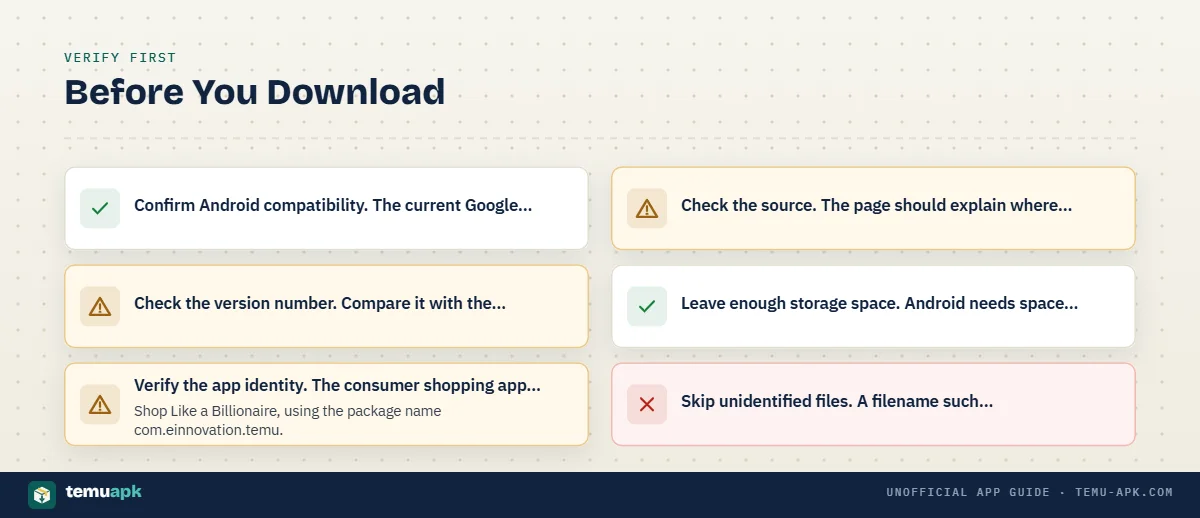
- Confirm Android compatibility. The current Google Play listing is for the Android package
com.einnovation.temu. Make sure your device meets the Android requirement shown for the release you plan to install. - Check the version number. Compare it with the version and check date shown on the download page. Temu is updated regularly, so an old file should not be described as the latest release.
- Verify the app identity. The consumer shopping app is Temu: Shop Like a Billionaire, using the package name
com.einnovation.temu. - Check the source. The page should explain where the APK came from and whether it is an original package or has been modified.
- Leave enough storage space. Android needs space not only for the APK itself but also to unpack and install the application.
- Skip unidentified files. A filename such as
temu-latest.apkproves very little by itself. Do not install a package when its origin or app identity cannot be established.
For extra confidence, technical download pages can also provide a cryptographic checksum such as SHA-256. That lets users confirm that the file they received is identical to the file the site intended to distribute.
Temu APK Download Without Google Play
Some Android users choose a direct APK because Google Play is unavailable on their device, the app is not shown in their store region, they prefer manual installation, or they need a particular compatible release.
Sideloading does not automatically solve every availability problem. Installing an APK outside Google Play may get the application onto the phone, but it does not necessarily bypass Temu account, shipping, payment, or regional service restrictions.
Manual installation also places more responsibility on the user. Google Play provides the store distribution chain and manages updates; with a third-party APK, you need to verify the package, source, version, and update path yourself.
If Google Play is available and the official Temu listing works on your device, it remains the simpler distribution route. Google Play currently identifies the app as Temu: Shop Like a Billionaire, published as Temu, under package com.einnovation.temu.
Descargar Temu APK and Other Language Queries
Searches such as descargar Temu APK, apk de Temu, descargar APK Temu, or i-apk ye-Temu all point to the same basic task: getting the Android package for the Temu shopping app.
The language of the search does not change the verification checks. Before installation, confirm that the package belongs to the correct Temu shopping app, matches com.einnovation.temu, comes from an identifiable source, and is compatible with your Android device.
How to Install Temu APK
Once you have confirmed the APK, the basic Android installation process is straightforward:
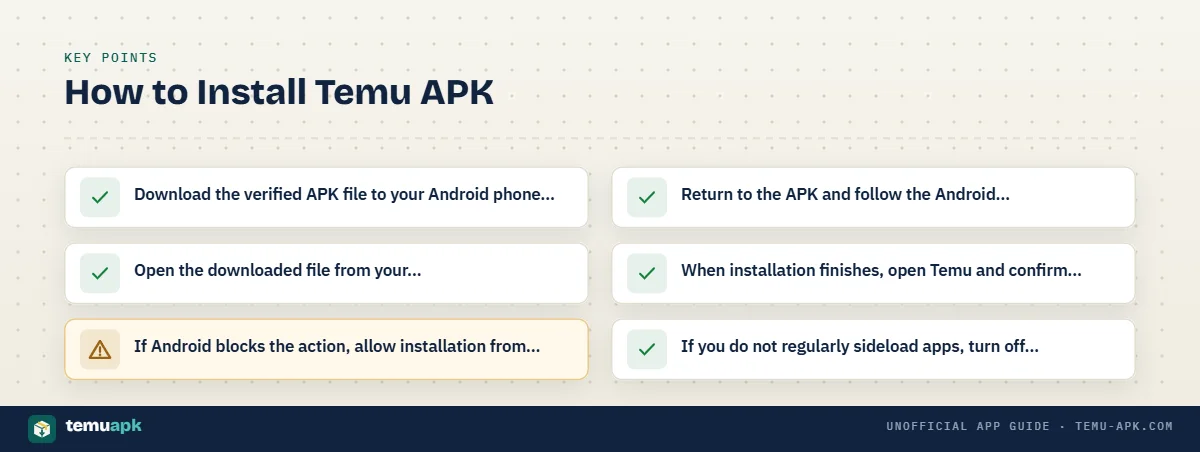
- Download the verified APK file to your Android phone or tablet.
- Open the downloaded file from your browser’s downloads list or a file manager.
- If Android blocks the action, allow installation from that specific source when prompted. Depending on the phone and Android version, this may appear as an “Install unknown apps” or “Allow from this source” setting.
- Return to the APK and follow the Android installation prompt.
- When installation finishes, open Temu and confirm that the app launches normally.
- If you do not regularly sideload apps, turn off the installation permission for that browser or file manager afterward.
Do not enable unknown-app installation globally or for unrelated applications just to install one APK. Modern Android versions generally grant this permission per source, such as a particular browser or file manager.
If Android Blocks the Installation
An installation error does not always mean the Temu APK is defective. Common causes include:
- Installation permission is disabled: Android may prevent your browser or file manager from installing APK files until you explicitly allow that source.
- The download is incomplete or corrupted: Delete the damaged file and download it again from the same verified source.
- Your Android version is unsupported: An APK built for a newer Android release cannot normally be installed on an older unsupported device.
- The installed app has a different signature: Android may refuse an update when the new APK uses the same package name but is signed differently from the version already installed. Do not remove the existing app merely to bypass this warning unless you understand why the signatures differ.
- There is not enough free storage: Free additional space and retry the installation.
A package or signature conflict deserves particular attention. It can mean you are trying to replace an existing Temu installation with a package from a different signing source rather than performing a normal update.
Is the Temu APK Safe to Download?
A Temu APK can only be evaluated properly when its source and identity are known. The legitimate Temu shopping app and an unknown file carrying the words “Temu APK” should not be treated as automatically equivalent.
Before sideloading, check the download source, package name, version, and any available file-integrity information. The genuine Android shopping app uses com.einnovation.temu; a different package name deserves investigation before installation.
It is also important to separate two different questions. Privacy concerns about the legitimate Temu service are not proof that a particular APK contains malware, and the fact that an app is genuinely Temu does not prove that an independently downloaded copy has not been altered. File authenticity has to be evaluated separately.
Official App vs Third-Party APK
| Check | Official app-store distribution | Third-party APK |
|---|---|---|
| App identity | Listed and tied to the store entry | Must be checked independently |
| Updates | Usually handled by the store | Usually require manual checking or installation |
| Source | Publisher/store distribution chain | Depends on the APK distributor |
| Installation | Managed through the store | Sideloading may be required |
| Package verification | Store-managed | User/site should verify package and file details |
| Verification responsibility | Lower | Higher |
Temu’s Google Play entry is the official Android store listing for package com.einnovation.temu. A third-party download page should therefore be transparent about its own file source rather than calling a hosted APK “official” without evidence.
Temu App Privacy and Permissions
Review the permissions and privacy information for the app before using it, especially on a shopping service that may process account, order, shipping, and payment-related information.
Google Play’s current developer-provided Data safety section says the Temu app may collect location, personal information, and other data categories, and may share device or other IDs with third parties. It also states that data is encrypted in transit and that users can request data deletion. The disclosure notes that practices may vary by use, region, and age.
Temu’s privacy policy separately describes collecting information connected with accounts, purchases, transactions, billing, shipping, and use of the service.
Those privacy questions are different from APK tampering. A privacy policy describes how the legitimate service says it handles information; it does not verify that a random third-party APK is an unchanged copy of the legitimate app.
Temu MOD APK — What About Unlimited Money or Free Shopping?
A Temu MOD APK is a modified version of the Android app that has been altered by someone other than the original publisher. Search results and download pages may advertise versions claiming unlimited money, unlimited credits, free shopping, unlocked rewards, or no verification, but those claims should not be treated as genuine Temu features unless they can be independently verified.
Fact-check 1: Temu is not an older renamed shopping app. PDD Holdings states that Temu was founded and launched in the United States in September 2022.
Temu is an online marketplace connected to user accounts, orders, payments, promotions, and other server-based services. Important values such as an order total, coupon eligibility, account balance, or payment status are not necessarily controlled only by data stored inside the Android app. Changing an APK therefore does not automatically create real purchasing credit or make products free.
Modified packages also create additional risks because the original app code has been changed. A user may not know what was added, removed, or redirected. Potential problems include:
- altered login or payment screens;
- account credentials being captured;
- unwanted permissions or tracking;
- modified network connections;
- account restrictions if unauthorized behavior is detected;
- malware or other unwanted code bundled into the APK.
Claims such as “Temu MOD APK unlimited money” or “free shopping APK” should therefore be checked critically rather than accepted from a filename or download-page description.
Temu App Interface and What It Looks Like
The Temu shopping app is built around product discovery, browsing, checkout, and account management. Its exact layout can change as the app is updated, so screenshots from an older version may not match what appears on a current Android device.
Fact-check 2: Temu has passed one billion Google Play downloads. The current Google Play listing shows 1B+ downloads for Temu: Shop Like a Billionaire and a September 2026 update date.
For verification purposes, the interface can provide useful clues, but appearance alone is not enough to confirm that an APK is genuine.
Temu App Icon and Logo
The safest way to check the current Temu app icon and logo is to compare them with Temu’s official website or current Google Play listing. Branding can change over time, and different promotional designs may appear in store pages or screenshots.
A matching icon should never be treated as proof that an APK is authentic. Anyone distributing a modified or fake application can copy a logo, app name, screenshots, or other visible branding.
Use branding as only one part of the check. The stronger identifiers are the app’s package name, publisher, version details, and download source.
Temu Shopping App Interface
The Temu shopping app interface is organized around the main tasks users expect from an online marketplace.
Stable parts of the experience include:
- Search and product discovery: Users can search for specific items or browse suggested products and categories.
- Product listings: Results display products that can be opened for more details.
- Product pages: Individual listings contain information needed to review an item before adding it to a cart or purchasing.
- Shopping cart: Selected products can be collected before checkout.
- Orders and account area: Signed-in users can access account information and manage shopping activity such as orders.
- Promotions and notifications: The app may display deals, coupons, price changes, stock notices, and other promotional information.
The position, design, wording, and availability of individual controls can change between releases, regions, and accounts. For that reason, a slightly different screen layout does not automatically mean the app is fake.
Temu App vs Website — Do You Need the App?
You do not need a Temu APK simply to browse Temu. The company also operates a website that can be opened in a mobile or desktop browser, so users who do not want to install an Android app can still access the service through the web.
The main difference is how the service is delivered on your device.
| Area | Temu Android app | Temu website |
|---|---|---|
| Installation | Requires the app to be installed | No app installation required |
| Device storage | Uses storage for the app and its data | Mainly uses normal browser storage/cache |
| Access | Open through the installed app | Open through a web browser |
| Notifications | Can support app notifications | Depends on browser and account settings |
| App-specific functions | May include mobile-app features and promotional experiences | Some app-focused functions may differ or be unavailable |
| Updates | App needs to be updated | Website changes are handled on the server |
Installing the app can be convenient for frequent mobile shopping, especially for notifications, order access, and app-focused promotions. Browser access may be more suitable for someone who wants to shop without installing another application or granting app-level permissions.
Using the website also avoids APK sideloading entirely. That can matter when Google Play is unavailable but the user only needs access to Temu rather than a locally installed Android app.
Temu APK Not Working? Common Problems
Problems after installing Temu do not always mean the APK itself is faulty. The cause may be the phone, network, account, an outdated build, or a temporary issue with Temu’s service.
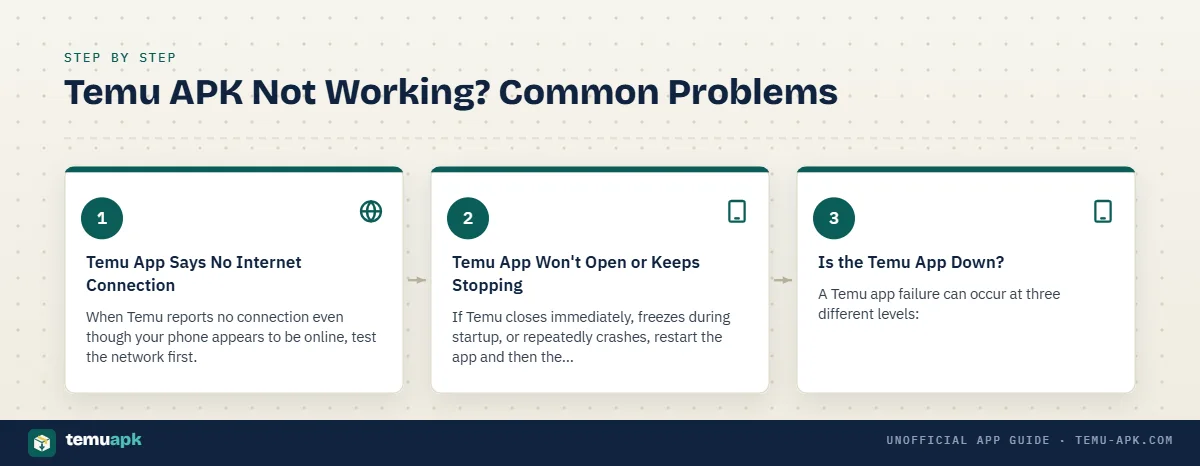
Start with the simplest checks before deleting the app or downloading another APK.
Temu App Says No Internet Connection
When Temu reports no connection even though your phone appears to be online, test the network first.
- Switch between Wi-Fi and mobile data. If Temu works on one connection but not the other, the problem is probably network-related rather than the app itself.
- Temporarily disable a VPN, private DNS service, or network filter. These can sometimes interfere with app connections or regional services.
- Check whether other websites and apps load normally. A general connection failure should be fixed before troubleshooting Temu.
- Check for an app update. An outdated build may stop working correctly with current server-side changes.
- Restart Temu. Force-closing and reopening the app can clear a temporary session problem.
- Clear the app cache where appropriate. On Android, this is normally available through the app’s storage settings. Clearing cache is less disruptive than clearing all app data.
Do not immediately clear all storage or uninstall the app if you are unsure of your login details. Those actions can remove locally stored settings and require you to sign in again.
Temu App Won’t Open or Keeps Stopping
If Temu closes immediately, freezes during startup, or repeatedly crashes, restart the app and then the Android device. A fresh restart can resolve temporary memory or background-process problems.
Next, check that the installed Temu version is current and compatible with the phone’s Android version. The official Google Play listing remains active and was updated in September 2026, so an APK that has not been updated for a long time deserves closer inspection.
Other useful steps include:
- Check that the phone has enough free storage.
- Clear Temu’s cache.
- Install available Android system updates where practical.
- Confirm that the APK uses the correct Temu package identity.
- Update Temu from a trusted source if the installed build is outdated.
Reinstalling should come later, not first. Before removing the existing app, make sure you know the account email, phone number, password, or other sign-in method needed to regain access.
A repeated crash immediately after replacing an APK can also point to a bad download, incompatible variant, or package/signature problem rather than an ordinary app bug.
Is the Temu App Down?
A Temu app failure can occur at three different levels:
Local device problem: Temu fails on one phone, while the website or another device works normally. This points toward the installed app, Android settings, cache, storage, or device compatibility.
Account or network problem: The app opens but login, checkout, product loading, or order access fails on a particular connection or account. Testing another network or Temu’s website can help narrow this down.
Wider service problem: Both the app and website fail for multiple users or services stop responding across different devices and networks. In that case, repeatedly reinstalling the APK is unlikely to fix the problem.
Before replacing the app, try opening Temu’s official website in a browser. If the website works but the Android app does not, focus your troubleshooting on the app or device.
Updating or Replacing an Existing Temu APK
Do not install every newer-looking Temu APK over an existing copy without checking what is already on the phone. An Android update normally needs to match the same app package and a compatible signing identity.
First, compare the installed version with the current verified release shown on this page. A higher version number normally indicates a newer build, but version number alone is not enough; package identity, source, and release date also matter.
Avoid accidentally downgrading the app. Android may reject an older build, and even when a rollback is technically possible, an old Temu version may no longer work correctly with current services.
A more important warning is a signature conflict. If Android reports that an update cannot be installed over the existing application, the new APK may have been signed differently. That can happen when packages come from different sources or when a file has been modified.
Do not uninstall the existing app simply to bypass a signature warning without understanding why it appeared.
Before replacing or removing Temu:
- confirm you can sign back into your account;
- note any account details you may need;
- check that orders and account information are synchronized with your Temu account;
- verify the replacement APK’s package and source;
- avoid clearing app data unless it is actually necessary.
Google Play continues to list the consumer app as Temu: Shop Like a Billionaire from Temu, which provides a useful reference point when checking the identity of a replacement installation.
Temu APK Old Versions
An older Temu APK can be useful in limited situations. A user may need one because a recent release has compatibility problems on a particular phone, a new update causes crashes, or troubleshooting requires testing whether the problem started after an update.
Older does not automatically mean better or safer.
Previous versions may:
- miss security or stability fixes;
- lack newer shopping or account features;
- stop communicating correctly with current Temu services;
- contain bugs fixed in later releases;
- eventually become unsupported.
Use an old release only for a specific reason, and verify its package identity and source just as carefully as the current version.
Temu on iPhone, PC, and Other Platforms
The term Temu APK applies specifically to Android packages. Other platforms use different distribution methods, so an APK should not be treated as a universal Temu installer.
Temu APK on iPhone or iOS
An APK cannot be installed as a normal iPhone application because APK is an Android package format.
Temu has a separate official iOS app listed on Apple’s App Store as Temu: Shop Like a Billionaire, with Temu shown as the developer. The current listing supports iPhone and iPad.
An iPhone user should therefore use the verified App Store route rather than downloading a file advertised as a “Temu APK for iOS.” Renaming an APK or describing it as an iPhone APK does not convert it into an iOS application.
Temu APK on PC or Windows
A Temu APK is also not automatically a native Windows application. APK files are built for Android environments.
For a Windows PC, the simplest verified route is to use Temu through its website in a normal web browser. Installing an Android APK on a PC generally requires an Android-compatible environment rather than standard Windows installation.
Google Play currently also shows Temu as available for supported Android-oriented device categories such as phones, tablets, and Chromebooks, but that should not be confused with a native Windows program.
Avoid downloading a file labeled “Temu for Windows” merely because it uses Temu branding. Confirm that any platform-specific installer is actually distributed or documented by an identifiable source.
Temu Seller App and Similar Temu-Named Apps
The consumer Temu app discussed on this page is the shopping application Temu: Shop Like a Billionaire. It is designed for buyers browsing products, placing orders, and managing their shopping activity.
Seller services are separate. Temu operates an official Temu Seller Center where merchants can register, manage products, work with orders, and access seller tools.
Temu also operates a Partner Platform connected with seller operations and third-party integrations. Its documentation distinguishes buyers, merchants, Seller Center services, and partner/developer applications.
That distinction matters for searches such as Temu Seller App, Temu 卖家中心 app, or Temu卖家中心app. A seller-oriented service or file should not be confused with the consumer Android APK.
The name alone is not enough to establish identity. Temu’s current Google Play developer page lists the main shopping app and another app called Whalek, showing why each Temu-related application should be verified individually rather than assumed to be the same product.
Using Temu After Installation
Once Temu is installed, open the app and sign in with an existing account or create a new one. Temu’s privacy information says account access may use details such as an email address or mobile phone number, with some third-party sign-in options also supported.
From there, the basic shopping flow is straightforward:
- Search or browse products. Use search, categories, filters, and recommendations to find items.
- Review the listing carefully. Check product descriptions, sizes, variants, shipping estimates, customer reviews, and any seller or fulfillment information shown.
- Add items to your cart. Confirm the selected size, color, quantity, or model before continuing.
- Review checkout details. Check the total price, discounts, shipping address, and available delivery options.
- Choose an available payment method. Temu supports different payment options depending on the country and checkout. Current support pages list methods such as major cards, Temu Credit, PayPal, Apple Pay, and Google Pay in supported markets.
- Track the order after purchase. Temu provides order-related support for locating orders, shipping, delivery, cancellation, returns, and refunds.
- Review account and notification settings. Promotional push notifications and marketing preferences can be managed separately, so you do not have to keep every shopping alert enabled.
Take a moment to review the final checkout screen rather than assuming a promotion, coupon, or shipping offer displayed earlier will apply unchanged to the final order.
Coupons, Deals, and Free-Gift Promotions
Temu frequently uses coupons, credits, promotional events, and other rewards, but the conditions can differ between accounts, countries, products, and campaigns.
For example, Temu’s support documentation says coupons may have:
- product or category restrictions;
- minimum-spend requirements;
- exclusions during certain promotional events;
- different terms for particular users or offers.
Temu’s terms also describe rewards broadly as including credits, coupons, cash, gifts, or other benefits, with separate rules potentially applying to each promotion. Some rewards may only work on eligible purchases and may not be redeemable as cash.
That means a banner saying “free gift,” “coupon bundle,” or “credit” should not be interpreted without reading the conditions attached to that specific promotion. Eligibility, expiration dates, required spending, referral conditions, participating products, and regional restrictions can all affect whether the reward can actually be used.
Screenshots or social posts showing another user’s promotion are also not proof that the same offer will appear on your account.
Managing Orders, Payments, and Your Account
Temu provides account tools for reviewing purchases and handling common post-order tasks. Its current support center includes sections for finding orders, canceling orders, changing orders, shipping, refunds, payments, promotions, account preferences, and security.
Order history: Use your account’s order area to review current and previous purchases, shipping progress, and available post-purchase actions.
Canceling an order: Cancellation depends on the order’s status. Temu’s support documentation includes cancellation requests, partial cancellations, and cases where seller review may be required. Once an order has progressed too far into shipping, the available options can change.
Saved payment methods: Linked cards can be added, edited, or removed through the payment-method settings. Temu’s current help documentation provides separate controls for editing or deleting saved cards in the app and on the website.
Customer support: Temu’s help center covers orders, checkout, delivery, returns, payments, promotions, account access, privacy, and product-safety issues.
Uninstalling the app: Removing Temu from your Android device does not necessarily mean that your Temu account or associated account information has been deleted. Uninstalling an app and deleting an online account are separate actions, so use the appropriate account controls if your goal is to close the account rather than simply remove the application.
Apps Like Temu
Temu is not the only mobile marketplace built around low-cost products, broad product discovery, discounts, and international shopping. Other online shopping services may offer overlapping categories such as clothing, electronics, home items, accessories, beauty products, and general marketplace goods.
The right alternative depends on what matters most to you. Useful comparison points include:
- product range;
- total price after shipping and taxes;
- delivery speed;
- return and refund policies;
- seller quality controls;
- buyer protection;
- payment options;
- regional availability;
- app privacy and permissions.
A marketplace that appears cheaper at first may not be the better option once shipping time, return costs, seller reliability, or local support are considered.
Temu APK Download Checklist
Before installing a Temu APK, confirm each of these points:
- Correct app: The file is for Temu: Shop Like a Billionaire, not another app using the Temu name.
- Correct package identity: The Android package matches
com.einnovation.temu. - Developer/publisher checked: The application identity matches the current verified Temu listing.
- Version checked: The version number and check date are current rather than copied from an old download page.
- Android compatibility confirmed: Your device meets the minimum Android requirement for that release and supports the required APK variant.
- File source is clear: You know where the APK came from and whether it is an original or modified package.
- No unsupported MOD promises: Claims such as “unlimited money,” “free shopping,” or “unlimited credits” are not being treated as genuine features without evidence.
- Installation method understood: You know why Android may request permission to install from an external source and how to disable that permission afterward.
- Update method understood: You know how future versions will be obtained and how to avoid package or signature conflicts.
A download button should be the final step, not the first check. Verify the app, package, source, version, and compatibility first; then install.
Conclusion
The main thing to check before downloading a Temu APK is not the filename or icon, but the app’s identity, source, version, and compatibility with your Android device. The genuine Temu shopping app should match the expected package information and come from a source you can clearly identify.
Manual APK installation can be useful when Google Play is unavailable or when a specific release is needed, but it also places more responsibility on the user to verify the file and manage future updates. Claims about MOD features, free shopping, or unlimited credits deserve extra caution because they are not automatically legitimate Temu functions.
Before installing, compare the package details, Android requirements, version date, and download source. Once those checks match, proceed with the normal Android installation process rather than treating any file labeled “Temu APK” as trustworthy by default.
FAQs
Is the Temu app free to download?
Yes. Temu’s official mobile app is offered without an upfront download charge through the major app stores. Apple’s current listing marks Temu: Shop Like a Billionaire as free. A third-party website charging for an APK does not make that file more authentic or official.
Can I update a Temu APK without uninstalling the old version?
Usually, yes, provided the new APK uses the same package name, has a compatible signing certificate, and is a valid newer release. If Android reports a signature conflict, do not uninstall the existing app simply to force the update until you understand why the packages differ.
Why do Temu APK files sometimes have different sizes?
Different downloads may use different architectures, packaging formats, or app bundles. File size can also change between releases as features and resources are added or removed. Compare the exact version and variant rather than assuming every Temu APK with the same version number must have an identical size.
Does uninstalling the Temu app delete my Temu account?
No. Removing the Android app from your phone and deleting your online Temu account are separate actions. Uninstalling removes the local application and its device data, but account deletion must be handled through Temu’s account or privacy controls.
Can I use Temu without installing the APK?
Yes. Temu also operates through its website, so you can access the service in a web browser without sideloading an Android APK. The app may offer mobile notifications or app-focused features, but installing it is not required simply to visit Temu.
Ready when you are
Verified the details? Get the APK.
Version 4.84.0 for Android 6.0 or later. Compare the package name with com.einnovation.temu after installing.