
How to Use Temu App
Learning how to use the Temu app is mainly about understanding one simple shopping flow: find the right product, check the exact listing and variant, review the final checkout amount, then manage the purchase from Your orders after payment.
Temu currently uses the account area for much more than order history. Its support documentation says users can track shipments, confirm shipping information, cancel eligible items, report damaged or missing products, request returns or refunds, and review purchases from their order pages.
The details matter because Temu combines normal marketplace shopping with coupons, Temu Credit, promotional activities, multiple payment methods, and region-specific options. A new user can easily confuse a promotional price with the final checkout total or sign into the wrong account and think an order has disappeared.
This guide focuses on the everyday use of the app after installation: searching, checking listings, ordering, applying discounts, tracking purchases, handling returns, managing notifications, and finding support. Downloading APK files, detailed coupon strategies, referral promotions, and advanced cancellation issues are covered separately where they need deeper explanation.
Temu App Quick Reference
| What you want to do | Where to start |
|---|---|
| Find a product | Search or browse categories |
| Review what you are buying | Product page and selected variant |
| Change quantity or remove an item before payment | Cart |
| Apply discounts and choose payment | Checkout |
| Track a purchase | Your orders |
| Find your order number | Order details; IDs start with PO |
| Cancel an eligible item | Your orders |
| Start a return or refund | Your orders > Return/Refund |
| Get purchase-specific help | Relevant order first |
| Get general account or payment help | Temu Support Center |
How to Use the Temu App: Quick Start
Once Temu is installed, the basic shopping flow is straightforward: sign in, find a product, check the listing carefully, add the correct item to your cart, review checkout details, and manage the purchase through Your orders afterward.
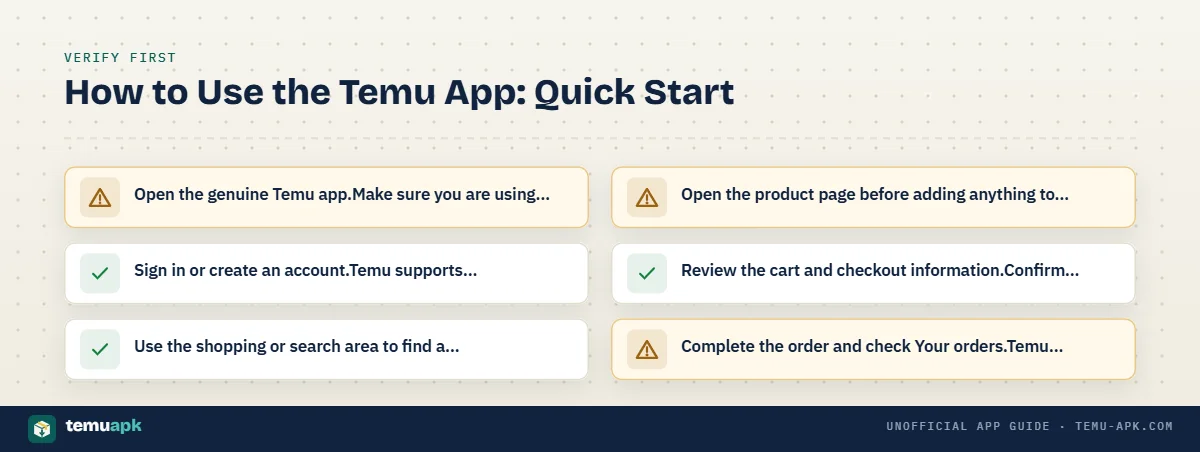
For a first purchase:
- Open the genuine Temu app.
Make sure you are using the official app associated with your existing Temu account rather than an unofficial copy. - Sign in or create an account.
Temu supports account access through details such as email or phone number, as well as external authentication methods including Google, Facebook, and Apple. Temu advises returning users to sign in with the same authentication method they originally used. - Use the shopping or search area to find a product.
Search for a specific item or browse the categories and recommendations shown in your version of the app. - Open the product page before adding anything to the cart.
Check the selected variant, quantity, dimensions, description, delivery information, and other details that affect what you will actually receive. - Review the cart and checkout information.
Confirm the items, quantities, shipping address, discounts, delivery details, payment method, and final amount before paying. - Complete the order and check Your orders.
Temu says completed purchases can be viewed from Your orders in the app or on Temu.com. From the account area, users can also track orders, manage eligible cancellations, report item problems, and request returns or refunds.
This guide focuses on using Temu after the app is already installed. Android APK downloading, installation, file verification, and version details are covered separately.
The exact wording and placement of app controls can change with updates, account settings, promotions, and region. Use the current options shown in your own Temu account instead of assuming that an older screenshot or video still matches the interface.
Sign In With the Same Method You Used Before
Using the wrong sign-in method can make an existing Temu account appear empty.
Temu currently advises users to confirm the correct email address, phone number, or authentication method when they cannot access their account. If the account was originally created through Facebook, Google, Twitter, or Apple, Temu says the user should continue signing in through that same method.
For example, signing in with an email address manually is not necessarily the same as choosing Continue with Google, even when the Google account uses that email address.
If previous purchases seem to be missing:
- sign out and check which login method you originally used;
- try the same Google, Apple, Facebook, or other supported authentication route;
- check the order-confirmation email for clues about the account;
- confirm that you have not accidentally created or opened a second Temu account.
Before assuming an order was deleted, verify the account first. Temu says order details are tied to the account and can be found through Your orders when the correct account is open.
How to Find Products on Temu
The most efficient way to find products on Temu is to start with a specific search rather than relying only on the first recommendations shown on the home screen.
Use the search field when you know roughly what you need. Category and recommendation areas are more useful when you are still browsing and have not decided on an exact product.
When several listings look similar, compare them instead of assuming they are identical. Differences can include:
- size or dimensions;
- quantity in the package;
- material;
- color;
- compatibility;
- product variant;
- seller or fulfilment information when displayed;
- delivery estimate;
- return eligibility;
- final price after available promotions.
A prominent recommendation or promotional placement can help you discover an item, but it does not by itself establish that the listing is the best match for your needs.
Search by Specific Product Details
More specific search terms usually make it easier to separate useful results from products that only loosely match what you need.
Useful details can include:
- item type — such as charging cable, storage box, or phone case;
- size or dimensions — such as 2 m, 30 cm, or XL;
- material — such as cotton, stainless steel, or silicone;
- device compatibility — such as an exact phone, tablet, or laptop model;
- quantity — such as 2-pack or 20 pieces;
- color — when appearance matters;
- intended use — such as travel, kitchen, car, or outdoor use.
For example, searching for “USB-C cable 2m” gives the search system more useful information than simply entering “cable.” Likewise, “case for iPhone 17 Pro” is much more precise than “phone case.”
Specific searches also reduce the risk of opening dozens of visually similar listings that differ in a technical detail you actually care about.
How to Compare Similar Temu Listings
Two Temu listings can use similar-looking photos while selling products with different specifications, quantities, or variants.
Before choosing between similar items, compare:
- Product title: Look for the exact model, size, material, or pack quantity.
- Selected variant: Check the color, size, model, and bundle currently selected.
- Photos: Look beyond the first promotional image for dimensions, package contents, and close-up details.
- Listed dimensions: Do not judge scale from product photography alone.
- Quantity: Confirm whether the price is for one item, a pair, or a multi-pack.
- Customer reviews: Give more weight to reviews that clearly refer to the same variant you plan to buy.
- Seller or fulfilment information: Check it when Temu displays it, especially when delivery or cancellation timing matters.
- Delivery estimate: Temu says expected delivery information appears on product pages and later under Your orders after purchase.
- Return eligibility: Some items can have different return conditions.
- Final price: Compare what you will actually pay after the applicable offer rather than relying only on a reference or crossed-out price.
A matching thumbnail does not prove that two listings contain the same product. The safer comparison is based on the selected variant, specifications, quantity, delivery information, and final price.
How to Read a Temu Product Page Before Buying
Before adding a Temu product to your cart, check the details that determine what you will actually receive. The main photo and headline price can be useful starting points, but they are not enough on their own.
Fact-check: Some Temu purchases may qualify for a price adjustment after checkout.
Temu currently says eligible purchases can receive the price difference if the same item from the same seller drops in price within 30 days, subject to conditions and exclusions.
Review:
- Selected size, color, or variant: Make sure the option currently selected matches what you want.
- Product description: Check what is included, what the item is designed for, and any important limitations.
- Specifications and dimensions: Confirm measurements, materials, compatibility, or technical details that matter.
- Quantity or pack size: A listing may be for one item, several pieces, or a bundle.
- Customer photos and reviews: Look for feedback about the same size, model, color, or version you plan to buy.
- Delivery information: Check the estimated delivery window shown for that listing.
- Stock status: Low-stock or unavailable variants can affect what you can order.
- Return restrictions: Do not assume every item has identical return conditions.
- Seller or fulfilment details: Review these when Temu displays them, especially when shipping or cancellation timing matters.
Temu currently says almost all purchased items are eligible for return and refund within 90 days, but there are exceptions. These can include certain worn, washed, damaged, or opened clothing items, products specifically marked non-returnable, and some free gifts.
The safest habit is to read the exact listing you are buying rather than relying on information from a similar-looking product.
Check the Selected Variant, Not Just the Main Photo
A Temu product page can show several colors, sizes, bundles, accessories, or compatible models in the same image gallery.
The important detail is the variant that is actually selected.
Before adding the item to your cart, recheck:
- size;
- color;
- model;
- quantity;
- pack size;
- compatibility;
- any bundle or accessory choice.
For example, a photo may show a phone case together with a screen protector, but the selected variant may include only the case. A clothing listing may display several colors in one photo while the cart contains only the color currently highlighted.
Check again after adding the product to your cart. The cart summary should reflect the exact variant you chose, not simply the product image that first caught your attention.
Use Reviews as One Part of the Decision
Reviews can add useful context, especially when buyers upload photos or describe the exact variant they received.
Look for reviews that mention:
- the same size or model;
- material or build quality;
- actual dimensions;
- color accuracy;
- packaging;
- compatibility;
- how closely the item matches the description.
Customer photos can be particularly useful for judging scale, appearance, and packaging in a way that polished listing images may not show.
Still, a high rating should not replace checking the product specifications yourself. A product can be well reviewed and still be the wrong size, material, model, or quantity for your needs. Return eligibility should also be checked separately rather than inferred from ratings.
How to Add Items to Your Temu Cart
Once you have checked the listing, adding the correct product to your Temu cart takes only a few steps:
- Open the product page.
- Choose the correct size, color, model, or other variant.
- Select the quantity you need.
- Tap the option to add the item to your cart.
- Open the cart and review the product again.
- Change or remove anything that is incorrect.
- Confirm that the current price and any displayed discount still match what you expect.
The cart is useful for collecting and reviewing products, but it is not the final payment screen. Prices, promotions, delivery conditions, and other checkout details should still be checked before you place the order.
Check the Cart Before Paying
Before continuing to checkout, verify:
- Item: Is it the correct product?
- Variant: Is the right size, color, model, or bundle selected?
- Quantity: Are you ordering the intended number of units?
- Current price: Has the price changed since you first opened the listing?
- Coupon or discount: Is the expected promotion still shown?
- Delivery address: Is the selected address correct?
- Shipping details: Check the delivery information shown for the order.
- Minimum-order requirement: Confirm any minimum that appears before checkout.
- Estimated total: Make sure the running total matches what you expect.
Do not assume that a promotion shown in the cart is guaranteed to remain valid through payment. Temu says coupons can have product restrictions, promotion restrictions, and separate spending thresholds. Its support guidance also states that the coupon threshold and the minimum amount required to place an order can be two different requirements.
The final checkout screen is the better place to confirm what will actually be charged.
How to Place an Order on the Temu App
After reviewing your cart, the normal Temu ordering process is:
- Open the cart.
- Select the products you want to purchase.
- Continue to checkout.
- Confirm your shipping address.
- Review the delivery details.
- Apply an eligible coupon or promotion if available.
- Select your payment method.
- Review the complete order total.
- Complete the payment.
- Check the order confirmation.
Temu says that after checkout and successful payment, it sends an email confirming the products in the order. The purchase can also be viewed under Your orders in the Temu app or on Temu.com.
Once the order appears there, use that order page to track delivery and manage later actions such as eligible cancellations, returns, refunds, or item problems. Temu’s current support guidance lists these functions under the account’s order-management area.
Which Payment Methods Can You Use?
Available payment methods depend on the user’s country and the options shown during checkout.
Temu’s current regional support pages list payment methods such as:
- major credit and debit cards;
- Temu Credit;
- PayPal;
- Apple Pay;
- Google Pay.
Some regions also provide additional local payment methods.
Because payment availability varies by market, use the methods displayed in your own checkout as the current source of truth.
Do not assume that a payment option shown in another country’s Temu guide will also appear in your account.
Review the Final Total Before You Pay
The final checkout amount matters more than an earlier product-page or cart estimate.
Before completing payment, check:
- Merchandise subtotal: The total price of the selected products.
- Coupon discount: Confirm the discount was actually applied.
- Temu Credit: Check how much account credit is being used, if any.
- Shipping: Review any shipping charge or condition shown.
- Tax: Check taxes where they apply.
- Final payable amount: This is the amount you are agreeing to pay.
Pay particular attention to coupon conditions. Temu currently says that a coupon’s spending threshold and the platform’s minimum-order requirement can be separate. For example, qualifying for a coupon does not automatically mean the remaining order value satisfies the minimum required to complete checkout.
A discount is useful only if the final payable amount and the products in the order still make sense to you. Review that last screen before confirming payment rather than relying on an earlier promotional price.
How to Use Coupons and Temu Credit
Coupons and Temu Credit can both reduce what you pay on Temu, but they work differently.
A coupon applies a discount when the order meets that coupon’s conditions. Temu says restrictions can include minimum spending, excluded product categories, local-warehouse items, and promotional campaigns that do not allow another coupon at the same time.
Temu Credit is account credit that can be used toward purchases on Temu. Temu currently says credit can be combined with a coupon, so using one does not automatically prevent you from using the other.
Temu also states that its credit:
- can be used for purchases on Temu;
- cannot normally be redeemed for cash;
- does not expire.
Before placing an order, check the final checkout screen to see exactly how much coupon discount and Temu Credit have been applied. Do not assume the full credit balance or every available coupon will automatically be used.
Why a Coupon May Not Work at Checkout
A coupon can appear in your account but still fail to apply to a particular order.
Temu currently lists several possible reasons:
- Minimum spend not met: The order may not reach the coupon’s required spending threshold.
- Product or category restriction: Some coupons exclude certain products.
- Local-warehouse restriction: A coupon may not apply to items shipped from a local warehouse.
- Promotion conflict: Some promotional activities do not allow an additional coupon.
- Coupon expired: The offer may no longer be valid.
- Order-value rules: The coupon threshold and Temu’s minimum order amount can be separate requirements.
For example, Temu explains that a coupon can meet its own spending threshold while the discounted order total still falls below the minimum amount required to place the order.
If the discount looks different from what you expected, open the coupon details and check its current conditions rather than assuming the app has failed.
How to Find and Track Your Temu Orders
After placing an order, use Your orders as the main place to manage it.
Temu currently says the account page lets users:
- view purchases;
- confirm the shipping address;
- track the latest order status;
- add or cancel eligible items;
- report wrong, missing, or damaged products;
- request a return, refund, or exchange;
- review purchased items.
Open the Temu app, go to your account area, and select Your orders. Choose the purchase you want to check to see its current order and delivery information.
The same account tools are also available through Temu.com, which can be useful if you cannot access the mobile app.
Where to Find Your Temu Order Number
Temu order numbers start with PO.
To find yours in the app:
- Sign in to the correct Temu account.
- Open your user/account area.
- Select Your orders.
- Open the relevant purchase.
- Look at the top of the order details page for the order ID.
Temu says the same order number can also be found on Temu.com under Your orders > All orders and in the subject line of the order-confirmation email.
Keep the PO number handy when contacting Temu about a specific purchase. Temu’s support guidance recommends having the order number ready so customer service can identify the correct order more easily.
What to Do If Your Order Is Missing
If a purchase does not appear under Your orders, first check that you are using the same account you used at checkout.
Verify:
- the email address or phone number;
- the login method originally used;
- any Apple, Google, Facebook, or other third-party sign-in route;
- the order-confirmation email;
- the same account on Temu.com.
Using a different authentication method can place you in another account session, making earlier orders appear to be missing.
The confirmation email is particularly useful because it can provide the PO order number and help confirm that the purchase was completed. Temu says order IDs can be found both in account order details and in the confirmation email.
Do not assume an order has been deleted until you have checked the account identity and sign-in method.
How to Cancel or Change a Temu Order
To manage an order after placing it:
Fact-check: Temu’s website can provide an order summary as well as app-based order management.
Temu’s current regional Terms state that users can download an order summary from the website, while its support pages provide order-management tools through both Temu.com and the mobile app.
- Open Your orders.
- Select the relevant purchase.
- Review the actions currently available for that order.
- Use the add or cancellation controls while the item remains eligible.
Temu confirms that users can add or cancel eligible items through the account’s order-management area in the app or on Temu.com.
Cancellation availability depends on how far the item has progressed through fulfilment. A cancellation request may also require seller review in some cases, so submitting the request does not always mean the cancellation is immediately complete. Temu currently says seller review can take around 24 hours for relevant requests.
If an item can no longer be cancelled, you may need to wait for delivery and then use the applicable return/refund process instead.
For detailed cancellation cutoffs, seller approval, partial cancellations, and refund timing, see the dedicated guide.
How to Return an Item or Request a Refund
If a Temu purchase arrives with a problem or you decide to return an eligible item, start from Your orders rather than creating a new support request from scratch.
Temu’s current return/refund flow is:
- Open Your orders.
- Select the relevant order.
- Tap Return/Refund.
- Choose the item or items involved and select the reason.
- Add photos or comments when they help explain the issue.
- Confirm the return information and follow the instructions shown.
- Choose the available return method and refund method.
- Submit the request.
Temu says some refund requests do not require the product to be returned. In those cases, you can select the refund method and submit the request directly. When a return is required, Temu provides the available return options before submission.
Available refund choices can include:
- Temu Credit, which is added to the Temu account;
- the original payment method, which sends the refund back through the payment provider.
The exact options depend on the order and the return/refund decision shown in your account.
If Temu requires the item back, follow the return instructions displayed for that order rather than assuming every country uses the same carrier, label, or drop-off point. Temu’s regional return methods differ.
What Temu Purchase Protection Covers
Temu says its Purchase Protection Program provides refunds for items that:
- do not arrive;
- arrive damaged;
- are not as described.
A qualifying refund does not always mean you can keep the product. Temu states that customers may be asked to send an item back before the refund is issued.
For damaged or incorrectly described items, use the Return/Refund option on the relevant order and include photos or comments when they help document the problem. This keeps the request connected to the exact purchase rather than relying on a general support message.
How to Manage Notifications in the Temu App
Temu notification preferences are separate from uninstalling the app or deleting your account.
Temu’s current Privacy Policy says marketing preferences can be managed through the Notifications menu. Push notifications can also be disabled through your phone’s own notification settings.
Depending on what you want to stop, you can manage:
- promotional push notifications;
- marketing emails;
- marketing text messages.
Temu says users can continue using the service after opting out of marketing communications.
This is useful when you still want access to shopping, order tracking, refunds, and account tools but do not want frequent promotional alerts.
If you actually want the application removed from your phone rather than simply reducing notifications, use the device’s normal uninstall controls instead.
How to Use Temu Promotions Without Confusing Them With Normal Shopping
Temu can show several types of promotional rewards inside the app, and they do not all work the same way.
Examples include:
- coupons;
- coupon bundles;
- Temu Credit activities;
- free-gift promotions;
- referral campaigns;
- other limited-time promotional activities.
Temu’s current Support Center treats Temu Credit and Promos as separate help categories, and its promotional support includes distinct activities such as Gifts at $0, Credit Back, Win Credit, and coupon-bundle campaigns.
The main rule is to read the conditions attached to the specific promotion you are using.
A campaign can have its own:
- eligibility rules;
- minimum spending;
- referral requirements;
- product restrictions;
- time limits;
- reward conditions.
For example, Temu says some promotional activities do not allow another coupon to be used at the same time, while coupon conditions can also exclude certain product categories or local-warehouse items.
Do not treat different rewards as interchangeable:
- Coupon: reduces an eligible purchase under its terms.
- Temu Credit: account credit for purchases on Temu.
- Free gift: a physical promotional item subject to the campaign’s rules.
- Referral reward: a benefit tied to qualifying referral activity.
Temu’s affiliate documentation also notes that referral campaigns, coupon bundles, product links, and other promotions can vary by market and campaign.
The safest approach is to judge each promotion by the terms shown in your own account rather than assuming a banner, coupon, gift, or referral code works like another type of offer.
Basic Safety Checks When Using the Temu App
Use the genuine Temu app or Temu.com for shopping, payments, account management, and customer support. Avoid unofficial copies of the app or third-party pages that imitate Temu’s checkout or promotion screens.
Fact-check: Temu may hold or decline a payment transaction in certain cases.
Temu’s current Terms say transactions may be declined, frozen, or held where permitted, including for suspected fraud, anti-money-laundering checks, sanctions compliance, or other identified risks.
Temu’s own buying-safety guidance recommends keeping transactions on its platform because it cannot verify or assist with transactions completed outside Temu.
A few basic checks can reduce avoidable problems:
- Keep orders and payments inside Temu. Do not send money directly to a seller, social-media account, or outside payment page because someone claims it is required to complete a Temu purchase.
- Review the exact product you selected. Check the variant, quantity, specifications, price, seller or fulfilment details when shown, and the final checkout amount.
- Protect your login details. Temu’s Terms say users should not share their account or password with others.
- Do not give sensitive information to unofficial “support.” Temu specifically advises users not to send their full credit-card number, tax identification number, or password through email, Temu messages, or phone calls.
- Avoid gift generators and modified APKs. A third-party tool promising free products, account credits, or modified promotional results should not be treated as an official Temu feature.
- Be cautious with suspicious links. Temu’s security guidance recommends avoiding links in messages from unknown sources and contacting customer service if you are unsure whether a message is legitimate.
- Use Temu’s official Support Center for order or account problems. The Support Center covers order issues, payments, shipping, returns, promotions, account access, and security.
For a deeper look at app legitimacy, privacy, payment safety, and marketplace risks, use the dedicated safety guide rather than treating this beginner article as a full security review.
How to Get Help Inside Temu
For a problem connected to a specific purchase, start with the order itself rather than opening a general support request immediately.
Temu says Your orders can be used to:
- view purchases;
- confirm the shipping address;
- track order status;
- add or cancel eligible items;
- report wrong, missing, or damaged products;
- request a return, refund, or exchange;
- review purchased items.
If the order page does not solve the problem, Temu’s Support Center provides help for checkout, payments, shipping, delivery, returns, refunds, promotions, account access, security, and other common issues.
For order-specific support, keep your order number ready. Temu says its order IDs begin with PO, and having that number available helps customer service identify the correct purchase.
Temu’s current contact pages also advertise 24/7 chat support.
Use the Order Page Before General Support
Many common Temu problems already have dedicated controls attached to the purchase.
For example, the order page may let you:
- track the package;
- cancel eligible items;
- report an incorrect or damaged product;
- start a return;
- request a refund or exchange.
Using those controls first keeps the request tied to the exact order and can be faster than explaining the problem from the beginning in a general support conversation. Temu itself recommends using the app or Temu.com account page first for help with an order.
Contact customer support when:
- the required action is missing;
- the order status appears incorrect;
- a cancellation, return, or refund is stuck;
- the app and website show conflicting information;
- you cannot identify the right account or order;
- you receive a suspicious message and need help checking whether it is genuine.
When contacting support about a purchase, include the PO order number and a concise description of the problem. Add relevant photos or screenshots when they help explain damaged, incorrect, or missing items.
Temu App Beginner Checklist
Before your first Temu purchase, run through this checklist:
- Sign into the correct account.
Use the same email, phone number, Google, Apple, Facebook, or other authentication method previously associated with your account. - Search with specific product details.
Include useful information such as size, material, model, quantity, or compatibility. - Check the exact variant.
Confirm the color, size, bundle, model, and quantity rather than relying on the main product photo. - Review specifications and dimensions.
Check measurements, materials, compatibility details, and what is actually included. - Read relevant customer feedback.
Give more weight to reviews that clearly match the variant you plan to buy. - Confirm delivery information.
Review the estimated delivery details shown for the product and order. - Check coupon conditions.
Look for minimum spend, product restrictions, promotion conflicts, or other eligibility rules. - Review the final checkout total.
Check the merchandise subtotal, discount, Temu Credit, shipping, tax where applicable, and final amount due. - Confirm the payment method.
Use only one of the payment options displayed in your own Temu checkout. - Locate the order under Your orders.
After successful payment, make sure the purchase appears in the correct account. - Keep the PO order number available.
Temu uses this number to identify the purchase when support is needed. - Track the order from the same account.
Use the order page rather than relying only on email or external tracking messages. - Use Temu’s official controls if something goes wrong.
Start cancellations, returns, refunds, damaged-item reports, and support requests through the Temu app, Temu.com, or the official Support Center.
Conclusion
Using the Temu app becomes much easier once you treat Your orders as the main hub after checkout. Before paying, focus on the exact product variant, specifications, quantity, delivery information, discounts, payment method, and final total. After payment, use the order page for tracking, cancellations, returns, refunds, and purchase-specific problems.
Promotions, coupons, Temu Credit, and referral rewards have their own rules, so check the conditions shown in your account instead of assuming every discount works the same way. For security, keep purchases and payments inside Temu and use the official Support Center when something does not look right.
For your next purchase, the most useful habit is simple: verify the exact item before checkout, then confirm that the completed order appears under Your orders.
Temu confirms that the account order area supports tracking, cancellations, returns, refunds, damaged-item reports, and other purchase-management actions.
FAQ
Can I use Temu without installing the app?
Yes. Temu can also be used through Temu.com. The website supports shopping, account access, order management, returns, refunds, and other core functions, so the mobile app is not required for every Temu task.
Can I ask a question about a Temu product before ordering?
Yes. Temu’s current support guidance says users with questions about specific items can contact Temu through the app or Temu.com before placing an order. This can be useful when listing details do not clearly answer a question about size, compatibility, or another product detail.
What happens if a Temu product becomes cheaper after I buy it?
Some purchases may qualify for Temu’s price adjustment policy. Temu currently says the price difference may be available when the same item, including the same size and color from the same seller, drops in price within 30 days in the same country or region. Promotional or unavailable items may be excluded.
Can I use the same Temu account on the app and website?
Yes. Temu’s support guidance refers to the same account tools being accessible through both the mobile app and Temu.com. Sign in with the same account and authentication method so your purchases and order history appear correctly.
What should I do if Temu charges my payment method but I have a problem with the transaction?
First check Your orders, the confirmation email, and the payment status in the correct account. If the transaction or order still does not make sense, use Temu’s official Support Center or 24/7 chat rather than contacting an unofficial support account.
4 Comments