Temu App MacBook — Can You Install Temu on a Mac?
Searching for the Temu app MacBook version can be confusing because Temu has an official iPhone and iPad app, but Apple’s current Temu listing does not identify a separate native macOS version. The listing for Temu: Shop Like a Billionaire names Temu as the developer, Whaleco Inc. as the seller, and currently lists iPhone and iPad compatibility.
Apple silicon MacBooks can run some iPhone and iPad apps, but only when those apps are made available for Mac through the App Store. Apple says compatible listings are identified as Designed for iPhone or Designed for iPad. That means owning an M-series Mac does not automatically make every iOS app installable.
For most MacBook users, the straightforward option is Temu’s official website, which provides shopping access without installing an Android APK or an unverified “Temu for Mac” package. Temu’s own app page also directs mobile users to the Apple App Store and Google Play rather than offering a separate Mac download.
This guide focuses on MacBook access, Apple silicon compatibility, and identifying the genuine Temu iOS App Store listing—including why the official app icon should never be your only authenticity check.
Is There an Official Temu App for MacBook?
There is currently no separate native Temu macOS app identified in Apple’s public Temu App Store compatibility information. Apple’s current listing for Temu: Shop Like a Billionaire shows the app for iPhone and iPad, not as a dedicated Mac application.
That does not stop you from using Temu on a MacBook. The simplest option is to open the official Temu website in Safari, Chrome, Firefox, Edge, or another current browser and sign in normally.
It is also important not to misread Apple’s web URLs. The Temu App Store page can be opened with a platform=mac parameter, but the page itself still lists iPad and iPhone as the supported device types. The compatibility information on the listing matters more than the word mac appearing in the URL.
Android APK files are another separate issue. An APK is an Android application package, not a macOS application, so downloading a Temu APK for MacBook is not a normal way to install Temu on a Mac.
| Option | Works on MacBook? | Installation required? | Main limitation |
|---|---|---|---|
| Temu website | Yes | No | Uses the browser experience |
| Native Temu macOS app | No separate native listing currently identified | — | Temu is not currently listed as a dedicated Mac app |
| Temu iPhone/iPad app on Apple silicon | Only if the Mac App Store makes it available as Mac-compatible | Yes | Depends on Apple silicon compatibility and App Store availability |
| Temu Android APK | No, not as a normal Mac app | Not applicable | APK is designed for Android |
For most MacBook users, browser access is therefore the most direct route when a verified Mac-compatible App Store version is not offered.
Can You Use the Temu iPhone App on a MacBook?
Apple silicon Macs can run some iPhone and iPad apps, but this does not mean every iOS app can automatically be installed on every MacBook.
Apple states that compatible iPhone and iPad apps appear in the Mac App Store with labels such as Designed for iPhone or Designed for iPad. Apps that work this way are specifically made available through Apple’s Mac App Store compatibility system.
Temu’s current public App Store listing identifies Temu: Shop Like a Billionaire as an iPhone and iPad app. Its public compatibility information does not currently list macOS as a separate supported platform.
So an M-series MacBook alone does not guarantee that the Temu iOS app will be offered for installation. The practical test is whether the Temu listing actually appears as compatible in the Mac App Store on that Mac.
Intel Mac vs Apple Silicon Mac
The processor inside the MacBook makes an important difference.
Intel MacBooks do not use Apple’s system for running ordinary iPhone and iPad App Store apps directly. That compatibility feature is designed for Macs with Apple silicon.
Apple silicon MacBooks use Apple’s M-series processors, including generations such as M1, M2, M3, M4, and later Apple silicon chips. These Macs can run eligible iPhone and iPad apps when those apps are made available through the Mac App Store. Apple specifically describes this feature as applying to Macs with Apple silicon.
Even with an Apple silicon Mac, do not assume that the Temu app is compatible merely because the iPhone version exists. The app still needs to appear in the Mac App Store as an eligible iPhone/iPad app for that Mac.
If it does not, the official Temu website remains the straightforward option.
How to Check Temu in the Mac App Store
You can verify availability directly on your Mac rather than relying on a third-party download page.
- Open the App Store on your MacBook.
- Search for “Temu.”
- Look for the listing named Temu: Shop Like a Billionaire.
- Open the listing and check whether it is explicitly available for your Mac or shown with a label such as Designed for iPhone or Designed for iPad.
- Verify that the listing matches the genuine Temu developer information before installing.
- If no compatible Mac version appears, use the official Temu website instead.
Apple says apps marked Designed for iPhone or Designed for iPad in the Mac App Store are compatible with Apple silicon Macs. The App Store listing can also show developer information, device compatibility, file size, ratings, and other details that help verify the app before installation.
Do not substitute an unofficial DMG, PKG, APK, or other download simply because the real Temu iOS app does not appear as Mac-compatible.
How to Use Temu on a MacBook Without Installing an App
You can use Temu on a MacBook without installing any dedicated app. Open a current browser such as Safari, Chrome, Edge, or Firefox, go to the genuine Temu website, and sign in with the same account you use on your phone if you want access to the same account information.
Through the browser, you can use supported Temu functions such as:
- browsing and searching products;
- viewing product pages;
- managing the shopping cart;
- signing into your account;
- checking orders;
- accessing account settings;
- completing supported checkout functions.
This is usually the simplest MacBook option because it avoids installing another shopping app and does not require an Android APK, emulator, or unofficial Mac installer.
The browser experience is not necessarily identical to the Temu mobile app. Some push notifications, mobile-specific interface features, or app-only promotions may be unavailable or presented differently on the website.
For someone who mainly wants to shop, check an order, or manage a Temu account from a MacBook, the website removes most of the reasons to search for a separate Mac application.
Add Temu to Your Dock for Faster Access
On macOS Sonoma 14 or later, Safari can save a website as a web app and place it in the Dock. Apple describes this as an app-like experience that runs separately from the normal Safari window while still using the website itself.
To create one:
- Open the genuine Temu website in Safari.
- Choose File > Add to Dock, or use Safari’s Share button and select Add to Dock.
- Choose the name you want displayed.
- Click Add.
- Open the resulting web app from the Dock, Applications folder, or Spotlight.
Apple says Safari web apps created this way require macOS Sonoma 14 or later. They can have their own name and icon and open independently from the main Safari browser window.
This can make Temu feel more like a Mac application without implying that it is a native Temu macOS app. It is still a browser-based version of the website, not the official Temu iPhone application running on macOS.
Official Temu iOS App — How to Identify the Correct App
The genuine Temu iOS listing can be verified through Apple’s App Store rather than by relying on a logo, screenshot, or third-party download page.
Current U.S. App Store details show:
| Detail | Current Temu listing |
|---|---|
| App name | Temu: Shop Like a Billionaire |
| Developer shown | Temu |
| Seller | Whaleco Inc. |
| Category | Shopping |
| App Store ID | 1641486558 |
| Device family shown | iPhone and iPad |
Apple’s current listing identifies the app as Temu: Shop Like a Billionaire, names Temu as the developer and Whaleco Inc. as the seller, and places it in the Shopping category.
Those details are more useful for verification than simply searching for an orange shopping icon.
Temu Official iOS App Icon
The current Temu App Store presentation uses the brand’s recognizable orange visual identity, which can help you recognize the app when browsing Apple’s store.
However, searches such as Temu iOS app icon official, Temu official app icon iOS, or Temu iOS App Store icon should not be answered by the icon alone.
An app icon is only a visual clue because:
- branding can change between releases;
- seasonal or promotional artwork may temporarily change;
- regional App Store presentation can differ;
- old screenshots can remain indexed online;
- another app or download page can copy similar colors and imagery.
For the Temu: Shop Like a Billionaire iOS app icon, use the current Apple App Store page as the reference rather than an image copied to another website. Apple’s listing currently shows the app for iPhone and iPad and identifies the developer as Temu.
A stronger authenticity check combines:
- exact app name;
- developer;
- seller/provider;
- App Store ID;
- supported devices;
- official App Store listing.
Why the App Icon Alone Is Not Enough
A convincing Temu-looking icon does not prove that a download is official.
Several things can create confusion:
- Similar-looking icons: Another app can use orange colors or marketplace imagery.
- Copied screenshots: Third-party pages can reuse screenshots from the genuine App Store listing.
- Outdated search images: Search engines may continue showing an older Temu icon after the current app presentation changes.
- Fake “Temu for Mac” downloads: An unofficial DMG, PKG, or other installer can use Temu branding without being distributed by Temu.
- Platform mismatch: A page can display the genuine iOS icon while offering a file that is not an Apple App Store application at all.
The safest verification step is to open the actual Apple listing and inspect the app identity there. The current official listing uses App Store ID 1641486558 and identifies Whaleco Inc. as the seller.
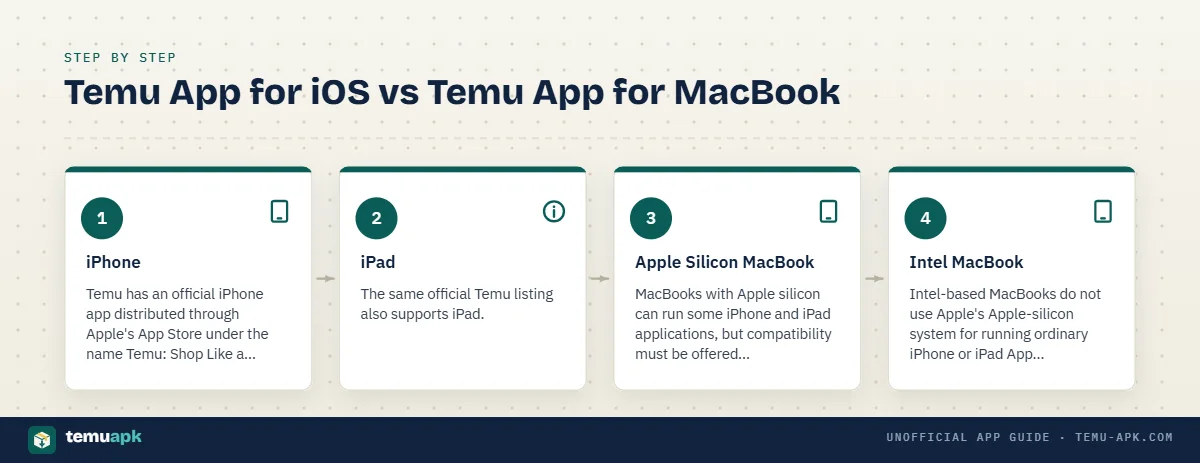
Temu App for iOS vs Temu App for MacBook
The phrase Temu app for iOS refers to the official application distributed through Apple’s App Store for supported Apple mobile devices. A Temu app for MacBook would imply a Mac-compatible application, which is a separate compatibility question.
| Platform | Official distribution | File/application type | Current compatibility status | Best access method |
|---|---|---|---|---|
| iPhone | Apple App Store | iOS app | Official Temu listing supports iPhone | Install from the App Store |
| iPad | Apple App Store | iPadOS-compatible app | Current listing also shows iPad support | Install from the App Store |
| Apple silicon MacBook | Mac App Store, only when the iPhone/iPad app is explicitly made available | Compatible iPhone/iPad app on Apple silicon | Do not assume Temu is available; check the Mac App Store | Use App Store version only if explicitly offered; otherwise use website |
| Intel MacBook | No Apple-silicon iPhone/iPad compatibility route | — | Ordinary iPhone/iPad apps do not run through Apple’s Apple-silicon system | Use the Temu website |
Apple states that iPhone and iPad apps compatible with Apple silicon Macs are specifically labeled Designed for iPhone or Designed for iPad in the Mac App Store.
iPhone
Temu has an official iPhone app distributed through Apple’s App Store under the name Temu: Shop Like a Billionaire. The current U.S. listing identifies it as an iPhone-compatible Shopping app published under Temu’s App Store identity.
This is the standard route for someone searching for the Temu app for iOS on an iPhone.
iPad
The same official Temu listing also supports iPad. Apple’s current iPad-facing page identifies Temu: Shop Like a Billionaire for both iPad and iPhone.
There is therefore no need to search for a separate unofficial “Temu iPad APK” or similar download.
Apple Silicon MacBook
MacBooks with Apple silicon can run some iPhone and iPad applications, but compatibility must be offered through Apple’s Mac App Store.
Apple says compatible apps appear with Designed for iPhone or Designed for iPad labels.
The important point is that Apple silicon capability does not make every iOS app automatically installable. Temu should only be installed on a Mac through this route when the Mac App Store explicitly offers the app as compatible on that device.
If Temu does not appear there, the website is the practical option.
Intel MacBook
Intel-based MacBooks do not use Apple’s Apple-silicon system for running ordinary iPhone or iPad App Store apps.
For an Intel MacBook, the straightforward way to use Temu is through the official website in a browser. Searching for an Android APK or an unofficial Mac installer does not provide an equivalent official Temu application.
Can You Install a Temu APK on MacBook?
No. A Temu APK is an Android application package, not a native macOS application.
Google’s Android documentation defines an APK as the installable package format used by Android-powered devices. macOS uses a different application environment, so a MacBook does not install an .apk file as a normal Mac app.
Changing the filename does not solve that difference. Renaming:
temu.apktotemu.dmgtemu.apktotemu.pkgtemu.apkto another Mac-related extension
does not convert the Android application into macOS software. The internal code, libraries, package structure, and operating-system requirements remain Android-specific.
This is also why a page advertising a “Temu APK for MacBook” should not automatically be interpreted as offering an official Temu Mac application. A familiar Temu name or logo does not change the platform for which the file was built.
Apple notes that normal Mac software obtained outside the App Store is commonly distributed through formats such as .dmg or .pkg, while compatible iPhone and iPad apps for Apple silicon Macs are handled through the Mac App Store.
For ordinary MacBook use, the practical Temu options are:
- use the official Temu website in a browser; or
- install an Apple App Store version only when the Mac App Store explicitly shows that it is compatible with that Mac.
The official Temu website is available directly through the browser, so an Android APK is unnecessary simply to shop from macOS.
Do You Need an Android Emulator for Temu on Mac?
You do not normally need an Android emulator just to use Temu on a MacBook.
An emulator creates an Android-like environment inside macOS so Android software can run within that environment. That is technically different from installing an official Temu app for MacBook.
Using an emulator generally adds:
- another application to install and maintain;
- additional storage and memory use;
- a separate Android environment to configure;
- APK or Play Store management inside that environment;
- another place where you may sign into your Temu account.
Compatibility also depends on the emulator, Mac processor, macOS release, and Android version being emulated. An emulator that works on one MacBook configuration may behave differently on another.
For Temu specifically, this extra layer is usually unnecessary because the marketplace already works through its official website.
An emulator can be useful for Android testing or for software that genuinely has no web or Mac alternative. It should not, however, be described as an official Temu Mac solution. You are running the Android version inside a separate Android environment, not installing a native macOS Temu application.
When the Website Is the Simpler Choice
For normal shopping, the Temu website removes most of the complexity that an Android emulator introduces.
| Temu website on Mac | Android emulator |
|---|---|
| No emulator installation | Requires additional software |
| No APK management | May require Android app installation or Play Store setup |
| Lower storage overhead | Uses storage for emulator files and Android environment |
| Direct access to current Temu web service | Adds another software layer between macOS and Temu |
| Easy to use alongside phone or tablet | Requires managing a separate Android session |
The website is particularly practical when you only need to:
- browse products;
- sign into your account;
- manage your cart;
- check orders;
- use supported checkout functions.
It also makes moving between MacBook and mobile straightforward because you can sign into the same Temu account rather than maintaining a separate emulated Android setup.
An emulator only makes sense when you specifically need the Android app experience for a reason that the browser cannot satisfy. It is not necessary simply because Temu does not currently have a separate native macOS listing.
Temu App vs Website on MacBook
For most MacBook users, the real choice is not between a native Temu Mac app and the website. It is between using Temu directly in the browser and using an app-based experience only where Apple explicitly supports one.
The website already covers the core shopping tasks needed by most users.
| Feature | Temu app experience | Temu website on MacBook |
|---|---|---|
| Product browsing | Yes | Yes |
| Account login | Yes | Yes |
| Shopping cart | Yes | Yes |
| Order access | Yes | Yes |
| Checkout | Supported in the app | Supported through the website where available |
| Push notifications | Stronger mobile integration | More dependent on browser/web notification support |
| App-only promotions | Some campaigns may be app-specific | May not include every mobile-only offer |
| Local storage | Uses installed-app storage and cache | Uses browser/site storage instead |
| Permissions | May request device-level permissions for supported features | Browser permissions are handled separately |
| Keyboard and mouse use | Depends on app compatibility when used on Mac | Native browser interaction works naturally with keyboard and trackpad/mouse |
For browsing, searching, account access, carts, orders, and normal purchasing, the browser is generally sufficient. Installing another application does not automatically add value if those are the only functions you need.
The app can still have advantages in areas such as:
- mobile push notifications;
- app-specific campaigns;
- mobile-first interface features;
- features tied closely to a phone’s camera or notification system.
Those differences should be evaluated individually rather than assuming the app is always the better version.
On a MacBook, browser access also avoids:
- Android APK files;
- emulator setup;
- additional app storage;
- unnecessary app-level permissions.
Apple silicon users have one extra possibility: some iPhone and iPad apps can run on compatible Macs when the Mac App Store explicitly marks them Designed for iPhone or Designed for iPad. That does not make every iOS app automatically available on Mac.
For most people using Temu on macOS, the website is therefore the simplest starting point. Consider an app-based option only when it is officially offered for your Mac and provides a feature you actually need.
Why Can’t I Find Temu in the Mac App Store?
The main reason is that Temu’s current public Apple listing is for iPhone and iPad, not a separate native macOS application. Apple’s listing for Temu: Shop Like a Billionaire currently identifies the supported device family as iPhone and iPad.
Several other factors can affect what you see when searching on a MacBook:
- Temu is not currently listed as a dedicated macOS app. Seeing a Temu page on
apps.apple.comdoes not by itself mean there is a native Mac version. - The iPhone/iPad app may not be offered for Mac. Apple silicon Macs can run some iPhone and iPad apps, but only when those apps are made available through the Mac App Store.
- Your Mac may use an Intel processor. Apple’s iPhone/iPad app compatibility system applies to Macs with Apple silicon.
- Country or region can affect availability. Apple states that the availability and features of particular apps can vary between countries and regions.
- Device or macOS compatibility may differ. An app can exist in Apple’s ecosystem without being installable on your specific Mac.
- Search-engine results can be misleading. A result may open Temu’s iPhone/iPad App Store page even though no Mac-compatible download is available.
Apple says iPhone and iPad apps that are compatible with Apple silicon Macs appear in the Mac App Store with labels such as Designed for iPhone or Designed for iPad.
So the practical test is not whether a Temu App Store webpage exists. It is whether the Mac App Store on your specific Mac offers Temu as compatible.
Check Your Mac Processor
You can quickly check whether your MacBook uses Apple silicon or an Intel processor:
- Click the Apple menu () in the top-left corner.
- Select About This Mac.
- Look for either Chip or Processor.
On an Apple silicon Mac, Apple says the window shows Chip followed by the chip name. On an Intel Mac, it shows Processor followed by an Intel processor name.
Typical Apple silicon MacBooks include models using chips such as:
- M1
- M2
- M3
- M4
- later Apple silicon generations
An Intel MacBook cannot use Apple’s Apple-silicon route for running ordinary iPhone and iPad App Store apps.
Even with an M-series Mac, Temu still needs to appear as an eligible Designed for iPhone or Designed for iPad app in the Mac App Store before you should treat it as installable there.
Check the App Store Listing, Not a Search-Engine Download Page
When checking for Temu on a Mac, verify the actual Apple listing rather than trusting a page found through a search engine.
Look for:
- Domain:
apps.apple.com - App title: Temu: Shop Like a Billionaire
- Developer: Temu
- Seller: Whaleco Inc.
- Category: Shopping
- Supported devices: currently shown as iPhone and iPad on the U.S. listing
- App Store ID:
1641486558
Apple’s current Temu listing confirms the developer as Temu and the seller as Whaleco Inc.
The supported-device section is particularly important. A page can use the genuine Temu name and icon while still referring only to the iPhone/iPad version.
Do not download a supposed Temu Mac installer simply because it copies the official orange icon or uses wording such as “Temu for Mac.” An icon can be reproduced easily; the official store identity and compatibility information are much stronger checks.
Is the Temu App for MacBook Safe?
For MacBook users, the safest starting points are the official Temu website and Apple’s verified App Store listing.
There is no practical need to download:
- an Android APK;
- an unofficial
.dmg; - an unknown
.pkg; - a third-party “Temu Mac app”
simply to access Temu from a MacBook.
Temu’s current Apple listing is identifiable through several details at once: the title Temu: Shop Like a Billionaire, developer Temu, seller Whaleco Inc., Shopping category, and App Store ID 1641486558.
Do not judge a Mac download by its logo alone. Check:
- where the file or listing comes from;
- the website domain;
- developer and seller information;
- supported devices;
- whether Apple actually marks the app as Mac-compatible;
- the permissions or privacy information provided by the store.
Apple’s current Temu listing also includes an App Privacy section describing data categories the developer says may be collected, including location, contact information, user content, search history, identifiers, usage data, and diagnostics. Apple notes that privacy practices can vary depending on features used or the user’s age.
That privacy information should be reviewed separately from the question of whether an app is authentic. A genuine app can still collect data, so authenticity and privacy are related but different checks.
Best Way to Use Temu on Your MacBook
For most MacBook users, the website is the simplest option when no verified Mac-compatible Temu listing appears in the Mac App Store.
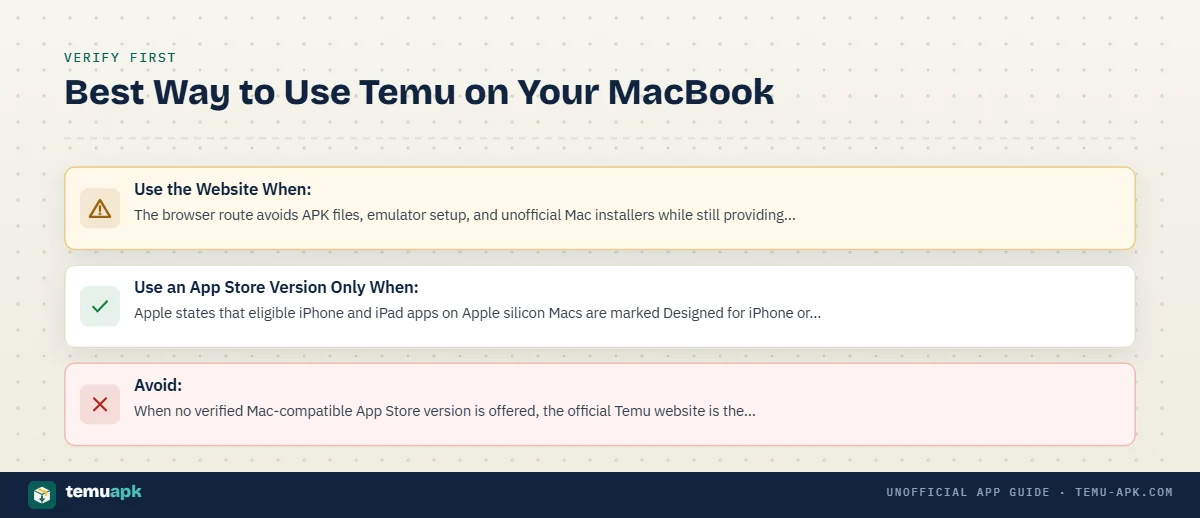
Use the Website When:
- Temu does not appear as Mac-compatible in your App Store.
- You use an Intel MacBook.
- You want to avoid installing additional software.
- You only need normal shopping, cart, order, checkout, and account functions.
The browser route avoids APK files, emulator setup, and unofficial Mac installers while still providing access to Temu’s current web service.
Use an App Store Version Only When:
- Your Mac uses Apple silicon.
- The Mac App Store explicitly offers the Temu iPhone/iPad app for that Mac.
- The listing matches the verified Temu identity.
- You specifically prefer the mobile-app interface.
Apple states that eligible iPhone and iPad apps on Apple silicon Macs are marked Designed for iPhone or Designed for iPad in the Mac App Store.
The presence of an M-series chip alone is not enough. The app still needs to be available for Mac through Apple’s store.
Avoid:
- “Temu APK for Mac” downloads
- APK files renamed as
.dmgor.pkg - IPA files presented as ordinary Mac applications
- Unverified DMG or PKG installers using Temu branding
- Apps identified only by a similar Temu icon
- Third-party download pages that do not match Apple’s Temu listing
When no verified Mac-compatible App Store version is offered, the official Temu website is the straightforward MacBook option. It avoids unnecessary platform workarounds and does not require pretending that an Android or iOS package is a native macOS application.
Conclusion
Using Temu on a MacBook does not require an Android APK, an emulator, or an unofficial Mac installer. Temu’s current Apple listing is for iPhone and iPad, while MacBook users can access the marketplace directly through the official website.
Apple silicon Macs can run some iPhone and iPad apps, but compatibility must be explicitly offered through the Mac App Store. An M-series processor alone does not guarantee that the Temu iOS app can be installed.
For most users, the browser is therefore the simplest MacBook option: it supports normal shopping and account access without additional software. If Temu appears as a compatible iPhone/iPad app in your Mac App Store, verify the app title, developer, seller, and supported devices before installing it. Otherwise, use Temu’s official website rather than searching for third-party “Temu for Mac” downloads.
FAQ
Is there a Temu app for MacBook Air or MacBook Pro?
Temu’s current Apple listing identifies Temu: Shop Like a Billionaire for iPhone and iPad rather than as a separate native macOS app. MacBook Air and MacBook Pro users can use Temu through the official website. Apple silicon models may also run eligible iPhone/iPad apps when those apps are explicitly offered through the Mac App Store.
Can I use the same Temu account on my MacBook and phone?
Yes. You can sign into the Temu website on your MacBook using the same account you use on your phone. This lets you access server-linked account information such as supported order and shopping functions without creating a separate Mac account.
Does an M1, M2, M3, or M4 MacBook automatically support the Temu iPhone app?
No. Apple silicon allows compatible iPhone and iPad apps to run on Macs, but Apple says eligible apps are specifically identified in the Mac App Store as Designed for iPhone or Designed for iPad. The app still needs to be made available for Mac.
Can I install a Temu IPA file directly on a MacBook?
An IPA is an Apple mobile-app package, but downloading an IPA from a third-party website is not the normal way to install an iPhone app on a Mac. On Apple silicon Macs, supported iPhone and iPad apps should be obtained through Apple’s Mac App Store compatibility system.
Can I make the Temu website behave more like a Mac app?
Yes, on supported macOS versions Safari can add a website to the Dock as a web app. This gives the site its own app-like window and Dock icon, but it remains a web version of Temu rather than a native Temu macOS application.