Can You Shop on Temu Without the App?
Yes, you can shop on Temu without the app. Temu.com supports normal browser-based shopping, including product browsing, checkout, order history, tracking, eligible cancellations, returns, refunds, and other account tools. Temu’s own support pages repeatedly direct customers to use either the Temu app or Temu.com for managing purchases. (temu.com)
That means you do not need to install the Temu app—or an Android APK—just to place an order from a phone, tablet, laptop, or desktop browser.
The main difference is promotional rather than basic shopping access. Temu currently advertises some campaigns as new app user only, so a specific coupon or gift offer may require the mobile app even though ordinary shopping does not. (temu.com)
This guide focuses on what you can do through Temu.com, how to order and manage purchases without installing the app, and the few situations where the app may provide something the website does not.
Yes, You Can Shop on Temu Without the App
Yes. You can shop on Temu without the app by opening Temu.com in a web browser. The mobile app is not required for ordinary product browsing, checkout, or basic order management.
Temu’s current support documentation specifically says customers can view order information from their account page through either the Temu app or Temu.com after completing a purchase.
Short answer: Open Temu.com in your browser, sign in or create an account, find the products you want, add them to your cart, and complete checkout. Installing the app is optional for normal web shopping.
Using the website means you can still handle the main parts of a Temu purchase, including:
- browsing and searching for products;
- opening product listings;
- choosing variants and quantities;
- adding items to the cart;
- completing checkout;
- viewing your orders after payment;
- finding order information from your Temu account.
Installing an Android APK is therefore unnecessary simply because you want to order from Temu on an Android phone, tablet, laptop, or desktop computer. A browser is enough for regular website shopping.
The important distinction is between shopping access and promotion eligibility. Temu currently advertises some coupon bundles and percentage discounts as “New App Users Only.” Those particular campaigns instruct users to redeem the offer through the Temu app.
That does not mean the app is required to shop. It only means that a specific promotion may have app-based eligibility rules.
How to Order From Temu Without the App
If you want to know can you order from Temu without the app, the normal browser checkout process works much like other online shopping websites.
Fact-check: Temu currently promotes some conveniences specifically around its mobile app.
Temu’s website highlights features such as price-drop alerts, low-stock alerts, order tracking, and exclusive-offer notifications alongside its app download links. These are convenience features, not proof that the website cannot handle normal shopping.
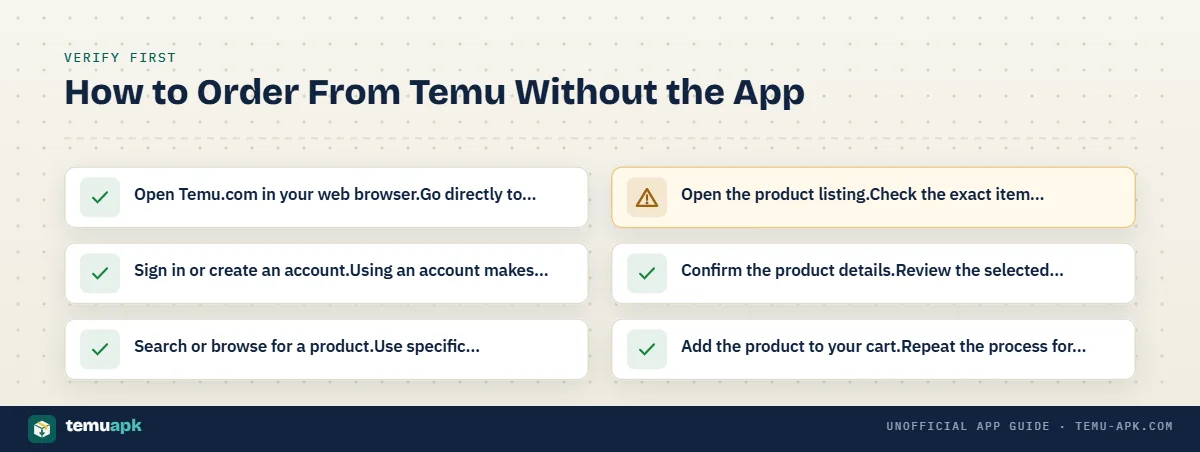
To place an order:
- Open Temu.com in your web browser.
Go directly to the Temu website rather than installing software just to access the store. - Sign in or create an account.
Using an account makes it easier to view the purchase later under Your orders. - Search or browse for a product.
Use specific product terms when possible so you can compare relevant listings more easily. - Open the product listing.
Check the exact item rather than relying only on the search-result image or headline price. - Confirm the product details.
Review the selected color, size, model, quantity, specifications, price, and delivery information that apply to the variant you intend to buy. - Add the product to your cart.
Repeat the process for any other items you want to purchase. - Review the cart.
Make sure the correct products, variants, and quantities are selected before continuing. - Proceed to checkout.
- Confirm your shipping information.
Check that the delivery name and address are correct before paying. - Choose one of the payment methods available in your checkout.
Available methods can vary by country and device. - Review discounts and the final amount.
Check which coupons, credits, shipping charges, taxes, or other adjustments have actually been applied. - Complete payment.
- Check the order confirmation.
Temu says it sends an email confirming the items in an order after successful checkout. The purchase can also be viewed under Your orders on Temu.com or in the app.
You do not need to install the app after placing the order just to find the purchase again. Sign back into the same Temu account on the website and open your order history.
Can You Use Temu.com on a Phone Browser?
Yes. You can open Temu.com from a mobile browser, so using an Android or iPhone does not automatically mean you need the Temu app.
This can be useful when you:
- do not want another shopping app installed;
- only make occasional Temu purchases;
- prefer browser-based shopping;
- have already removed the Temu app;
- want to manage an existing order without reinstalling anything.
The mobile website may arrange menus, product cards, and account controls differently from the desktop version because it is adapted to a smaller screen. The underlying account can still contain the same order information when you sign in correctly.
Temu also documents website-specific order navigation. On Temu.com, users can sign in, open the account menu in the upper-right area, select Your orders > All orders, and find the order ID beneath each order entry. Temu says its order numbers begin with PO.
An Android APK is only relevant if you specifically decide that you want the installed Android app. It is not a requirement for shopping through Temu.com.
What Can You Do on Temu.com Without the App?
Temu.com can handle much more than product browsing. Temu’s current support documentation says customers can manage purchases through either the Temu app or Temu.com, including viewing orders, confirming shipping details, tracking packages, cancelling eligible items, reporting problems, and requesting returns or refunds.
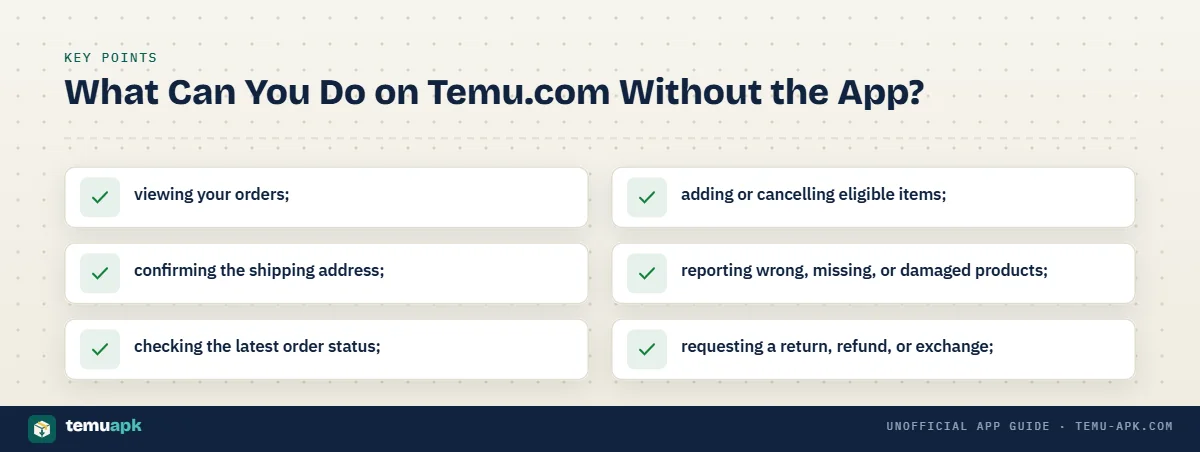
That means you can use the website for most normal shopping and post-purchase tasks without installing the mobile app.
| Task | Temu.com without app? |
|---|---|
| Browse products | Yes |
| Place an order | Yes |
| View order history | Yes |
| Track an order | Yes |
| Cancel eligible items | Yes |
| Request a return/refund | Yes |
| Report wrong, missing, or damaged items | Yes |
| Find your PO order number | Yes |
| Contact Temu support | Yes |
| Access every app-only promotion | Not necessarily |
Temu specifically lists the following account actions as available through its app or website:
- viewing your orders;
- confirming the shipping address;
- checking the latest order status;
- adding or cancelling eligible items;
- reporting wrong, missing, or damaged products;
- requesting a return, refund, or exchange;
- reviewing purchased items.
The main limitation is not ordinary shopping functionality. It is that a promotion specifically restricted to app users may not be available through the website.
Find Your Order Number on the Website
You can find a Temu order number without opening the mobile app.
Temu’s current website instructions are:
- Sign in to Temu.com.
- Open your user/account menu in the top-right area.
- Under Your orders, select All orders.
- Find the relevant order entry.
- Look directly beneath it for the order ID.
Temu says its order numbers always begin with PO. The same PO number can also be found in the subject line of the order-confirmation email.
Keep that number available if you need customer support for a specific purchase. Temu recommends having the PO order number ready so its support team can identify the correct order.
Can You Track Temu Orders Without the App?
Yes. You can track a Temu order without the app by signing in to the same account on Temu.com.
Open Your orders, select the relevant purchase, and check the current order status shown there. Temu explicitly lists order tracking as one of the account functions available through Temu.com as well as the mobile app.
For the best chance of seeing the correct purchase:
- use the same Temu account you used at checkout;
- open Your orders;
- select the correct order;
- keep its PO order number available if support is needed.
Deleting or uninstalling the Temu app does not remove your purchases from the Temu account. Order history and tracking are tied to the account, so you can continue managing the purchase through the website after removing the app.
The confirmation email can also help if you cannot immediately identify the order. Temu says the email subject line contains the PO order number.
Can You Cancel a Temu Order Without the App?
Yes. You can cancel an eligible Temu order through Temu.com without installing or opening the mobile app.
Temu’s current support guidance says customers can add or cancel eligible items from their account page using either the Temu app or Temu.com.
The basic website route is:
- Sign in to Temu.com.
- Open Your orders.
- Select the relevant purchase.
- Check the actions available for that order.
- Use the cancellation control while the item is still eligible.
The important factor is the order’s fulfilment status, not whether the Temu app is installed on your phone. If the purchase has already progressed beyond its cancellation window, using the website instead of the app will not restore that option.
Likewise, deleting the app does not cancel an existing purchase. A cancellation has to be submitted through the order-management controls while they are available.
Some cancellation requests can also remain pending rather than completing immediately, depending on the item and fulfilment situation. The detailed cancellation stages, seller-review process, partial cancellations, and refund timing are covered separately.
Can You Return an Item or Request a Refund on Temu.com?
Yes. You can start an eligible return or refund through your Temu account on the website without installing the mobile app.
Fact-check: Eligible Temu purchases can have a 30-day price-adjustment window.
Temu says qualifying customers can request the difference when the same item from the same seller becomes cheaper within 30 days, subject to exclusions such as some promotional or unavailable products.
Temu’s current support instructions direct customers to the relevant purchase under Your orders and provide the following process:
- Sign in to your Temu account.
- Open Your orders.
- Select the relevant purchase.
- Choose Return/Refund.
- Select the item or items involved.
- Choose the reason for the request.
- Add photos or comments when they help explain the issue.
- Review the return information.
- Choose the available return and refund method.
- Submit the request.
Not every refund request requires the product to be physically returned. Temu says that when no return is necessary, the customer can select a refund method and submit the request. When the item does need to go back, the account provides the available return method before submission.
Refund options can include Temu Credit or the original payment method, depending on the request and the choices displayed for that order.
Follow the instructions attached to your specific return rather than assuming every country uses the same carrier, label, or drop-off method.
Does Temu Purchase Protection Still Apply Without the App?
Temu Purchase Protection is connected to eligible purchases made through Temu, not to simply having the mobile app installed.
Temu currently says its Purchase Protection Program offers refunds for qualifying items that:
- do not arrive;
- arrive damaged;
- are not as described.
Temu also confirms that purchase information can be accessed through Your orders from either the app or Temu.com, while its website return instructions use the same account-based Return/Refund process.
Normal return and refund requirements still apply. Purchase Protection does not automatically mean you can keep a damaged or incorrect product; Temu says you may be required to send the item back before a refund is issued.
Can You Pay on Temu Without the App?
Yes. You can complete payment as part of the normal Temu.com checkout process without installing the app.
Temu’s current regional payment guidance lists accepted methods that can include:
- major credit and debit cards, including Visa, Mastercard, American Express and others;
- Temu Credit;
- PayPal;
- Apple Pay;
- Google Pay.
The exact options shown to you can vary by market and checkout environment. A payment method listed on one country’s Temu support page should not be assumed to be available for every customer.
The simplest rule is to use the payment choices presented on your own final checkout screen.
Use the Payment Options Shown at Checkout
Payment availability can differ because of:
- country or region;
- payment-provider availability;
- browser or device support;
- the wallet or payment services configured on the device.
For example, the presence of Apple Pay or Google Pay in Temu’s general list does not guarantee that the same wallet will appear on every browser or device.
Keep the transaction inside Temu. If a message or seller asks you to leave Temu.com and send money directly through another payment service, do not treat that as a normal Temu checkout step.
Temu’s website supports the purchase itself, so there is no legitimate need to install an APK simply to reach a payment screen.
Are Temu Coupons the Same on the Website and App?
Not always.
Temu.com can support discounts and account credit during normal checkout, but some promotions are specifically restricted to the mobile app or to new app users.
Temu currently publishes promotional pages advertising examples such as a coupon bundle and a percentage discount marked “New App Users Only.” Those pages instruct eligible users to redeem the offer in the Temu app.
That means a coupon or promotion you see advertised elsewhere may not necessarily work on the website. Conditions can vary by:
- market;
- campaign;
- new-user status;
- app eligibility;
- minimum order amount;
- coupon terms;
- promotional period.
The value of the offer can vary by region as well. For example, current Temu promotional pages display different coupon-bundle amounts in different markets while still describing them as new-app-user campaigns.
Check the exact promotion terms before installing anything. An unofficial website promising a guaranteed Temu coupon is not proof that the promotion is genuine or that you qualify.
App-Only Promotion Does Not Mean App Is Required for Shopping
An app-only promotion and app-only shopping are two different things.
A specific coupon can require the Temu app while ordinary shopping remains available through Temu.com. Temu’s own support documentation confirms that users can manage purchases and orders through its website, while separate promotional pages identify certain rewards as new-app-user offers.
So before installing the app, ask what you actually need:
- If you only want to browse, buy, track, return, or manage a normal order, Temu.com can handle those core tasks.
- If you want a particular promotion, check whether its official terms specifically require the app and whether your account qualifies.
This distinction helps avoid installing the app solely because a promotional message makes ordinary website shopping sound unavailable.
Temu Website vs App — What Is Actually Different?
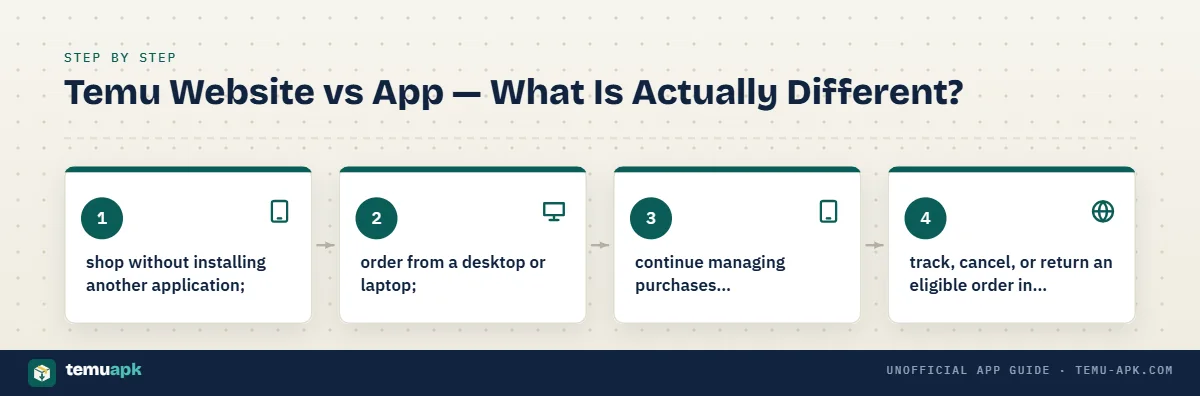
For normal shopping and order management, Temu.com and the Temu app overlap considerably. The main practical differences involve installation, mobile-interface convenience, push notifications, and certain promotions that Temu specifically restricts to app users.
Fact-check: Temu Credit currently has no expiration date.
Temu states that account credit does not expire, although it is intended for Temu purchases and normally cannot be redeemed for cash.
| Feature | Temu.com | Temu app |
|---|---|---|
| Browse and search products | Yes | Yes |
| Place normal orders | Yes | Yes |
| View and track orders | Yes | Yes |
| Cancel eligible items | Yes | Yes |
| Return/refund tools | Yes | Yes |
| Account and order support | Yes | Yes |
| Requires installation | No | Yes |
| Some app-only campaigns | Not eligible when the campaign specifically requires the app | May be available when eligibility rules are met |
| Mobile app push notifications | No | Available when enabled |
Temu’s current support pages explicitly say customers can use either the Temu app or Temu.com to view orders, track their status, cancel eligible items, report order problems, and request returns or refunds.
The website therefore makes sense for someone who mainly wants to:
- shop without installing another application;
- order from a desktop or laptop;
- continue managing purchases after uninstalling the app;
- track, cancel, or return an eligible order in a browser.
The app may be more useful if you prefer a dedicated mobile interface, want app push notifications, or have found a legitimate promotion that explicitly requires app use. Temu currently runs at least some campaigns under those app-specific conditions.
Neither option needs to be treated as mandatory for everyone. For ordinary browser shopping, the website already provides the core functions needed to place and manage an order.
Should You Install the Temu App If the Website Already Works?
You do not need to install the Temu app just because you want to shop, track an order, or request help. Temu’s current support documentation says customers can use Temu.com for core account and order-management tasks, including tracking purchases, cancelling eligible items, and requesting returns or refunds.
Fact-check: Temu’s website currently offers 24/7 chat support.
The official contact page advertises round-the-clock chat support, so installing the mobile app is not necessary simply to reach Temu customer service.
The website may be the better choice when:
- you prefer not to install another shopping app;
- you shop mainly on a desktop or laptop;
- you only need normal browsing, checkout, order tracking, returns, refunds, or support;
- you removed the app but still need to manage an existing purchase.
The app can make more sense when:
- you prefer shopping through a dedicated mobile interface;
- mobile push notifications are useful to you;
- a specific legitimate Temu promotion clearly requires the app and your account meets its eligibility rules.
The key point is that installing the app should solve a real need. It is not required simply to make an ordinary Temu purchase.
Be especially cautious when an outside website tells you that you must download software before you can shop. Do not install:
- an unofficial APK just to claim a coupon;
- a modified Temu APK promising unlimited credit, free products, or altered promotions;
- software from a page claiming that ordinary Temu.com checkout no longer works.
Temu’s website already supports normal account and purchase management, so a third-party download is not necessary for those tasks.
If your decision is mainly about privacy, app safety, permissions, or the risks of unofficial downloads, those issues are covered in more detail separately.
How to Shop Safely on Temu Without the App
Shopping through a browser avoids installing the mobile app, but the usual account and payment precautions still matter.
Start by opening Temu.com directly rather than entering payment information on a page reached through a suspicious message, advertisement, or imitation checkout link.
Before paying:
- Confirm the website and account. Make sure you are on Temu.com and signed into the account you intend to use.
- Check the exact product. Review the selected size, color, model, quantity, specifications, and seller or fulfilment information when shown.
- Review delivery information. Make sure the shipping details and expected delivery information are acceptable.
- Check the final price. Confirm that any coupon or credit is actually applied and that the final payable amount matches what you expect.
- Use Temu’s own checkout. Do not move the transaction to an outside payment page because a seller or message tells you to.
- Protect account credentials. Do not give your Temu password to someone claiming to be support.
Temu’s current safe-shopping guidance specifically says customers should keep transactions on Temu because the company cannot verify or assist with transactions made outside its platform. It also warns users not to provide sensitive details such as their full credit-card number or password through email, Temu messages, or phone calls.
Temu also advises using secure websites, monitoring payment activity, and avoiding saved credentials on shared devices.
If an order, payment, account, or security issue cannot be resolved from the relevant order page, use Temu’s official Support Center or contact page. Temu currently advertises 24/7 chat support through its contact system.
Shopping on Temu Without the App — Quick Checklist
Before completing a browser purchase, check that:
- You are on Temu.com.
Do not enter payment or login information on an imitation shopping page. - You are signed into the correct account.
Use the same email, phone number, or third-party authentication method associated with your Temu account. - You selected the intended product variant.
Recheck size, color, model, bundle, and quantity. - The delivery information works for you.
Review the shipping address and delivery details before checkout. - Website-eligible discounts are actually applied.
Do not assume a promotion will work until it appears in the checkout total. - You reviewed the final payable amount.
Check product cost, discounts, credit, shipping, tax where applicable, and the final charge. - The displayed payment method is the one you want to use.
Keep the payment inside Temu’s checkout. - The completed purchase appears under Your orders.
Temu says customers can manage their purchases through the account area on Temu.com. - You keep the PO order number when support may be needed.
Temu says order numbers begin with PO and recommends having the number ready for purchase-specific support. - You understand that some promotions can still be app-specific.
A particular app-only offer does not mean the Temu website cannot be used for normal shopping.
Conclusion
You can use Temu without installing the app. Temu.com supports the core shopping journey in a browser: finding products, completing checkout, viewing orders, tracking purchases, cancelling eligible items, and handling returns or refunds through your account.
The main reason to consider the app is convenience rather than basic access. Temu promotes features such as mobile alerts and some app-specific offers, but those do not make the app necessary for ordinary website shopping.
If you prefer browser shopping, use Temu.com directly, stay signed into the same account after checkout, and manage the purchase through Your orders. Only consider installing the app when a feature or legitimate promotion you actually want specifically requires it.
FAQ
Can I contact Temu customer service without installing the app?
Yes. Temu’s website provides its Support Center and currently advertises 24/7 chat support, so you do not need the mobile app just to contact customer service about an order, account, payment, return, or other issue.
Can I ask about a Temu product before buying without the app?
Yes. Temu says customers can ask questions about specific products through either the Temu app or Temu.com before placing an order. This can be useful when a listing does not clearly explain size, compatibility, specifications, or another product detail.
Does Temu offer price adjustments on purchases made through the website?
Temu currently says eligible purchases may receive the price difference when the same item, including the same size and color from the same seller, becomes cheaper within 30 days of payment in the same country or region. Promotional or unavailable items may be excluded. The request is started from the relevant order under Your orders.
Does Temu Credit expire if I stop using the app?
No. Temu currently states that credit in a Temu account does not expire. It can be used for purchases on Temu but normally cannot be withdrawn as cash. The balance belongs to the account rather than to a particular installed copy of the mobile app.
Do I still receive confirmation of a website order without the app?
Yes. Temu says that after successful checkout and payment it sends an order-confirmation email. The same purchase can also be viewed through Your orders on Temu.com, so installing the mobile app is not required to confirm that the order was placed.