Temu App Reviews 2026 — Is the Temu App Safe and Legit?
Current Temu app reviews show a large, widely used shopping app with plenty of satisfied customers, but also recurring complaints about promotions, product expectations, delivery, and privacy concerns. The official Android listing currently has about 4.5 stars from 12.7 million reviews and more than 1 billion downloads, while Apple’s U.S. App Store shows 4.7 stars from roughly 2.2 million ratings.
Those numbers answer only part of the question. Is the Temu app safe? can mean several different things: Is the app genuine? Is it safe to install? What information does it collect? Is it safe to enter payment details? Are the products reliable? Are the free-gift and coupon promotions straightforward?
This review separates those questions instead of giving Temu a vague “safe” or “unsafe” label. Google’s current Data Safety disclosure says the app may collect location, personal information, and other data categories, while Temu’s own privacy policy describes collecting account, order, payment, shipping, device, and usage information to operate the service.
The goal is to help you understand what current user reviews actually say, where the main concerns come from, and what to check before installing or shopping through the app.
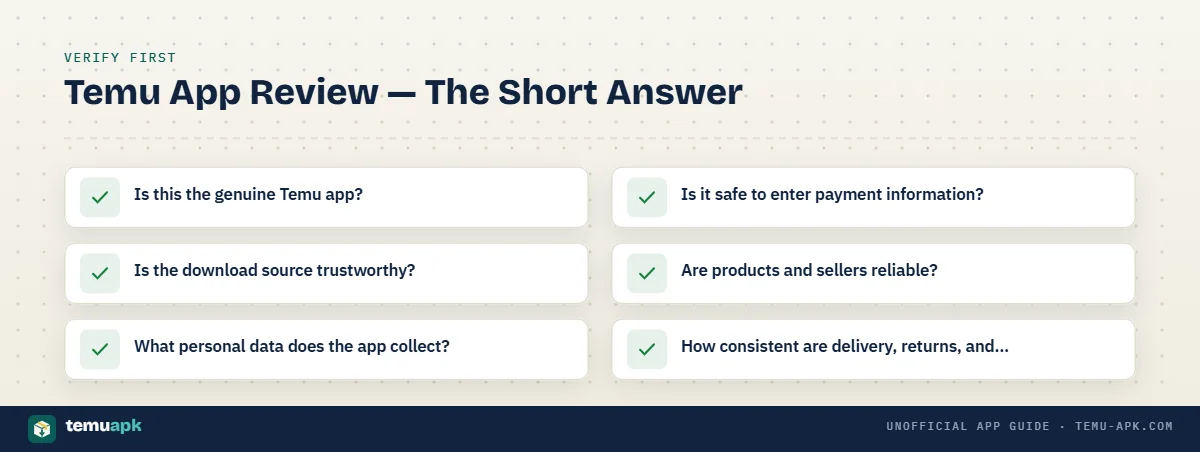
Temu App Review — The Short Answer
Temu is a real online shopping marketplace with official apps for both Android and iPhone. On Android, the genuine consumer app is listed as Temu: Shop Like a Billionaire under package com.einnovation.temu, while Apple lists a separate official iOS version under the Temu developer name.
That establishes that the official Temu app is legitimate software from an identifiable marketplace. It does not mean every shopping experience will be equally good, every product will meet expectations, or every promotion will be straightforward.
When people ask, “Is the Temu app safe?”, they are often combining several different questions:
- Is this the genuine Temu app?
- Is the download source trustworthy?
- What personal data does the app collect?
- Is it safe to enter payment information?
- Are products and sellers reliable?
- How consistent are delivery, returns, and customer support?
- Are coupons, credits, and free-gift promotions easy to understand?
Those issues should be judged separately.
This review covers the legitimate Temu shopping app. It does not treat unidentified third-party APKs, modified packages, or Temu MOD APK files as equivalent to the official app.
| Review area | What to know |
|---|---|
| App legitimacy | Temu has verified listings on Google Play and Apple’s App Store |
| Download source | Official stores provide the clearest publisher and update trail |
| Privacy/data | The app discloses collection of personal, device, location, and usage-related data categories |
| Product consistency | Quality can vary between individual products and listings |
| Promotions | Coupons, credits, and gift offers may include eligibility or spending conditions |
| Order management | The app provides checkout, order tracking, and account-management tools |
| Returns/support | Experiences can differ by order, region, product, and issue |
| User-review pattern | Store ratings are high overall, while individual reviews include both praise and recurring complaints |
For readers whose main goal is downloading the Android package rather than evaluating Temu as a shopping service, the dedicated APK page covers package identity, compatibility, and installation in more detail.
What Current Temu App Reviews Show
Current Temu app reviews are broadly positive by average star rating, but the details are more mixed than the headline numbers suggest. Reviews cover everything from app usability and pricing to product quality, shipping, promotions, and customer service, so they should not all be interpreted as reviews of the software itself.
Google Play Ratings and Reviews
At the time checked in September 2026, Google Play shows Temu: Shop Like a Billionaire at roughly 4.4 stars, with around 12.7 million reviews and more than 1 billion downloads. The listing shows an update date of September 10, 2026.
Those figures confirm that Temu has a very large Android user base, but the average score should be read as a broad signal rather than a guarantee of a particular experience.
Google Play ratings can also differ slightly depending on storefront, device context, and when the page is checked. Review counts change continually as new ratings are added, so a difference of several hundred thousand reviews between snapshots does not necessarily indicate a problem.
Individual Google Play feedback illustrates the range. Some reviewers praise low prices and refunds, while others complain about product quality, promotional mechanics, excessive notifications, or offers that encourage additional purchases.
That distinction matters: a one-star review about a damaged product or confusing coupon does not necessarily mean the Android app itself crashes or is unsafe.
Apple App Store Ratings
Apple’s U.S. App Store currently lists Temu at 4.7 out of 5 stars from about 2.2 million ratings.
The higher iOS average should not be treated as proof that the iPhone app is objectively better than the Android version. The two stores have different user populations, review histories, device ecosystems, and regional distributions.
Current App Store reviews also show mixed experiences beneath the strong average rating. Some users praise affordability and product selection, while others criticize promotions, spending pressure, shipping delays, or disappointing purchases.
This is why Temu shopping app reviews are more useful when read for recurring themes rather than reduced to one star score.
Why One Star Rating Does Not Tell the Whole Story
A store rating combines many different kinds of feedback into one number.
Someone leaving a poor review may be unhappy with a product, a seller, a late package, a return, a coupon, or customer support rather than the app’s technical performance. Likewise, a five-star rating may reflect a good bargain or successful order rather than a detailed assessment of privacy or security.
It helps to separate the subject of the review:
| What the review discusses | What it actually tells you |
|---|---|
| App usability | Navigation, performance, crashes, search, checkout flow |
| Product quality | Whether an individual item matched its description or expectations |
| Delivery | Shipping speed, tracking, damaged or delayed parcels |
| Promotions | Coupons, free gifts, credits, eligibility, spending requirements |
| Customer support | Refunds, returns, dispute handling, communication |
| Privacy or permissions | Data collection, tracking concerns, device access |
| Overall shopping value | Price, selection, convenience, and perceived value for money |
Older reviews also need context. Temu is actively updated, so complaints about a previous interface, bug, or promotion may not describe the current app version.
The most useful approach is to look for recent, repeated themes across multiple reviews and then identify what those reviews are actually evaluating. That gives a much clearer picture than treating a 4.4- or 4.7-star average as a complete safety or quality verdict.
Is the Temu App Legit?
Yes, Temu operates legitimate official shopping apps on both Google Play and Apple’s App Store. Google’s current Android listing identifies the app as Temu: Shop Like a Billionaire, published under the Temu name with package com.einnovation.temu. Apple also lists Temu: Shop Like a Billionaire for iPhone and iPad with Temu shown as the developer.
Fact-check 1: Temu advises keeping transactions inside its platform. Temu’s own buying-safety guidance says it cannot verify or assist with transactions completed outside Temu and recommends keeping purchases on the platform.
That answers the basic “is the Temu app legit?” question, but it does not answer every concern people may have about shopping on Temu. A legitimate app can still receive complaints about products, delivery, promotions, customer service, privacy, or individual transactions.
It is also important to separate the official Temu app from files distributed elsewhere. The fact that Temu itself is a real marketplace does not prove that every APK, download page, or application using the Temu name is genuine.
How to Recognize the Official Temu App
Use several identifiers together rather than relying on the logo alone.
For the Android app, check:
- App name: Temu: Shop Like a Billionaire
- Publisher: Temu
- Android package:
com.einnovation.temu - Store category: Shopping
- Official listing: Google Play
- Update history: Google Play currently shows the app as actively maintained, with a September 2026 update.
For iPhone and iPad, Apple’s U.S. App Store lists Temu: Shop Like a Billionaire with Temu as the developer and Whaleco Inc. as the seller.
The app icon and branding can help you spot an obvious mismatch, but they are weak evidence on their own. A copied Temu logo, familiar orange design, or screenshot from the real app can easily be reused by an unrelated download page.
The stronger checks are the publisher, package identity, store listing, update history, and distribution source.
Fake Temu Apps and Unofficial APKs
An unofficial Temu APK should be evaluated separately from the genuine store app.
A third-party file may use:
- the same app name;
- copied screenshots;
- a similar icon;
- the original package name;
- wording such as “official,” “latest,” or “verified.”
None of those details alone proves that the file has not been modified.
This matters when reading Temu app reviews. Positive ratings on Google Play or Apple’s App Store apply to the official app distributed through those stores. They do not provide evidence about the safety, integrity, or authenticity of an APK obtained from an unrelated website.
Users who specifically need the Android APK should verify the file source and package details independently rather than treating general Temu reviews as a safety certificate.
Is the Temu App Safe to Download and Install?
The safest way to evaluate the Temu app as a download is to separate official distribution from third-party APK installation.
Downloading Temu from Google Play or Apple’s App Store gives you a much clearer distribution trail. The store identifies the publisher or developer, manages app updates, and provides current privacy and security disclosures tied to that listing. Google’s Temu page also shows Data Safety information supplied by the developer, including that data is encrypted in transit and that users can request data deletion.
That does not mean an app-store listing guarantees every product will be good, every promotion will be easy to understand, or every user will be comfortable with the app’s data practices. Those are separate parts of the overall safety question.
Before installing Temu, check that the app identity matches the official listing. On Android, the relevant reference is com.einnovation.temu under Temu. Keep both the application and your operating system updated so you receive current bug fixes, compatibility changes, and security improvements.
For an APK downloaded outside Google Play, the burden shifts more heavily to the user. You need to establish who provided the file, whether it has been modified, which version it contains, and whether its signing and package details are consistent with what you expect.
Official Store App vs Third-Party APK
| Check | Official store app | Third-party APK |
|---|---|---|
| Source verification | Google Play or Apple identifies the listed developer/publisher | Depends on the website or distributor providing the file |
| Package identity | Android listing can be checked against com.einnovation.temu | Must be verified manually; matching the package alone is not conclusive |
| Updates | Normally managed through the app store | Updates depend on the APK source and may need manual installation |
| Signing/distribution chain | Distributed through the store’s normal publishing process | May be original, repackaged, or modified depending on the source |
| Sideloading | Not required for normal store installation | Usually required on Android |
| User verification responsibility | Lower because publisher and update information are presented by the store | Higher because source, integrity, version, and modification status need separate checks |
A recognized app store provides better traceability, but it should not be treated as a blanket guarantee about every aspect of using Temu.
For example, the official app can still:
- collect data disclosed in its privacy information;
- show promotions with eligibility conditions;
- contain products from a marketplace where quality varies;
- generate customer-service or delivery complaints;
- require users to decide which permissions and notification settings they are comfortable with.
Those issues belong to the broader review of Temu as a shopping service. They should not be confused with the narrower question of whether the file you are installing is the genuine Temu application.
Users choosing a sideloaded APK should perform the additional package, source, version, and signature checks covered in the dedicated APK guide rather than assuming an external download is equivalent to the Google Play version.
Temu App Privacy — What Data Does It Collect?
Temu’s privacy policy describes collecting information needed to run accounts, process orders, handle payments and delivery, provide customer support, personalize the service, prevent fraud, and maintain the platform.
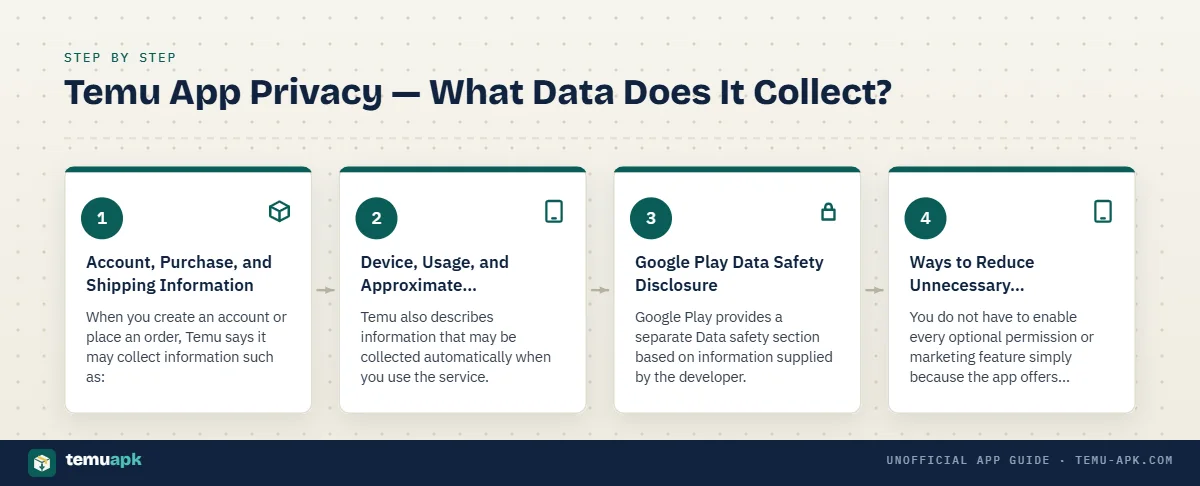
That does not mean every data category is collected from every user in the same way. What is collected can depend on how you use Temu, which features you enable, your device, and your region. (temu.com)
Account, Purchase, and Shipping Information
When you create an account or place an order, Temu says it may collect information such as:
- Email address and/or phone number used for sign-in or account access
- Account and profile information, including preferences and settings
- Transaction and order history, such as order IDs and purchased products
- Billing and payment-related information needed to complete a transaction
- Shipping address, including city, state or region, postal code, and country
- Recipient details, such as name and phone number
- Customer-support communications connected with questions, complaints, returns, or other requests
Temu’s privacy policy also says it may receive transaction-related information from payment processors and logistics information from delivery partners. (temu.com)
This level of data collection is closely tied to the service Temu provides. An online marketplace cannot deliver an order without receiving shipping information, for example. The privacy question is therefore not simply whether information is collected, but which information is necessary for the feature you are using and how comfortable you are with the disclosed practices.
Device, Usage, and Approximate Location Data
Temu also describes information that may be collected automatically when you use the service.
This can include:
- Device model and operating-system information
- Language settings and unique identifiers
- Pages, products, and features you view
- Browsing, search, and purchasing history
- Items placed in the shopping cart
- App or service interactions
- Crash reports, diagnostics, and performance logs
- Approximate location derived from technical information such as an IP address
The privacy policy distinguishes this approximate location from simply assuming that Temu always has precise GPS access. Its published policy specifically describes general location data derived from technical information such as an IP address. (temu.com)
Usage information can support functions such as recommendations, analytics, fraud prevention, and personalization. Readers concerned about privacy should evaluate those disclosed uses rather than treating all device or behavioral data collection as proof that the app is malicious.
Google Play Data Safety Disclosure
Google Play provides a separate Data safety section based on information supplied by the developer.
The current Temu listing says the app may collect categories including:
- location;
- personal information;
- financial information;
- app activity;
- photos and videos;
- app performance data;
- device or other identifiers. (play.google.com)
Google Play also states that Temu may share device or other IDs with third parties for advertising or marketing purposes. The listing says data is encrypted in transit and that users can request deletion. (play.google.com)
These disclosures come from the developer, and Google notes that data practices may vary according to factors such as the app version, use, region, and age.
The store disclosure is useful, but it is not a substitute for reading the fuller privacy policy when privacy is an important part of your decision.
Ways to Reduce Unnecessary Data Exposure
You do not have to enable every optional permission or marketing feature simply because the app offers it.
A few practical steps can reduce unnecessary exposure:
- Review Temu’s permissions in Android or iOS settings.
- Disable optional permissions you do not need for how you shop.
- Review push-notification settings if you do not want frequent promotional alerts.
- Check marketing and communication preferences inside your account.
- Avoid uploading photos, videos, or other information unless you actually need the related feature.
- Review saved addresses and payment methods periodically.
- Use Temu through a browser instead of installing the app if you prefer to keep another shopping app off your device.
Browser access does not eliminate data collection, but it changes the way the service interacts with your device and can reduce your reliance on app-level permissions.
Is It Safe to Shop and Buy Through the Temu App?
Using the legitimate Temu app is only one part of shopping safely. The quality of a purchase also depends on the individual listing, product expectations, promotion terms, delivery, returns, and how carefully you review the final checkout.
Before buying, consider:
- whether the product description is specific and complete;
- measurements, materials, model numbers, and variants;
- customer photos and recent product reviews;
- the final checkout price after coupons or credits;
- expected delivery dates;
- return eligibility;
- the refund method available for that item;
- the security of your account and payment method.
A genuine app can still contain a product that disappoints you. That is a marketplace-quality issue, not proof that the app itself is fake or unsafe.
Product Quality Can Vary
Temu carries a very broad range of products, and user reviews show that experiences are not uniform.
Some current App Store reviewers describe good value and satisfactory purchases, while others report products that felt cheaper than expected, did not match their interpretation of the photos, or differed in size or materials. (apps.apple.com) Similar feedback appears across other regional App Store listings. (apps.apple.com)
The useful lesson is not that all Temu products are good or all are poor. It is that product-level verification matters.
Before ordering:
- read the full description rather than relying only on the main image;
- check dimensions and material specifications;
- look closely at recent buyer photos;
- read both positive and negative reviews;
- be cautious with listings that have little usable feedback.
A highly rated app does not guarantee that every individual product will meet your expectations.
Shipping and Delivery Experiences
Delivery experience can also vary between orders.
Temu displays estimated shipping information during the shopping and order process, but actual delivery can depend on the product, destination, logistics provider, and other order-specific factors. User reviews include both reports of satisfactory delivery and complaints about delays or delivery times that exceeded expectations. (apps.apple.com)
That distinction is important when interpreting Temu app safety reviews. A package arriving late is a fulfillment issue, not evidence that the mobile app itself contains malware or is fraudulent.
Check the estimated delivery information for the specific order and keep the order record until the shipment is complete.
Returns, Refunds, and Customer Support
Before ordering, check the return and refund conditions that apply in your region and to the specific product.
Temu’s current support information says many items are eligible for returns and refunds within 90 days of purchase, but there are exceptions. Some categories, customized products, certain free gifts, hygiene-sensitive goods, and some electronics can have different rules or shorter windows. (temu.com)
For an eligible return, practical details to check include:
- Return window: How long you have to start the process
- Item eligibility: Whether that product can actually be returned
- Refund method: Temu Credit or the original payment method, where offered
- Return requirements: Whether the item must be shipped back
- Shipping deadline: How quickly the package must be sent after the request
- Regional procedure: Which carrier, label, or return method is used in your country
Temu’s support pages also state that some refunds may be issued without requiring a return, while other cases require the product to be shipped back first. (temu.com)
Do not assume that every order will follow exactly the same return path. Read the terms attached to your own purchase before relying on a general return claim.
Temu Promotions, Coupons, and Free Gifts — Why Reviews Are Mixed
Promotions are one of the clearest reasons Temu app reviews can look contradictory.
Fact-check 2: Review-profile visibility can be adjusted. Temu’s privacy policy says users can disable certain avatar and username sharing associated with reviews through notification settings and can edit their reviews.
Some users enjoy the discounts and reward mechanics. Others describe frustration when an offer that initially appears simple turns out to include additional spending, referral, timing, or eligibility conditions.
That does not mean every promotion is misleading. It means the headline reward should be read together with the rules that determine how the reward is actually earned or used.
Why “Free Gift” Reviews Need Context
A promotion described as a free gift may still include conditions.
Depending on the campaign, those conditions can involve:
- inviting eligible users;
- reaching a reward threshold;
- completing steps within a time limit;
- making qualifying purchases;
- meeting account-specific requirements;
- participating over several stages rather than receiving the reward immediately.
Recent App Store reviews include users who say they received value from Temu promotions, alongside others who complained that free-gift or reward programs required more steps, invitations, or purchases than they expected. These are individual reports, not proof that every promotion works the same way. (apps.apple.com)
The useful check is simple: read the complete rules before spending money, referring friends, or investing significant time in the promotion.
Coupons and Credit Offers
A large coupon amount is not the same as receiving the same amount in cash.
Temu’s support information says coupons can have conditions such as:
- category or product restrictions;
- incompatibility with certain promotions;
- minimum-spend thresholds;
- separate minimum-order requirements. (temu.com)
For example, a coupon that says “Spend $10 to save $1” still has to satisfy any separate minimum-order value that applies to the account or order. Temu’s support page specifically distinguishes the coupon threshold from the minimum amount required to place the order. (temu.com)
Promotional Temu Credit should also be understood separately from money in a bank account or payment card. Credit can be subject to its own usage rules, while a coupon reduces the price of an eligible purchase under specified conditions.
So when reviews describe “getting $100” or “receiving hundreds in coupons,” look at what the reward actually represents before comparing it with cash value.
Gamified Shopping and Spending Pressure
Temu uses promotional mechanics that can make shopping feel more interactive than a traditional product catalog.
Depending on the account and campaign, users may encounter:
- countdown timers;
- reward-progress bars;
- spinning or game-like offer screens;
- repeated prompts to continue;
- referral targets;
- staged credit or gift rewards.
These mechanics can make the headline reward feel more important than the amount you ultimately have to spend or the steps required to qualify.
Current App Store reviews illustrate both sides. Some users praise the low prices and say particular promotions provide worthwhile value, while others complain that progress-based rewards or “free” offers encouraged them to keep ordering, inviting people, or completing additional steps. (apps.apple.com)
A better way to judge a promotion is to ignore the headline value for a moment and ask:
- How much must I actually spend?
- What do I receive at the end?
- Is the reward cash, credit, coupons, or products?
- When does it expire?
- What happens if I stop before completing every step?
- Would I still make the purchase without the promotion?
That makes it easier to decide whether the offer is genuinely useful to you rather than simply engaging.
What Users Like About the Temu App
Positive Temu app reviews tend to focus on value, variety, and convenience rather than one single feature.
Common themes include:
- Low prices: Many reviewers say they use Temu because products can cost less than similar items on other marketplaces. A recent Google Play review, for example, described Temu’s pricing as highly competitive while still warning that product quality can vary.
- Large product selection: Users frequently mention the wide range of clothing, accessories, home items, craft supplies, electronics accessories, and everyday products.
- Easy browsing: Some App Store reviewers describe the app as simple to use and convenient for finding products across many categories.
- Order tracking: The app provides order-management and tracking tools, which can be useful for people making several purchases at once.
- Deals and coupons: Some reviewers report genuine savings from promotions, especially when they understand the conditions attached to the offer.
- Mobile checkout: Being able to browse, add items to a cart, pay, and track orders from one app is a practical benefit for frequent mobile shoppers.
- Finding unusual products: Reviews from some markets specifically praise Temu for carrying inexpensive or unusual items that users say they do not often see on local marketplaces.
These are reported user experiences, not guarantees. A person who has had good results with craft supplies, for example, cannot predict the quality of an unrelated clothing or electronics purchase.
The strongest positive pattern is that Temu can offer wide selection and low prices, especially for shoppers willing to read product-level reviews and compare individual listings rather than assuming every item will be equally good.
Common Temu App Complaints
Negative Temu app reviews also tend to cluster around a few recurring themes. Many complaints are about the wider shopping experience rather than technical problems with the mobile application itself.
Promotions Can Feel Complicated
One of the most common complaints concerns coupons, free gifts, credits, and progress-based promotions.
Users sometimes report that an offer initially appears close to completion but later requires:
- additional purchases;
- more referrals;
- another progress step;
- a minimum order amount;
- completion before a countdown expires.
Recent App Store and Google Play reviews include complaints from users who felt they had to spend more than expected to complete promotional offers.
That does not mean every Temu promotion works this way. It does mean users should read the full eligibility and completion terms before making an extra purchase simply to reach a reward.
A useful rule is to judge the offer by the total amount you must spend and the final benefit you receive, not by the initial headline value.
Product Expectations Do Not Always Match Reality
Another recurring issue is a gap between what a shopper expects and what arrives.
Complaints can involve:
- clothing or accessories being smaller or larger than expected;
- materials feeling different from what the shopper imagined;
- build quality varying between products;
- colors or details appearing different from listing photos;
- low-cost items feeling cheaper than expected.
Current store reviews include users who praise good-value purchases alongside others who report receiving products that did not match their expectations or appeared lower quality than the listing suggested.
Before ordering, check:
- exact measurements rather than relying only on size labels;
- material specifications;
- buyer-uploaded photos;
- recent reviews for that specific item;
- repeated complaints about the same defect or sizing problem.
Reviews of the Temu app as a whole are much less useful for predicting the quality of one individual product than product-specific feedback.
Delivery and Returns Can Vary
Shipping experiences differ by country, product, logistics provider, and order.
Some users report fast or satisfactory delivery, while others describe:
- delays beyond the expected date;
- packages taking longer than anticipated;
- damaged items;
- return procedures that are inconvenient in their region.
Recent reviews from different markets show both positive delivery experiences and complaints about delays or return complexity.
Return experiences can also vary. The available carrier, drop-off method, product eligibility, and refund process may differ depending on where the shopper lives and what was purchased.
One user’s smooth return does not guarantee another user’s experience will be identical. The same is true of a negative support review: it describes that person’s case, not every Temu transaction.
Frequent Notifications and Shopping Prompts
Some users like frequent deal alerts. Others find the volume of promotional messaging distracting.
Complaints can involve:
- repeated push notifications;
- discount reminders;
- countdown offers;
- animated promotional screens;
- prompts encouraging another purchase.
A recent Google Play review specifically praised Temu’s pricing while describing the volume of discount messaging and animations as overwhelming.
You do not necessarily need to uninstall the app because of this. Temu’s support information says notification preferences can be adjusted from the app’s settings, and Android or iOS also allows app-level notification control.
Turning off promotional notifications while leaving useful order or delivery alerts enabled may provide a better balance for users who still want the app.
Is Temu App Safe for Payment Information?
Using the legitimate Temu app or official website gives you a clearer payment path than entering financial information into an unidentified APK, MOD, or copied shopping app.
Temu’s support pages currently list payment methods that can include major credit and debit cards, Temu Credit, PayPal, Apple Pay, and Google Pay, although availability can vary by market.
That does not justify an absolute claim that any online payment is risk-free. A safer approach is to:
- use the official Temu app or website;
- confirm the final checkout total before paying;
- use only payment methods offered through the official checkout;
- keep bank or card transaction alerts enabled;
- review unfamiliar charges promptly;
- never enter card details into a modified or unidentified Temu app.
Temu’s official payment pages also reference payment-security systems and supported card networks, but users should still monitor their own accounts rather than treating any security badge as a personal guarantee.
Saved Cards vs Entering Payment Details Each Time
Saving a payment card is mainly a trade-off between convenience and how much account information you prefer to keep linked for future purchases.
Saving a card can make checkout faster because you do not need to enter the details for every order. Temu’s support documentation confirms that linked cards can be added, edited, or removed from payment settings.
Entering payment details each time may appeal to users who prefer not to keep a card linked to their shopping account, but it is less convenient.
Neither approach eliminates the need for good account security.
Useful precautions include:
- use a unique Temu password;
- protect the email or phone number connected to the account;
- remove saved cards you no longer use;
- review the checkout amount before confirming;
- monitor card or wallet notifications after purchases.
Using a wallet such as Apple Pay, Google Pay, or PayPal may also change how payment details are handled, but the available options depend on the checkout and region.
What to Do If You Notice an Unfamiliar Charge
Do not assume every unfamiliar-looking transaction is fraud immediately. Some payment entries can be temporary authorization holds or duplicate pending authorizations rather than completed charges.
Temu’s support information says authorization holds can appear while a bank verifies a payment method, and duplicate pending authorizations may disappear after processing.
If a charge genuinely looks unfamiliar:
- Check your Temu order history. Confirm whether the amount matches a recent order, split payment, refund adjustment, or authorization.
- Review account access and recent activity. Look for orders, addresses, payment changes, or other actions you do not recognize.
- Contact Temu support when appropriate. Temu provides payment and order support through its help center and customer-service channels.
- Contact the card issuer, bank, PayPal, or other payment provider promptly if you believe the transaction was unauthorized. Temu’s own support pages direct users to their financial provider for chargeback and authorization questions in relevant cases.
- Change your Temu password if unauthorized account access is suspected. Also change any reused password on other services.
The key distinction is between a pending authorization, a legitimate order you do not immediately recognize, and an actually unauthorized transaction. Check which situation applies before deciding what action to take.
How to Use the Temu App More Safely
Using the official Temu app still requires the same basic precautions as any shopping account that stores personal, order, and payment-related information.
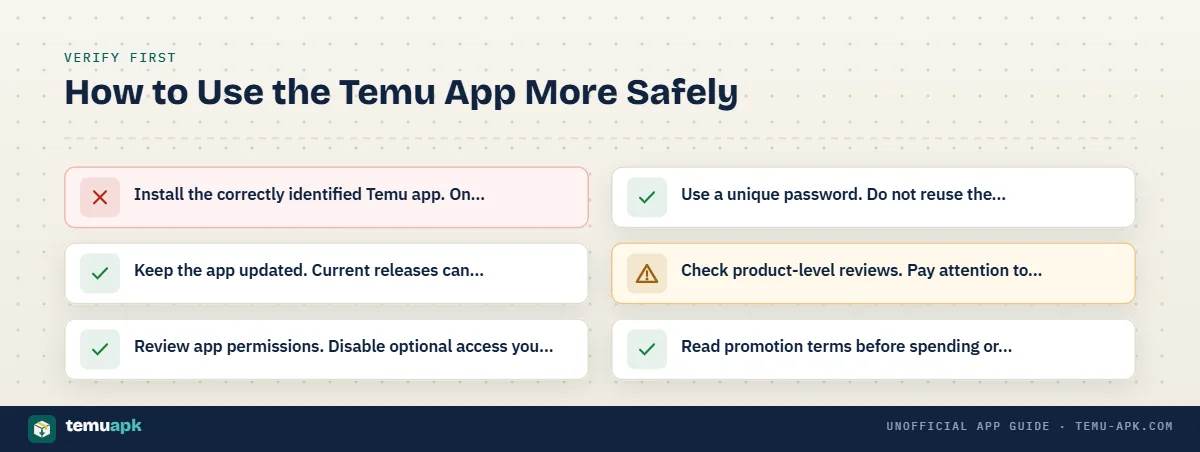
A practical safety checklist is more useful than assuming the app is either completely safe or unsafe:
- Install the correctly identified Temu app. On Android, verify the official app name, publisher, and package before installing. Avoid lookalikes or unidentified APK files.
- Keep the app updated. Current releases can include compatibility, stability, and security fixes.
- Review app permissions. Disable optional access you do not need for how you use Temu.
- Use a unique password. Do not reuse the same password across shopping, email, banking, or social accounts.
- Check product-level reviews. Pay attention to recent buyer photos, dimensions, materials, and repeated complaints about the exact item.
- Read promotion terms before spending or referring people. A headline coupon, gift, or credit amount may have eligibility, timing, referral, or minimum-purchase conditions.
- Review the final checkout total. Confirm item prices, discounts, shipping details, and the payment method before placing the order.
- Keep order records until the transaction is complete. Save order numbers, tracking details, refund confirmations, and relevant support messages until delivery or reimbursement is resolved.
- Review notification and privacy settings. Reduce promotional alerts or optional data access that you do not find useful.
These steps do not remove every shopping risk, but they give you more control over the parts you can manage directly.
Temu App or Website — Which Gives You More Control?
You do not have to install the Temu app to access the marketplace. Temu also works through a web browser, so the better option depends on how much convenience you want from a dedicated app and how much device-level access you prefer to avoid.
| Area | Temu app | Temu website |
|---|---|---|
| Convenience | Faster access from the home screen and a mobile-first shopping experience | Requires opening a browser but no separate app installation |
| Push notifications | Can provide order and promotional notifications | Browser notifications depend on your browser settings |
| Device permissions | May request app-level permissions depending on enabled features | Does not use Android/iOS app permissions in the same way |
| Browser access | Not required for normal app use | Works directly in a supported browser |
| Storage | Uses storage for the application, updates, cache, and local data | Mainly uses normal browser cache and site data |
| Shopping/account access | Supports browsing, checkout, orders, and account management | Core shopping and account functions are also available through the web |
The app may be more convenient for frequent shoppers who want alerts and quick access. Browser use can make more sense for someone who shops occasionally, wants to avoid installing another marketplace app, or prefers to limit app-level permissions and storage use.
Using the website does not eliminate Temu’s normal account, transaction, cookie, or web-related data processing. It simply changes how you access the service.
Temu App Reviews — What Should You Decide Before Installing?
The most useful Temu app review is not one that reduces the service to a simple “good” or “bad” label. The better question is whether the app fits how you want to shop and whether you are comfortable with the trade-offs involved.
Fact-check 3: Google Play currently shows an independent security review indicator for Temu in several regional storefronts. That indicator relates to application-security review; it should not be interpreted as a guarantee about individual sellers, products, promotions, or delivery experiences.
Before installing, consider:
- Do I actually need the app? If browser access already meets your needs, installing it may add little value.
- Am I comfortable with the disclosed data practices? Review the privacy information and permissions rather than deciding based only on star ratings.
- Will I read promotion terms before participating? Coupons, credits, gifts, and reward programs can have conditions that are easy to miss.
- Will I check individual product reviews and measurements? A strong overall app rating does not guarantee the quality, size, or materials of one product.
- Do I understand the return and refund rules in my region? Policies and available return methods can vary by product and location.
- Am I downloading the genuine Temu app? Confirm the publisher, store listing, and Android package rather than trusting an icon or copied screenshot.
Temu’s legitimacy as a real marketplace, its privacy practices, product quality, promotional design, and your own shopping experience are separate issues. A user may be satisfied with one and uncomfortable with another.
That distinction is the most useful way to read Temu app reviews: verify the app itself, understand the data and promotion terms, then judge individual purchases on their own details rather than treating one overall rating as the answer to every safety question.
Conclusion
Current Temu app reviews show why it is more useful to separate legitimacy, privacy, product quality, promotions, and customer service than to give the app a simple “safe” or “unsafe” label.
The official Temu app is a legitimate shopping application, but that does not guarantee that every product, delivery, promotion, or support experience will meet the same standard. Product-level reviews, promotion conditions, return rules, payment checks, and privacy preferences still matter.
Before installing, confirm that you have the genuine app and decide whether you are comfortable with its disclosed data practices. Before buying, check the specific listing, measurements, recent buyer feedback, final checkout total, delivery estimate, and return conditions.
That approach gives you a more useful answer than relying on a single star rating: verify the app first, then judge each purchase and promotion on its own details.
FAQ
Can I delete my Temu account and request deletion of my personal data?
Yes. Temu’s privacy policy says users can delete their account through account settings and may have rights to request deletion of personal information, depending on applicable law. Account deletion is separate from simply uninstalling the app from your phone.
Does uninstalling the Temu app delete my Temu account?
No. Removing the app from your phone only removes the local application. Temu provides a separate account-deletion process through its settings and privacy controls, so uninstalling should not be treated as the same action as closing the account.
Can I stop Temu marketing messages without deleting my account?
Yes. Temu’s privacy policy says users can opt out of promotional emails and text messages through unsubscribe options or notification settings and can continue using Temu after opting out of marketing communications.
Does Temu offer protection if an item never arrives or is not as described?
Temu’s current support pages describe a Purchase Protection Program that offers refunds for qualifying items that do not arrive, arrive damaged, or are not as described. A return may still be required in some cases, and procedures can vary by market and order.
Are Google Play Temu reviews written by people who actually installed the app?
Google Play says users can only rate an app after they have previously downloaded and installed it through the Google account they are using. That provides some connection between the reviewer and the app, although an individual review may still focus on products, delivery, promotions, or support rather than technical app quality.