How to Delete Temu App
To delete the Temu app, use your phone’s normal app-removal controls: on iPhone, touch and hold Temu, choose Remove App > Delete App, and confirm; on Android, you can uninstall Temu through Google Play or your device’s app settings. Apple and Google both document these as the standard ways to remove installed apps. (support.apple.com) (support.google.com)
The important distinction is that uninstalling Temu does not mean deleting your Temu account. Temu provides a separate account-deletion process through its settings and privacy controls. (temu.com)
That difference matters if your real goal is to cancel an order, remove a saved card, erase account data, or simply stop promotional notifications. Each requires a different action. This guide focuses on removing Temu correctly from iPhone or Android, what remains after uninstalling it, and when you should use Temu’s separate account or notification controls instead.
How to Delete the Temu App From Your Phone
To delete the Temu app, use your phone’s normal app-removal control. On iPhone, choose Delete App. On Android, choose Uninstall.
Removing Temu from the device does not automatically delete your Temu account, cancel an order, remove saved payment methods from your account, or start Temu’s permanent account-deletion process. Those are separate actions.
You can also reinstall Temu later if you change your mind. Google confirms that apps removed from Android can be installed again, while iPhone users can download available apps again from the App Store.
| Action | iPhone | Android |
|---|---|---|
| Remove the installed Temu app | Delete App | Uninstall |
| Remove only the Home Screen icon | Remove from Home Screen | Depends on launcher; not the same as uninstalling |
| Delete the Temu account | Separate Temu account process | Separate Temu account process |
If your goal is simply to free up phone storage or stop using the mobile app, uninstalling is enough. If you want to permanently close your Temu account, you need to use Temu’s separate account-deletion controls.
Before You Uninstall Temu
Before removing the app, check whether you still need access to anything that may be easier to manage while signed in.
- Orders you are still tracking
- Returns or refunds that are still processing
- Order numbers or other information you may need later
- Saved payment methods you intended to remove
- Notification settings if unwanted alerts are the real problem
- Whether you actually want to delete the Temu account permanently
Deleting the app is not necessary just to stop promotional notifications. Temu currently lets users change notification preferences from You > Settings > Notifications > Edit in the app. Temu.com also provides notification controls through the account menu.
Temu’s privacy policy likewise states that users can opt out of marketing communications while continuing to use the service, so uninstalling is not required if notifications are your only concern.
If you remove the app but still have an active order, you can continue accessing your account through Temu.com. Temu’s support guidance says users can view orders, track shipments, cancel eligible items, and request returns or refunds through either the app or Temu.com.
How to Delete Temu App From iPhone
To delete Temu from an iPhone, use Apple’s standard app-removal process:
Fact-check: iPhone “Offload App” is not the same as “Delete App.”
Apple says offloading frees storage while keeping the app’s documents and data, whereas deleting removes the app and its related local data. (support.apple.com)
- Find Temu on the Home Screen or in the App Library.
- Touch and hold the Temu app icon.
- Tap Remove App.
- Tap Delete App.
- Tap Delete to confirm.
Apple currently documents this process for deleting third-party apps from iPhone and iPad.
If holding the icon makes your apps start to jiggle instead, tap the Remove symbol on the Temu icon, choose Delete App, confirm the deletion, and then tap Done.
Deleting Temu this way removes the installed application from the iPhone. It does not by itself delete the Temu account associated with your login.
Remove From Home Screen vs Delete App
On iPhone, Remove from Home Screen and Delete App do different things.
- Remove from Home Screen hides the icon from your Home Screen while leaving the app installed.
- Delete App removes the installed application from the iPhone.
If Temu appears to be gone but you are not sure it was actually deleted, open the App Library or use Spotlight to search for it. Apple specifically recommends Spotlight when you cannot find an installed app.
So if your goal is to completely uninstall Temu from the iPhone, make sure you choose Delete App, not just Remove from Home Screen.
Why Can’t I Delete Temu From My iPhone?
If Delete App does not appear, the problem is usually an iPhone restriction rather than something specific to Temu.
Possible causes include:
- Screen Time or parental controls are blocking app deletion.
- The iPhone is managed through Mobile Device Management (MDM) by a school, employer, or other organization.
- You selected Remove from Home Screen rather than the full deletion option.
Apple says that when a third-party app cannot be deleted, users should check parental-control settings and make sure Deleting Apps is set to Allow.
Apple also notes that managed devices can prevent users from removing apps. If the iPhone belongs to an organization, you may need to contact the device administrator instead.
How to Uninstall Temu App on Android
To uninstall Temu on Android through Google Play:
Fact-check: Android can archive an unused app without treating it as a normal uninstall.
Google says archived apps can keep their icon and personal data while the removable app portion is cleared to save space. (support.google.com)
- Open the Google Play Store.
- Tap your profile icon in the top-right corner.
- Select Manage apps & device.
- Tap Manage.
- Select Temu.
- Tap Uninstall.
Google currently documents this method for removing apps installed on Android devices.
Many Android phones also let you uninstall an app by touching and holding its icon and choosing or dragging it to Uninstall. Google notes that the exact launcher behavior can vary by device.
Another common route is:
Settings > Apps > Temu > Uninstall
The wording and location can differ between Samsung, Google Pixel, Xiaomi, Motorola, OnePlus, and other Android manufacturers.
Whichever method you use, look for the actual Uninstall command. Removing a Temu shortcut or icon from the Home Screen does not necessarily remove the app from the phone.
Uninstall vs Clear Cache or Clear Storage
Android provides several app-management actions that can sound similar but have different effects.
Clear cache removes temporary files created by the app. It is mainly useful when Temu is behaving incorrectly or you want to clear temporary storage without removing the app.
Clear storage or Clear data removes locally stored application data and resets the app on the device, but it does not necessarily uninstall Temu itself.
Uninstall removes the installed Temu application from the phone.
A simple way to choose is:
- Use Clear cache for temporary app problems.
- Use Clear storage/data when you want to reset Temu’s local app data.
- Use Uninstall when you want the Temu app removed from the device.
Android settings and storage controls can vary between manufacturers, so the exact names and menu locations may differ. Google likewise notes that Android app-management behavior can depend on device and Android version.
Does Uninstalling Temu Delete Your Account?
No. Uninstalling the Temu app does not delete your Temu account. These are separate actions.
Removing Temu from an iPhone or Android phone deletes the installed application from that device. Your Temu account is managed separately through Temu’s service.
Temu’s current Privacy Policy specifically says that users can delete their account from the Settings section of the app. Temu also provides separate privacy controls for starting permanent account deletion or making other personal-data requests.
| Action | Removes app from phone? | Deletes Temu account? | Intended use |
|---|---|---|---|
| Uninstall / Delete App | Yes | No | Stop using Temu on that device |
| Sign out | No | No | Disconnect the current login session |
| Disable notifications | No | No | Reduce or stop alerts and promotions |
| Delete Temu account | Separate process | Yes | Permanently close the account |
This distinction matters because uninstalling Temu should not be treated as a privacy-deletion request. If your goal is only to remove the app, use your phone’s uninstall control. If your goal is to close the account, use Temu’s dedicated account-deletion process.
Can You Reinstall Temu After Deleting the App?
Yes. If you only uninstall Temu, you can install the app again later while it remains available for your device and region.
Because uninstalling does not delete the Temu account, you can normally sign back into the same account afterward. Use the same login method associated with that account.
Temu specifically advises users who originally signed in with Facebook, Google, Twitter, or Apple to use that same authentication method when signing in again.
For example, if your Temu account was created through Continue with Google, reinstalling the app does not convert it into an email-password account. Choose the Google login option again.
If you cannot remember how you signed in, Temu recommends checking the correct email address, phone number, or third-party authentication method before assuming the account has disappeared.
Does Deleting the Temu App Cancel Your Orders?
No. Deleting or uninstalling the Temu app does not cancel Temu orders.
Order management takes place through your Temu account and Temu’s order system. Temu says customers can access their account through either the app or Temu.com to view orders, track shipments, add or cancel eligible items, and request returns, refunds, or exchanges.
If you want to cancel an eligible order, use Temu’s order controls rather than uninstalling the application.
Before removing Temu, it can be useful to save or confirm:
- your Temu login method;
- the relevant order number;
- current shipping status;
- any active cancellation request;
- return or refund details you may need later.
Temu’s cancellation process is separate from app removal. Some cancellation requests can also require seller review depending on the order status, so deleting the app will not replace that process.
What If You Delete Temu While Waiting for a Refund?
Uninstalling Temu should not be confused with cancelling a refund.
If a refund has already been approved or issued, removing the mobile app does not by itself change the refund process. Temu says an approved cancellation refund is issued through its normal refund system; when it is returned to the original payment method, it generally takes 5–14 business days, and in some cases up to 30 days, depending on the payment provider.
You can still use Temu.com to access the same account and review orders or request support after the mobile app has been removed.
Keep your login details and order number until the refund is complete.
Also avoid deleting your entire Temu account merely because you want the app off your phone. Account deletion is a separate, more permanent action.
Does Deleting Temu Remove Saved Cards and Personal Data?
No. Uninstalling the Temu app should not be treated as removing saved payment methods or requesting deletion of personal information held in your Temu account.
Temu separately provides controls for:
- deleting a saved credit or debit card;
- permanently deleting the Temu account;
- requesting deletion of personal information where applicable.
For saved cards, Temu’s current support instructions say users can open the linked card, choose Edit, and then select Delete card in the Temu app. On Temu.com, the equivalent option is Remove.
So if removing a saved payment card is part of your reason for deleting Temu, manage that card separately instead of assuming an uninstall will remove the account-side payment method.
Temu’s Privacy Policy also confirms that it collects and maintains account, purchase, transaction, payment, and profile information as part of providing the service. It separately gives users privacy rights that can include access, correction, or deletion of personal information.
Uninstalling an App Is Not a Privacy-Deletion Request
The uninstall button on your phone and Temu’s privacy controls perform different functions.
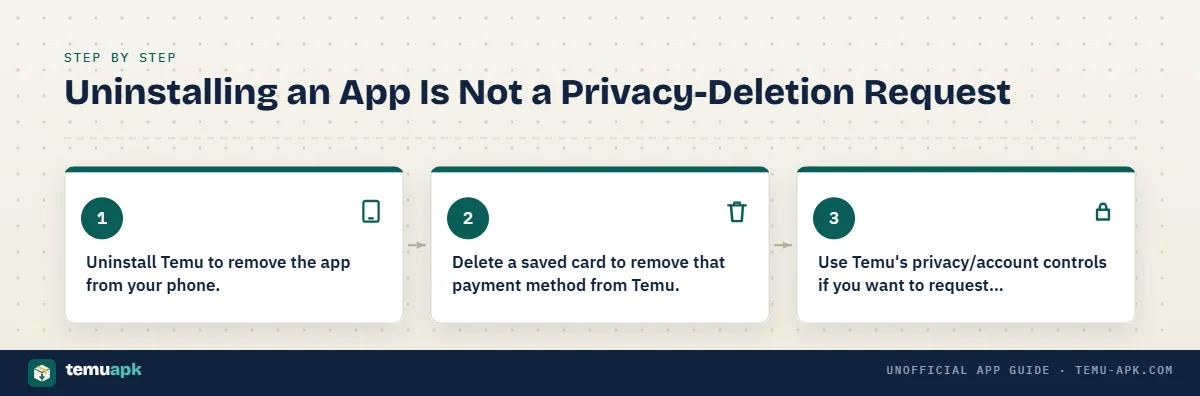
Your iPhone or Android device handles removal of the installed app. Temu handles the account and personal information associated with its service.
Temu’s current Privacy Policy says users may have rights to request deletion of personal information and can permanently delete their Temu account. Its privacy-settings page also provides a separate route for access, deletion, and other privacy requests.
That does not necessarily mean every piece of information disappears immediately in every situation. Temu’s privacy documentation notes that deletion rights and data handling can be affected by applicable legal requirements and other permitted reasons for retaining information.
So choose the action that matches your goal:
- Uninstall Temu to remove the app from your phone.
- Delete a saved card to remove that payment method from Temu.
- Use Temu’s privacy/account controls if you want to request personal-data deletion or permanently close the account.
How to Permanently Delete Your Temu Account
Permanently deleting your Temu account is different from uninstalling the Temu app.
Uninstalling only removes the application from your phone. Temu’s current Privacy Policy says account deletion is handled separately through the Settings section of the mobile app, while Temu’s privacy-controls page also provides a dedicated option to start account deletion. (temu.com) (temu.com)
Before starting permanent deletion, review anything you may still need from the account, including:
- active or unshipped orders;
- returns that are still open;
- refunds that have not arrived;
- Temu Credit or other account rewards;
- order numbers or receipts you may need;
- saved information you want to record first.
Then use Temu’s account or privacy settings to start the deletion process and follow the confirmation steps shown for your account.
Temu also provides separate privacy-request controls for access, deletion, and other requests involving personal information. (temu.com)
Do not use the phone’s Delete App or Uninstall button as a substitute. Removing the software from the device does not submit an account-deletion request to Temu.
Uninstall Temu or Delete Your Account — Which One Do You Need?
Choose the action that matches what you actually want to accomplish.
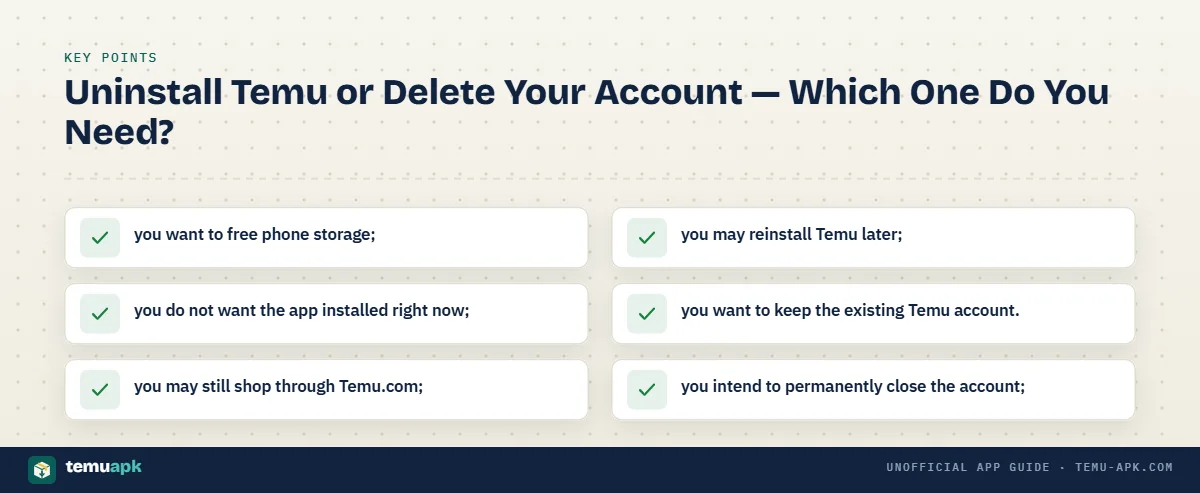
Uninstall Temu when:
- you want to free phone storage;
- you do not want the app installed right now;
- you may still shop through Temu.com;
- you may reinstall Temu later;
- you want to keep the existing Temu account.
Delete your Temu account when:
- you intend to permanently close the account;
- you specifically want to start Temu’s account-deletion process;
- you want to use Temu’s privacy controls for account or personal-data deletion.
Change notification settings instead when:
- you still want to use Temu;
- your main problem is promotional push notifications;
- you want fewer marketing emails or text messages.
These actions are not interchangeable. Uninstalling controls what is installed on the phone, account deletion affects the Temu account, and notification settings control communications.
How to Stop Temu Notifications Without Deleting the App
You do not need to uninstall Temu simply to stop or reduce promotional notifications.
Temu’s current support instructions say to open the app and go to:
You > Settings > Notifications > Edit
From there, you can change your notification preferences. Temu.com also provides notification settings through the account area. (temu.com)
Temu’s Privacy Policy also says users can manage marketing communications through the Notifications menu while continuing to use the service. (temu.com)
Depending on what you want to stop, you may need to manage different communication types separately.
For example:
- Push notifications: Change them in Temu’s Notifications menu and, if needed, your phone’s notification settings.
- Marketing emails: Use Temu’s notification preferences or the unsubscribe option included in promotional emails.
- Marketing text messages: Follow the opt-out instructions in the message or manage the relevant Temu notification preference.
Temu states that users can continue using the service after opting out of marketing communications. (temu.com)
So if your goal is only to stop shopping alerts, sale notifications, or promotional messages, changing the relevant preferences is usually more appropriate than deleting the app or closing the account.
What to Check After You Uninstall Temu
After uninstalling Temu, do a quick check to make sure you completed the action you actually intended.
Fact-check: Temu lets users opt out of marketing without deleting their account.
Temu’s Privacy Policy says users can manage promotional email and text preferences and continue using Temu after opting out of marketing communications. (temu.com)
- Confirm Temu is no longer installed.
On iPhone, make sure you chose Delete App rather than only Remove from Home Screen. On Android, verify that you used Uninstall rather than simply removing a shortcut. - Make sure important orders are still accessible.
If you still need to track an order, return, or refund, sign into the same account through Temu.com. - Check saved payment methods separately if needed.
Uninstalling the app does not replace Temu’s saved-card removal process.
Change marketing preferences separately if notifications were the problem.
Email, text, and other marketing preferences may still need to be changed even after the mobile app is gone. Temu’s privacy guidance provides separate controls for these communications. (temu.com)
Confirm account deletion separately if that was your goal.
If you intended to permanently close Temu, make sure you actually started Temu’s account-deletion process. An uninstall alone does not do this.
Keep any order or refund information you still need.
Save useful order numbers, return records, or refund details until outstanding issues are resolved.
Avoid unofficial removal tools.
You do not need a “Temu remover,” cleaner APK, modified application, or third-party account-deletion service to uninstall Temu. Use the normal iPhone or Android app-removal controls and Temu’s official privacy settings for account deletion.
Once these points are checked, you can be confident that the app itself is removed without confusing device-level uninstalling with account, payment, order, or privacy actions.
Conclusion
Deleting the Temu app is straightforward, but the action you choose should match what you actually want to remove. On iPhone, use Delete App; on Android, use Uninstall. Those actions remove the application from the device, not the Temu account itself.
Orders, refunds, saved payment methods, marketing preferences, and account deletion are handled separately. If you only need more storage or no longer want the app installed, uninstalling is enough. If notifications are the problem, change Temu’s notification settings instead. If you intend to close Temu permanently, use the account-deletion controls provided by Temu. (temu.com)
After uninstalling, confirm that the app is actually gone rather than merely hidden, then separately handle any account, payment, privacy, or communication settings that were part of your reason for removing it.
FAQ
Is offloading Temu on iPhone the same as deleting it?
No. Apple says Offload App frees the storage used by the app but keeps its documents and data. Delete App removes the application and its related local data from the iPhone. If your goal is to fully remove the installed Temu app, choose Delete App rather than Offload App. (support.apple.com)
What is the difference between archiving Temu and uninstalling it on Android?
Google’s Android app archiving feature removes much of an unused app to save space while keeping its icon and personal app data on the device. A normal uninstall removes the installed app. An archived app can be downloaded again later when it is still available on Google Play. (support.google.com)
Will deleting Temu stop promotional emails and text messages?
Not necessarily. Removing the app stops you from using that installed copy, but Temu manages email and text marketing preferences separately. Temu’s Privacy Policy says users can unsubscribe from promotional emails, follow opt-out instructions in marketing texts, or manage relevant preferences through the Notifications menu. (temu.com)
Can I still use Temu after deleting the mobile app?
Yes. Deleting the app does not automatically delete your Temu account. You can still sign in through Temu.com, or reinstall the mobile app later and use the same account while the app remains available for your device and region.
Will uninstalling Temu remove the app from my other phone or tablet?
Normally, uninstalling Temu removes it from the device on which you perform the uninstall. Google Play also supports managing or remotely uninstalling apps on specific Android devices, so each device can be handled separately. (support.google.com)