
How to Cancel Order on Temu App
To cancel an order on the Temu app, sign in, open Your orders, find the order, tap Cancel items, choose the item or items you want to cancel, select a reason and refund method, then submit the request. Temu currently allows users to cancel an entire order or only selected items when those products are still within the eligible fulfilment stage. (temu.com)
Timing matters. Temu says items shipped or procured by Temu can generally be cancelled before their status becomes Packed, while seller or local-warehouse items can generally be cancelled before they become Shipped. For some seller-shipped orders, requesting cancellation more than 30 minutes after purchase can trigger seller review. (temu.com)
This guide focuses on the actual cancellation steps, partial cancellations, seller approval, what to do when an order is already too far into shipping, and when to expect the refund after cancellation.
How to Cancel an Order on the Temu App
To cancel an order on the Temu app, open your account’s Your orders section and submit a cancellation request for the item or items you no longer want.
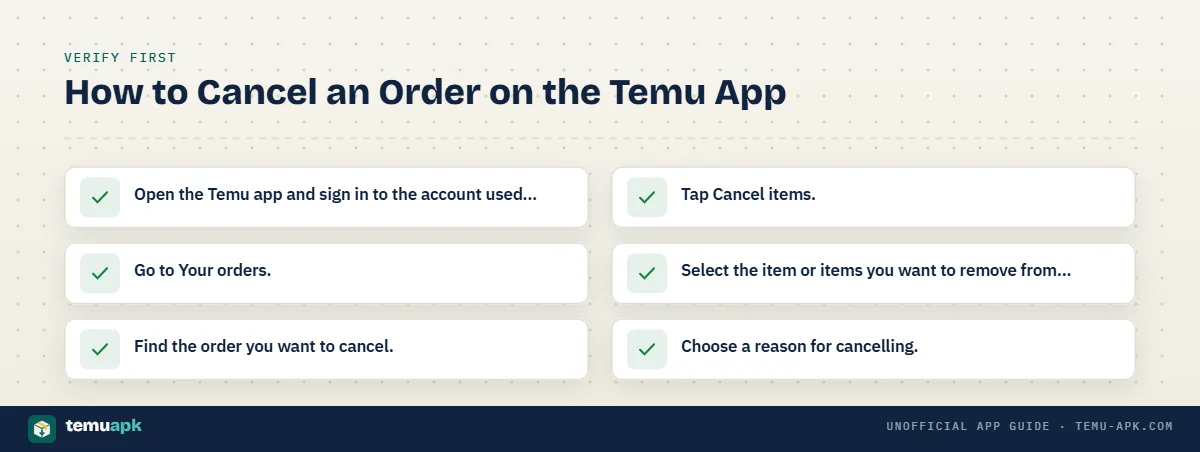
Temu’s current cancellation process is:
- Open the Temu app and sign in to the account used for the purchase.
- Go to Your orders.
- Find the order you want to cancel.
- Tap Cancel items.
- Select the item or items you want to remove from the order.
- Choose a reason for cancelling.
- Select the available refund method.
- Submit the cancellation request.
- Check the updated order status and any confirmation from Temu.
Temu’s current support guidance says the cancellation flow lets you choose specific items, a cancellation reason, and your preferred refund method before submitting the request. Temu then processes an approved refund and sends confirmation when the process is completed.
Cancelling an order is not the same as deleting or uninstalling the Temu app. Removing the app from your phone does not submit a cancellation request for an active purchase.
Timing is also important. The Cancel items option depends on how far each item has progressed through fulfilment, so it is better to submit the request quickly after noticing an accidental purchase, incorrect quantity, or unwanted item.
Can You Cancel Only One Item From a Temu Order?
Yes. Temu currently says you can cancel all or part of an order.
When you open the cancellation process, select only the individual product or products you want to cancel. Items you leave unselected can remain in the order as long as their fulfilment continues normally.
This is useful when, for example, you ordered five products but only one has the wrong size or quantity. You do not necessarily need to cancel the other four products just to remove that item.
Keep in mind that products within one order can be handled differently. One item may still be eligible for cancellation while another has already reached a later shipping stage. Check the status of each item instead of assuming the entire order has one cancellation cutoff.
When Can You Cancel a Temu Order?
The key factor is the item’s current fulfilment status.
Fact-check: Temu Credit does not currently expire.
Temu says credits held in a Temu account do not expire, although they are intended for purchases on Temu rather than cash withdrawal.
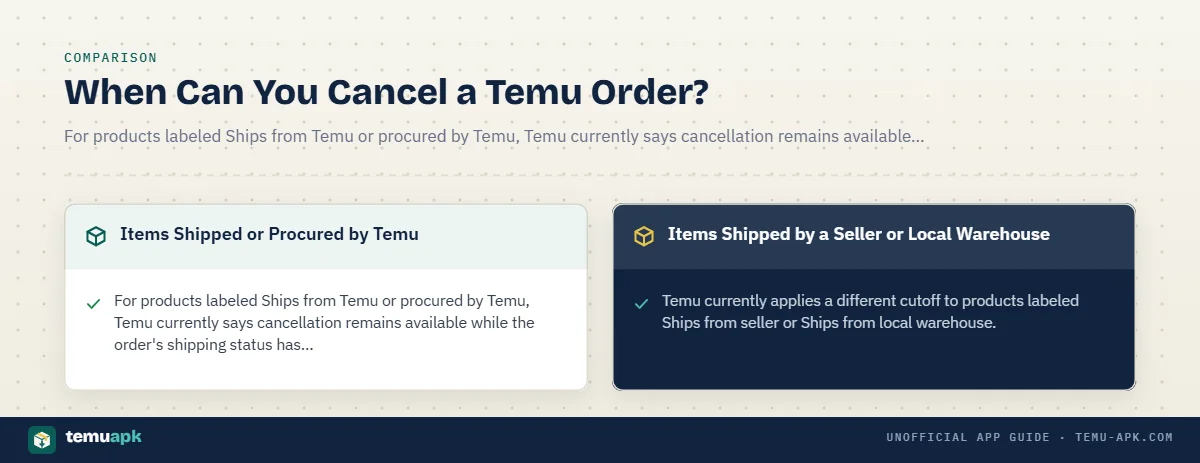
Temu currently uses different cancellation cutoffs depending on whether the product is handled by Temu or shipped by a seller or local warehouse. Its general Terms also state that orders can normally be cancelled without cost before they are packed for shipment, subject to applicable terms and laws.
| Item type | Temu’s current cancellation cutoff | Possible extra review |
|---|---|---|
| Ships from Temu / procured by Temu | Before the status becomes Packed | Generally determined by current fulfilment status |
| Ships from seller / local warehouse | Before the status becomes Shipped | Seller confirmation may be needed after 30 minutes |
The practical takeaway is to check the order as soon as you decide you no longer want an item. Waiting can move the product beyond the stage where Temu allows a normal cancellation.
Items Shipped or Procured by Temu
For products labeled Ships from Temu or procured by Temu, Temu currently says cancellation remains available while the order’s shipping status has not reached Packed.
Once the item reaches the Packed stage, Temu may no longer be able to stop it through the normal cancellation process because fulfilment has already progressed too far.
If that happens, Temu says you can generally wait until the package arrives and then use the return or refund process when the product is eligible. Some items have special return restrictions, so the return option should be checked for the specific product rather than assumed.
The distinction is straightforward:
- Before Packed: cancellation may still be available.
- After Packed: direct cancellation may no longer be available, and a return after delivery may be the next route.
This is why acting quickly matters if an order was placed accidentally.
Items Shipped by a Seller or Local Warehouse
Temu currently applies a different cutoff to products labeled Ships from seller or Ships from local warehouse.
These items can generally be cancelled while their shipping status has not reached Shipped.
There is an additional timing rule for these orders. If you submit the cancellation request more than 30 minutes after placing the order, Temu says the seller may need to confirm whether the item has already been packed or shipped. The seller then makes the final decision on that cancellation request.
For example:
- You place a seller-shipped order and request cancellation within a few minutes: the process may be straightforward if fulfilment has not progressed.
- You wait several hours: Temu may need the seller to verify whether the item can still be stopped.
- The item is already marked Shipped: normal cancellation is generally no longer available.
A submitted request should therefore not be treated as a completed cancellation until Temu shows that it has been approved. Seller review can create a temporary pending status, especially for local-warehouse or seller-fulfilled products.
If seller review is required, Temu currently says sellers usually review the item’s shipping status within 24 hours, although some cases can take longer.
Why Does My Temu Cancellation Need Seller Approval?
A Temu cancellation can require seller approval when the item is being fulfilled by a seller or local warehouse and Temu needs confirmation that the order has not progressed too far to stop.
Temu currently says that for items labeled Ships from seller or Ships from local warehouse, a cancellation request submitted more than 30 minutes after the order was placed may need seller confirmation. The seller checks whether the item has already been packed or shipped, and Temu states that the seller makes the final cancellation decision in this situation.
This means submitting a cancellation request does not always mean the item has been cancelled immediately. The request can remain pending while the seller reviews its fulfilment status.
A seller-approval message usually means Temu is checking a practical question: Can this item still be stopped before shipment?
During that review:
- do not assume the cancellation has succeeded yet;
- check the order status for updates;
- avoid placing a replacement order until you know the outcome if doing so could create a duplicate purchase;
- keep the Temu notification or confirmation showing that your request was submitted.
If the seller confirms that the item has already progressed too far, the cancellation may be denied. Temu’s current guidance says customers can generally wait for delivery and then request a return or refund when the product is eligible.
How Long Does Seller Review Take?
Temu currently says sellers typically review the shipping status within 24 hours, although some items can take longer.
If the seller does not respond within 24 hours, Temu says it will automatically start processing the refund. The order page may also provide an Urge the seller option that lets you request faster handling.
While the request is under review, check the status rather than repeatedly submitting new cancellation attempts. The important distinction is between:
- Cancellation requested: Temu has received your request.
- Seller review pending: The seller is checking whether fulfilment can still be stopped.
- Cancellation approved: The request has been accepted and refund processing can begin.
- Cancellation denied: The item could not be stopped at its current shipping stage.
If approval is granted, Temu currently says the refund is issued immediately on its side, although the time before the money appears depends on the refund method and payment provider.
Why Can’t I Cancel My Temu Order?
The most common reason you cannot cancel a Temu order is that the item has already progressed beyond its available cancellation stage.
Temu currently applies different cutoffs depending on who fulfils the product:
- Items shipped or procured by Temu can generally be cancelled before their status reaches Packed.
- Items shipped by a seller or local warehouse can generally be cancelled before their status reaches Shipped.
Other reasons cancellation may not be available include:
- the item is already packed;
- the package has already shipped;
- a seller is still reviewing your request;
- a previous cancellation request was denied because fulfilment had progressed too far;
- only some products in a multi-item order remain eligible;
- you are signed into a different Temu account from the one used to place the order;
- the order page is not currently showing the latest status.
Do not assume that every product in one Temu order must have the same cancellation status. Temu allows partial cancellation, and separate items can move through fulfilment at different speeds. One item may still be cancellable while another is already packed or shipped.
If the order has already moved beyond cancellation, Temu advises customers to wait for delivery and then use the return/refund process for eligible products. Some special items can have different return restrictions, so check the individual product or order information rather than assuming every item can be returned.
The Cancel Items Button Is Missing
If you cannot see Cancel items, check the order carefully before assuming there is an app problem.
First, confirm that:
- You are signed into the correct Temu account.
The order will only appear under the account used to place it. - You opened Your orders.
Cancellation is managed from the order details, not from the shopping cart or checkout page. - You are viewing the correct order.
If you have several purchases, confirm the order number and products. - The item is still within its cancellation window.
A missing cancellation option may mean the product is already Packed or Shipped under Temu’s current rules. - Only some items are still eligible.
Check individual products if the order contains multiple items.
If the app appears to show outdated information, reopen the order page or restart the official Temu app. You can also sign in through Temu.com and check the same account there.
Temu says users can manage orders through either the app or Temu.com, including viewing order details and cancelling eligible items.
If the app consistently fails to load the correct order or cancellation controls while Temu.com works normally, the issue may be with the app session rather than the order itself.
Can You Cancel a Temu Order After It Has Shipped?
Usually not through the normal cancellation process. Once a Temu item has moved beyond the stage where cancellation is available, you generally need to wait for delivery and then use the return/refund process if the item qualifies.
Fact-check: An unused Temu Credit refund may be changeable with customer-service help.
Temu advises users who want to switch a credit refund back to their original payment method not to spend the credit and to contact customer service.
Temu’s current Terms state that an order can generally be cancelled without cost before it is packed for shipment. If the product has already been packed, Temu says it may still be returned after you receive it, subject to the applicable return rules.
For seller or local-warehouse items, Temu can use a later Shipped cutoff, as explained earlier in the cancellation process. Once the order has actually entered shipment and Temu no longer provides the cancellation option, treat it as a return situation rather than continuing to look for a cancellation button.
Do not refuse, redirect, or otherwise interfere with a shipment unless Temu specifically instructs you to do so for that order. The safer route is to follow the status shown in Your orders and use Temu’s documented return/refund controls after delivery where eligible.
Cancel Before Shipping vs Return After Delivery
Cancellation and return are separate processes.
| Action | When it applies | What it does |
|---|---|---|
| Cancel order/item | Before the relevant fulfilment cutoff | Attempts to stop the item before shipment progresses too far |
| Return/refund | After receipt when cancellation is no longer available | Requests a return or refund under Temu’s return rules |
A return is not automatically guaranteed for every product. Temu says almost all items are eligible for return and refund within the applicable window, but it lists exceptions such as certain used or opened clothing, products marked non-returnable, and some free gifts.
If the item arrives and you no longer want it, open Your orders, choose Return/Refund, and follow the options shown for that specific product. Temu’s support guidance says eligible returns and refunds can be managed from the order page in the app or on Temu.com.
What Happens After You Cancel a Temu Order?
After Temu approves the cancellation, it begins processing the refund and the cancelled item should no longer continue through normal fulfilment.
Temu’s cancellation support says customers receive confirmation after the cancellation and refund process is completed. The exact time before you see the money depends on the refund method you selected and, for bank or card refunds, the payment provider’s processing speed.
Check the order page after cancelling to make sure the status shows the expected result. A submitted request, a pending seller review, and an approved cancellation are different stages.
How Long Does a Temu Cancellation Refund Take?
Temu currently says that once a cancellation request is approved, the refund is issued immediately on Temu’s side.
After that:
- Original payment method: Temu says to allow about 5–14 business days, and in some cases up to 30 days, for the refund to appear. Processing time depends on the payment provider.
- Temu Credit: Temu says the refund is generally added to the credit balance within about 3 minutes.
This distinction is important. “Refund issued” does not necessarily mean “money already visible in your bank account.”
For example, Temu may release the refund immediately after approval, but a card issuer or bank can still take several business days to post it.
Original Payment Method vs Temu Credit
The two refund routes are useful for different situations.
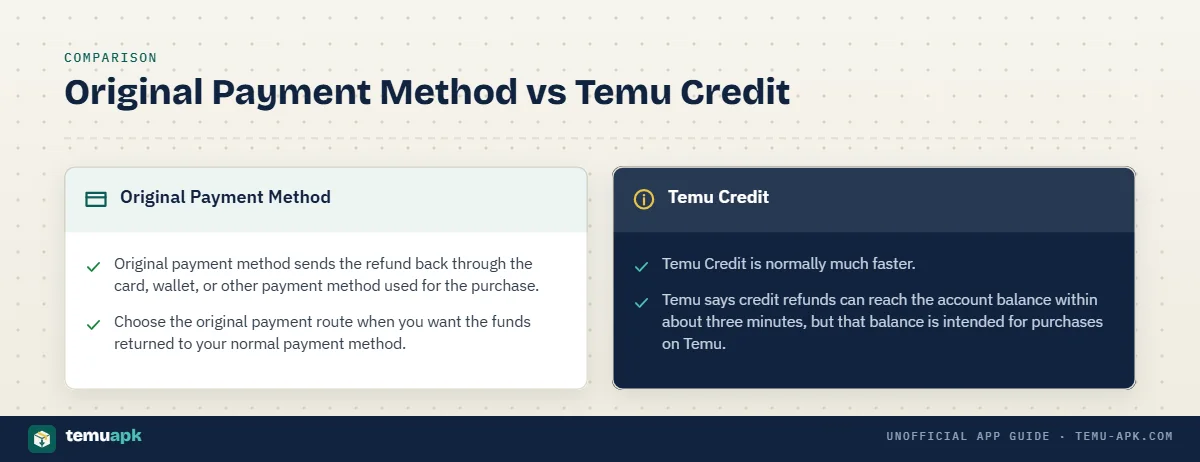
Original payment method sends the refund back through the card, wallet, or other payment method used for the purchase. It is the better choice when you want the money returned outside Temu, but it usually takes longer to appear.
Temu Credit is normally much faster. Temu says credit refunds can reach the account balance within about three minutes, but that balance is intended for purchases on Temu.
Temu also states that its credit balance cannot normally be redeemed for cash and can only be used for purchases on Temu.
A useful comparison is:
| Refund method | Typical availability after Temu issues refund | Where the money goes |
|---|---|---|
| Original payment method | 5–14 business days, sometimes up to 30 | Back through the original payment provider |
| Temu Credit | About 3 minutes | Temu account credit balance |
Choose the original payment route when you want the funds returned to your normal payment method. Choose Temu Credit only if you are comfortable keeping the value inside Temu for another purchase.
What If Temu Denies Your Cancellation Request?
A denied cancellation usually means the item can no longer be stopped at its current fulfilment stage.
Check the latest status in Your orders. If the product has already been packed or shipped beyond Temu’s cancellation cutoff, repeatedly submitting the same cancellation request is unlikely to reverse the fulfilment process.
The next practical steps are:
- Check the item’s latest order and shipping status.
- Confirm whether the cancellation was denied or is still under seller review.
- If the item ships, wait for delivery.
- After delivery, check whether the product qualifies for Return/Refund.
- Contact Temu Support if the displayed shipping status does not seem consistent with the cancellation result.
Temu’s Terms specifically state that even when an item has already been packed, it may still be returned after receipt under the applicable return policy.
Temu’s support pages also let users manage returns and refunds from Your orders, while its contact page currently offers 24/7 chat support for unresolved order issues.
Contact support when there is a genuine mismatch—for example, the order still appears to be at an early fulfilment stage but the cancellation has been denied. Support can review the order information, but do not assume it can always stop a package that has already entered shipment.
Can You Undo a Temu Order Cancellation?
Do not assume that a submitted or completed Temu cancellation can simply be reversed.
Temu’s current Support Center includes a specific help topic for users who accidentally cancel an order, but a cancellation can move quickly into refund processing once it is approved. Temu says an approved cancellation refund is issued immediately on its side.
If you cancelled by mistake, first check the order status in Your orders before doing anything else.
Look for whether the cancellation is:
- still pending;
- awaiting seller review;
- approved;
- already moving into refund processing.
If the cancellation has already been completed, the practical option may be to place a new order for the product if it is still available. Do not immediately repurchase without checking the first order, especially when seller review is still pending, because you could end up with a duplicate order if the original cancellation does not complete as expected.
A replacement purchase should also be treated as a new transaction. The original:
- product price;
- stock availability;
- coupon;
- promotional discount;
- shipping option;
- delivery estimate;
may no longer be available under the same terms.
Temu’s order pages can also show an option to rebuy items from previous orders in supported situations, but availability and current pricing should still be checked before submitting a replacement purchase.
If the status is unclear or appears inconsistent, use Temu’s support options before placing another order rather than assuming the cancellation can be undone.
Does Deleting the Temu App Cancel an Order?
No. Deleting or uninstalling the Temu app does not cancel an order.
Removing the app only removes that installed copy of Temu from your phone. It does not send an order-cancellation request to Temu, stop fulfilment, or begin a refund.
To cancel an eligible item, use:
Your orders > select the order > Cancel items
Temu says its account pages in either the app or on Temu.com allow users to view orders and add or cancel eligible items.
This distinction matters if you placed an order accidentally. Simply uninstalling Temu while the order is being processed will not stop the package.
Likewise, deleting the app does not replace:
- a cancellation request before shipment;
- a return after delivery;
- a refund request;
- seller approval when required.
If you no longer want Temu installed but still have an active order, cancel the eligible item first or keep access to the same account through Temu.com so you can monitor the order.
Temu Order Cancellation Checklist
Before leaving the cancellation screen, confirm each of these points:
Fact-check: Temu order numbers begin with “PO.”
Temu’s current support guidance asks customers to have their PO order number ready when seeking help with a specific purchase.
- You opened the correct order.
Match the product, order details, and quantity before submitting anything. - You selected the correct item or items.
Temu allows partial cancellation, so make sure you are not cancelling products you still want. - The item is still within the cancellation stage.
Check whether it has already reached Packed, Shipped, or another status that affects eligibility. - You selected the refund method you actually want.
Original-payment refunds and Temu Credit have different processing times. - The cancellation request was submitted.
Selecting items is not the same as completing the request. - You understand any seller-review message.
A request requiring seller approval is still pending until the review is resolved. - You can see a cancellation status or confirmation.
Temu’s order tools should show whether the request is pending, approved, or denied. - You know where the refund is going.
Temu says approved refunds to the original payment method can take about 5–14 business days, and sometimes up to 30 days, while Temu Credit can generally arrive within about 3 minutes. - You have not confused “requested” with “cancelled.”
A submitted cancellation may still be waiting for seller review or another confirmation step.
Keeping these points straight is especially important when the order contains several items, because different products can be at different fulfilment stages and may not all have the same cancellation result.
Conclusion
The most important part of cancelling a Temu order is timing. Open Your orders > Cancel items as soon as you know you no longer want the purchase, then confirm that the item is still within Temu’s available cancellation stage.
Submitting a request is not always the same as having an order successfully cancelled. Seller-shipped items can require review, and products that have progressed too far through fulfilment may need to be returned after delivery instead.
Once cancellation is approved, check the refund method as well as the order status. Temu Credit is generally credited much faster, while refunds to the original payment method can take several business days to appear.
Before leaving the order page, make sure the cancellation shows the expected status and that you know where your refund is being sent.
FAQ
Can I cancel a Temu order from the website instead of the app?
Yes. Temu says order-management controls are available through both the Temu app and Temu.com. After signing in, open your account and Your orders to view the purchase and use the available cancellation controls for eligible items.
What if my cancellation refund went to Temu Credit but I wanted my original payment method?
Temu says that if a refund has been issued as Temu Credit and you want to change it to the original payment method, do not use the returned credit and contact customer service for assistance. Once you spend the credit, changing the refund route may no longer be practical.
Does Temu Credit from a cancelled order expire?
Temu’s current support guidance says Temu Credit does not expire. The balance can be used for purchases on Temu, although Temu also states that the credit cannot normally be withdrawn as cash.
What information should I have before contacting Temu about a cancellation?
Have the relevant order number ready. Temu says order numbers begin with “PO” and recommends having that number available when contacting customer service about a specific purchase. This helps support identify the correct order more quickly.
Can Temu Support help if the app is not showing the correct cancellation status?
Yes. First check the order through Temu.com to see whether the same status appears there. If the app and website appear inconsistent or you still cannot resolve the cancellation issue, Temu currently provides 24/7 chat support through its contact pages.



One Comment